



This Hostinger review covers the details small business owners and solopreneurs should check before choosing a plan, including upfront costs, renewal rates, WordPress management, backups, and customer support.
A low advertised price can make hosting look like an easy purchase. But the total payment, included features, and ongoing costs deserve a closer look—especially when you are committing to several years upfront.
Hostinger may be a suitable option for a service website, freelance portfolio, or growing content business. The right plan depends on what your website needs to do, how often it changes, and who will handle its maintenance.
Affiliate disclosure: Some links in this guide may earn NaturesMoney a commission if you sign up or purchase, at no additional cost to you. The recommendations are intended to help you compare options for your business.
Is Hostinger Worth It?
Hostinger is worth considering if you want to launch a WordPress website on a modest budget and are comfortable handling routine maintenance yourself or hiring someone to help.
For a consultant, freelancer, or local service business, keeping initial costs manageable can leave more money for design, content, and marketing. A growing blog may also be a good fit, provided the selected plan can handle its workload.
Before committing, consider the upfront payment, renewal price, resource limits, and support options. A low introductory rate is useful, but the ongoing cost needs to fit your budget too.
Our recommendation: Choose the lowest-priced plan that meets your website’s needs, paying particular attention to backup frequency and resource limits. Upgrade when your workload justifies it.
What Is Hostinger?
Hostinger is a hosting provider that offers services for building and running websites, including WordPress hosting, cloud hosting, domain registration, and website-building tools.
For a small business owner or solopreneur, it provides the infrastructure that keeps a website accessible online. You can use WordPress to create service pages, publish articles, collect inquiries, or build an online store.
The right hosting setup depends on what your website needs to do. A simple portfolio has different requirements from a store processing orders throughout the day.
In this Hostinger review, we focus on how the hosting fits everyday business needs. Your theme, plugins, and maintenance routine also affect the results, so choosing a suitable plan is only part of building a dependable website.
Hostinger Review – Pricing and Renewal Costs
Pricing is an important part of this Hostinger review because the introductory rate and renewal cost can lead to very different budgets. Compare the full upfront payment with the ongoing expense before committing to a plan.
The table below shows the USD offers recorded on October 15, 2026. Prices, plan names, and included features may change, so confirm the details on Hostinger’s pricing page before purchasing.
| Plan | Introductory monthly equivalent | Upfront payment for 48 months | Listed renewal monthly equivalent | Storage | Website allowance |
|---|---|---|---|---|---|
| Premium | $2.99 | $143.52 | $10.99 | 20 GB SSD | 3 |
| Unlimited | $3.99 | $191.52 | $16.99 | 50 GB NVMe | Unlimited, subject to fair usage |
| Cloud Startup | $7.99 | $383.52 | $25.99 | 100 GB NVMe | Unlimited, subject to fair usage |
The advertised monthly rate is an equivalent price, with the full term paid upfront. For example, the Premium offer above requires an initial hosting payment of $143.52 for 48 months.
Look at the Total Payment
Before buying, add up the hosting payment, applicable taxes, and any optional extras. Check future domain and email charges separately, including when introductory benefits expire.
Compare providers over the same period. A one-year offer and a four-year offer involve different upfront commitments, even when their advertised monthly rates look similar.
Decide How Long to Commit
A longer term may make sense if your business is established and you expect to keep the website running for several years. It can make budgeting easier when the upfront cost is affordable.
If you are testing a new business idea, a shorter commitment may be more practical. Paying a little more per month can be worthwhile if it gives you flexibility while you work out what the website needs.
Which Hostinger Plan Should You Choose?
Choose a plan based on what visitors do on your website and how often its content changes. Page count alone is a poor guide: a small store processing orders can place more demands on hosting than a larger blog serving mostly cached articles.
The recommendations below use the plan details recorded in the pricing snapshot above.
Premium for a Simple Website
Premium is a sensible starting point for a service website, freelance portfolio, or small blog with occasional updates.
Its weekly backup schedule may suit a website that changes infrequently. If you publish daily or collect important information, consider whether you need more frequent backups and how you will protect changes between them.
Unlimited for More Active Websites
The Unlimited offer includes daily backups and NVMe storage, making it worth comparing for an actively maintained business website or several small content projects.
Daily backups provide more frequent recovery points, but “unlimited” does not mean unlimited server capacity. Check storage, processing resources, and fair-usage limits—especially if several websites will share the plan.
Cloud Startup for Additional Capacity
Cloud Startup is worth considering when your website needs more resources. The recorded offer also includes daily and on-demand backups, which can be useful before significant updates.
Look for evidence before upgrading, such as repeated resource-limit warnings or slowdowns linked to capacity. Check for oversized images, inefficient plugins, and other website issues too; a larger plan may not resolve those problems.
Managing Your Website With hPanel
Hostinger’s control panel, known as hPanel, brings website and hosting management into one dashboard. You can find guidance for common tasks in the official hPanel documentation.
For a small business owner, the dashboard’s value comes down to how easily you can handle routine work. Take time during setup to locate your backups, domain settings, account access controls, and billing details. Knowing where to find them makes maintenance easier and can save time when a problem needs attention.
If you are moving from cPanel or another hosting dashboard, allow some time to learn the layout. Start with the tasks you use most often, particularly creating a backup and finding the recovery tools.
Remember that hPanel manages your hosting services, while the WordPress dashboard is where you normally edit pages, publish posts, and manage themes and plugins.
Is Hostinger Good for WordPress?
Hostinger supports WordPress, making it an option for business websites, portfolios, and blogs built with the platform. Your theme and plugins provide the design and features, while the hosting plan supplies the resources needed to run them.
The important question is who will keep everything working after launch. WordPress offers flexibility, but it also needs regular attention.
Understand What Managed Hosting Covers
Managed hosting does not automatically include fixing every plugin conflict, updating your design, or troubleshooting a contact form. Check what support covers and decide who will handle website maintenance.
Whether you manage the site yourself or hire a developer, establish a routine for updates, backups, security checks, and testing important features. Clear responsibility helps prevent small problems from going unnoticed.
Keep Your WordPress Setup Manageable
Choose a well-maintained theme and plugins that serve a clear purpose. Booking systems and online stores may require several components, while a simple service website can often use a smaller setup.
Plugin quality and compatibility matter more than the count alone. Remove tools you no longer use, and check that essential plugins remain supported.
After significant changes, test your contact form, navigation, and key pages on mobile. A website may look fine while an inquiry form fails to deliver messages—so test the actions that matter to your business.
If collecting subscribers is part of your website strategy, choose an email platform that works with your signup forms. Compare email marketing software before adding another tool to your setup.
Hostinger Performance: What Should You Expect?
Hostinger’s performance on your website will depend on the plan you choose, how the site is built, and the work it needs to handle. Large images, demanding plugins, database activity, and visitor location can all affect loading times.
A cached blog article also places different demands on hosting than a shopping cart or customer account page. That makes performance specific to your website—not something a single benchmark can fully predict.
Test the Pages Your Customers Use
Check a representative mix of pages, such as your homepage, a service page, an image-heavy article, and any booking or checkout process. Pay attention to mobile performance and test the actions visitors need to complete.
If one page is consistently slow while others load well, investigate its images, layout, and plugins before upgrading your hosting. If slowdowns affect the whole site during busy periods, review resource usage to help identify the cause.
Look Beyond a Single Speed Score
A performance score can help identify improvements, but it does not show whether your website works reliably throughout the day. Repeat tests under comparable conditions and look for consistent patterns.
For a business website, visitors should be able to browse comfortably, submit inquiries, and complete purchases. Assess those tasks alongside loading times when deciding whether your hosting meets your needs.
Backups and Website Recovery
Hostinger provides tools for creating, downloading, and restoring backups, including options to recover WordPress files and the database together. The official backup documentation explains the available procedures.
When choosing a plan, consider how often backups are created and how much recent work you could lose if you needed to restore one. You should also know where the recovery tools are before you need them.
Keep a Backup Outside Your Hosting Account
An independent backup gives you another recovery option if you lose access to your hosting account or need to move your website.
Create one before major updates, migrations, or substantial design changes. For WordPress, a complete backup should include both the website files and database. Store it somewhere you can access separately from your hosting account.
Match Backup Frequency to Your Business
A weekly backup may be adequate for a service website that rarely changes. A busy store, membership site, or frequently updated blog needs more frequent recovery points.
Think about what happens between backups: new orders, customer registrations, inquiries, or published content. Even daily backups may leave a gap that matters to your business.
Before restoring an older backup, consider what newer information it could overwrite. Your recovery process should protect recent business activity as well as bring the website back online.
Moving an Existing Website to Hostinger
Hostinger offers migration assistance for eligible websites. Check its website migration guidance to confirm whether your site qualifies and what information you need to provide.
Before starting, save an independent backup and record your existing DNS settings. Keep the previous hosting active until you have checked that the transferred website works correctly.
Test More Than the Homepage
A successful migration should preserve the features your business relies on, including forms, redirects, images, and downloads.
Send a test inquiry and confirm it reaches the correct inbox. For an online store, check product pages, customer accounts, and the checkout process. Compare important page URLs with the original site and investigate any missing content or unexpected redirects.
These checks help catch problems that may not be visible from the homepage.
Plan for Business Email Separately
Moving a WordPress website does not necessarily move its email accounts. First, confirm where your mailboxes are hosted and whether they need to be transferred at all.
If email stays with your current provider, preserve the DNS records it requires. If you are moving it, plan how to transfer existing messages and reconnect your devices.
After any DNS changes, test both incoming and outgoing email before canceling services with the previous provider.
Hostinger Customer Support
Hostinger’s support guidance lists its dashboard assistant, WhatsApp, and email as ways to get help. A Customer Success Specialist can join the conversation when further assistance is needed. Telephone support is not available.
Written support can be useful when troubleshooting website problems. You can share screenshots, copy error messages, and keep a record of the steps taken—helpful if an issue returns later.
If you prefer calling someone during an outage, the lack of telephone support should factor into your decision.
We have not measured response times or resolution quality for this review. During your initial evaluation, ask about something your website actually needs, such as restoring a backup or moving business email. Assess whether the answer is clear, relevant, and helps you complete the task.
Hostinger Refund Policy
Hostinger advertises a 30-day money-back guarantee, but eligibility depends on the service, payment method, and applicable exclusions. Read the current refund policy before purchasing, especially if your order includes a domain or additional products.
Use the initial period to test your actual website. Check that your theme, essential plugins, contact forms, and any booking or checkout features work as expected.
If the service does not meet your needs, check the refund procedure and deadline promptly. Do not assume that canceling a subscription or disabling automatic renewal also submits a refund request.
Hostinger Pros and Cons
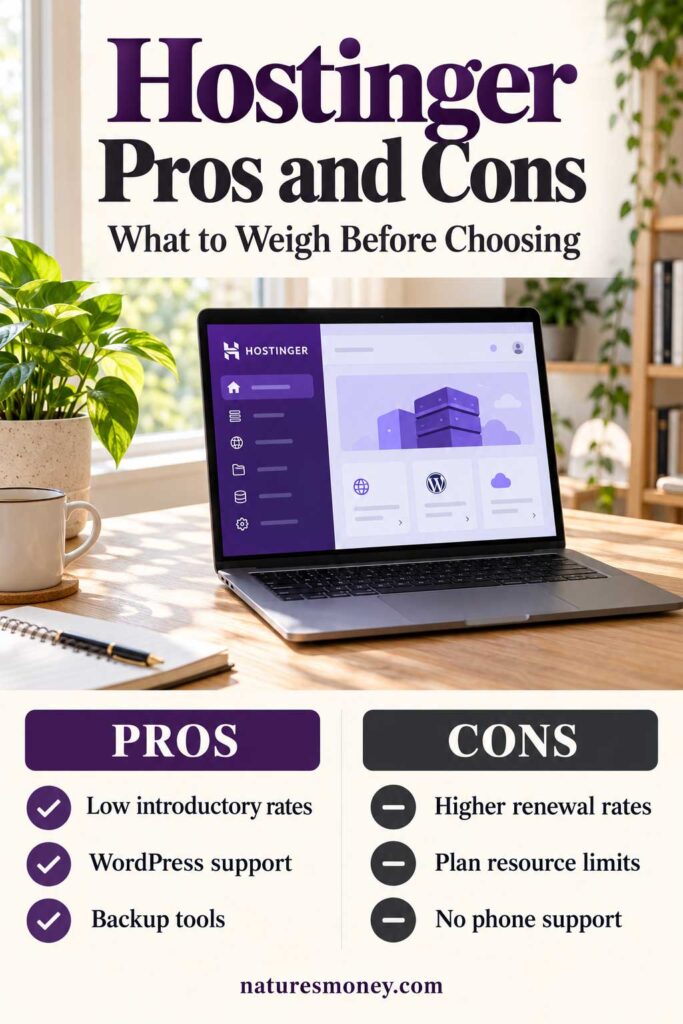
Hostinger’s main appeal is its low introductory cost and range of website management tools. The key tradeoffs are the longer upfront commitment, renewal costs, and limits of the selected plan.
| Advantages | Limitations to Consider |
|---|---|
| Low introductory rates on longer terms | The discounted term requires upfront payment, and renewal rates are higher |
| Hosting designed for WordPress | Themes, plugins, and website maintenance still need attention |
| Centralized management through hPanel | Users moving from another control panel need time to learn the layout |
| Backup and restoration tools | Backup frequency varies by plan |
| Migration assistance for eligible websites | Business email may require a separate migration |
| Several plans for different workloads | Storage, processing, and fair-usage limits still apply |
| Written support for sharing screenshots and errors | No telephone support |
Who Should Use Hostinger?
This Hostinger review focuses on small businesses and solopreneurs who want to keep initial hosting costs manageable. Whether it suits you depends on your website’s workload, backup needs, and who will maintain it.
Local Service Businesses
Consultants, repair companies, photographers, and other service providers often need a straightforward website that explains their services and makes contacting them easy.
For these businesses, reliable inquiry forms, clear mobile pages, and manageable running costs should guide the hosting decision.
Once your website starts bringing in inquiries, you need a reliable way to follow up. Our guide to the best CRM software for small businesses compares tools for organizing contacts, tracking conversations, and managing potential clients.
Freelancers and Solopreneurs
A portfolio or personal business website can be a practical starting point. Choose a plan that supports your essential tools, whether that means appointment scheduling, project galleries, or a newsletter signup.
Leave room in your budget for the design, content, and maintenance that help turn visitors into clients.
Hosting is one part of your business setup. Explore our best free small business apps for tools that help with scheduling, invoicing, project management, and everyday work.
Bloggers and Content Businesses
Bloggers should consider how their storage and performance needs will change as they add articles and images. Backups also become more important when publishing frequently.
If you plan to host several websites on one account, evaluate their combined workload. Several active sites can put more pressure on a plan than one larger, lightly visited blog.
As your content library grows, you may need tools to research topics and identify technical issues. Our guide to SEO software tools can help you decide which features are useful for your stage of growth.
Small Online Stores
A small store may be a suitable fit, but it needs closer evaluation than an informational website. Checkout, payments, inventory updates, and customer accounts all need to work reliably.
Test the complete purchasing process and choose a backup approach that accounts for new orders. Base your plan on the store’s actual workload and recovery needs.
When Should You Consider a Different Host?
Consider another provider if telephone support is essential or your business needs more hands-on website maintenance. Check the scope carefully: hosting support may help with server issues without covering plugin conflicts, design changes, or broken website features.
If your application requires custom server settings, compare hosting types as well as providers. A different plan or server environment may be more suitable than standard managed web hosting.
Ask each provider the same questions so you can compare the ongoing cost and responsibilities:
- What is the total renewal payment, including essential extras?
- How often are backups created, and how long are they retained?
- Who restores the website, and is there an additional charge?
- Which updates and maintenance tasks are included?
- What happens when the website reaches its resource limits?
Choose the service that fits your workload and the level of help your business needs.
Common Mistakes to Avoid When Choosing Hostinger
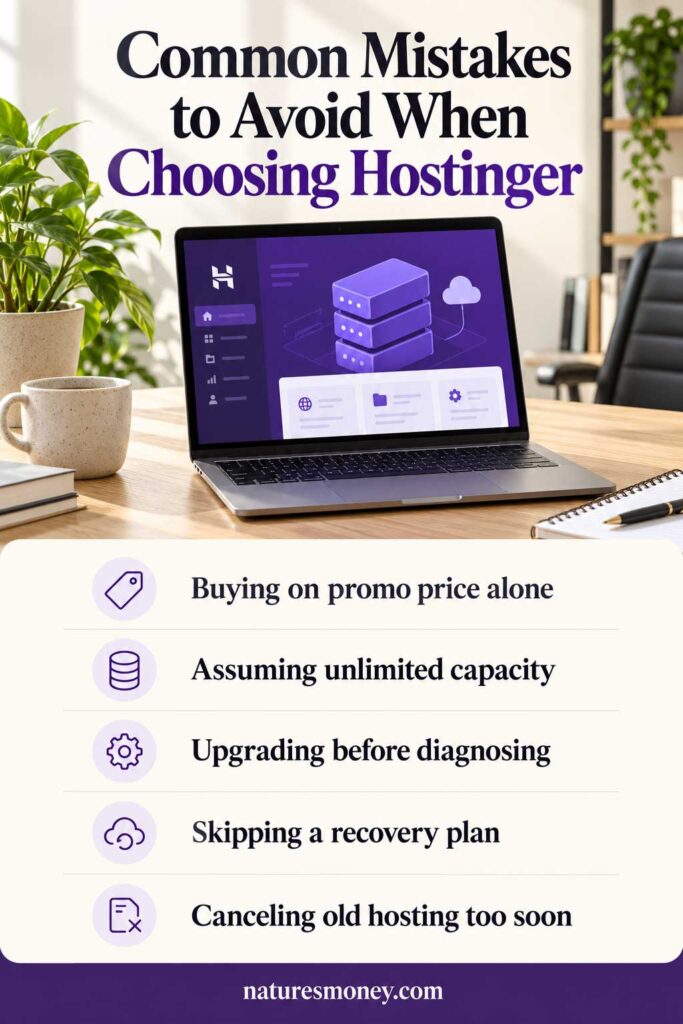
Choosing Only by the Promotional Price
Check the full upfront payment and renewal cost before purchasing. Include domain renewals, email, and any extras you need so you can judge whether the plan fits your budget beyond the introductory term.
Assuming Unlimited Means Unlimited Capacity
An unlimited website allowance does not remove storage, processing, or fair-usage limits. If you plan to host several websites, consider their combined traffic and workload when choosing a plan.
Upgrading Before Finding the Problem
A larger plan may help when your website reaches its resource limits, but it will not automatically fix oversized images, inefficient plugins, or poorly configured caching. Identify what is causing the slowdown before paying for more capacity.
Keeping Backups Without a Recovery Plan
Know how to access your backups, what they contain, and how to restore them. An older backup could overwrite newer orders, registrations, or content, so consider those changes before starting a restoration. Keep an independent copy outside your hosting account.
Canceling Previous Hosting Too Early
Keep your previous hosting active until you have tested the migrated website. Check forms, redirects, images, downloads, and business email before canceling, leaving time to resolve any problems.
Frequently Asked Questions About Hostinger
Is Hostinger good for beginners?
Hostinger can be a practical starting point for beginners willing to learn basic website management. Allow time to become familiar with the dashboard, domain settings, backups, and updates. If you prefer someone else to maintain the website, budget for that help separately.
Is Hostinger good for small businesses?
Hostinger is worth considering for service websites, portfolios, and content businesses. Whether it suits your business depends on the ongoing cost, resource requirements, backup needs, and level of support you expect.
Is Hostinger billed monthly?
The promotional prices shown in this review are monthly equivalents for a prepaid 48-month term. The full term is paid upfront. Check the payment schedule and renewal term for the offer you select.
Can I use WordPress with Hostinger?
Yes. Hostinger supports WordPress and offers hosting designed for it. You will still need to maintain your website’s content, themes, and plugins, either yourself or with professional help.
Does Hostinger have phone support?
No. According to its phone support policy, Hostinger provides help through online channels rather than telephone support.
Can I move my existing website to Hostinger?
Hostinger offers migration assistance for eligible websites. Confirm that your site qualifies, keep an independent backup, and check whether business email needs a separate migration.
Does unlimited hosting mean unlimited resources?
No. An unlimited website allowance does not mean unlimited storage or computing capacity. Check the plan’s resource limits and fair-usage terms, particularly if you intend to host several active websites.
Our Recommendation
Our Hostinger review highlights a practical option for small business websites, freelance portfolios, and growing blogs. Its appeal is strongest when keeping startup costs manageable is a priority and the renewal price fits your longer-term budget.
Before committing, compare the full upfront payment with the renewal cost. Make sure the backup schedule, available resources, and support options suit your business, and decide who will handle ongoing website maintenance.
For a straightforward service website, start by evaluating the entry-level plan. Consider a higher tier when more frequent backups or additional capacity meet a clear need.
Choose the lowest-cost plan that comfortably supports your website today, and review it as traffic, content, or sales grow.
Read More: Build and Manage Your Business Website
Continue planning your website and the tools behind it with these related guides:
- Best Web Hosting for Small Businesses — Compare hosting options, costs, and features before choosing a provider.
- Best Free Website Builders — Explore ways to create a website with a limited starting budget.
- Namecheap Review — Take a closer look at another provider for domains and hosting.
- Best Free Small Business Apps — Find useful tools for organizing work, managing customers, and handling everyday tasks.