



Starting an online store is easier than ever. Choosing the right platform for your business takes a little more thought.
Shopify, WooCommerce, Square, and other popular ecommerce platforms all help businesses sell online, but they differ in important ways. Some are easier to manage, others offer greater customization, and the total cost can vary considerably once you include transaction fees, applications, and additional services.
A business selling handmade products has different needs from a retailer managing hundreds of products or a restaurant accepting online orders. And if you already have a WordPress website, replacing it with a completely different platform may not make sense.
The best ecommerce platforms for small businesses should make everyday tasks easier, from adding products and processing payments to managing orders and providing a smooth shopping experience.
In this guide, we compare eight ecommerce platforms, including their features, pricing, advantages, and limitations. We’ll also look at several alternatives worth exploring and explain what to consider before committing to a subscription.
Best Ecommerce Platforms Compared
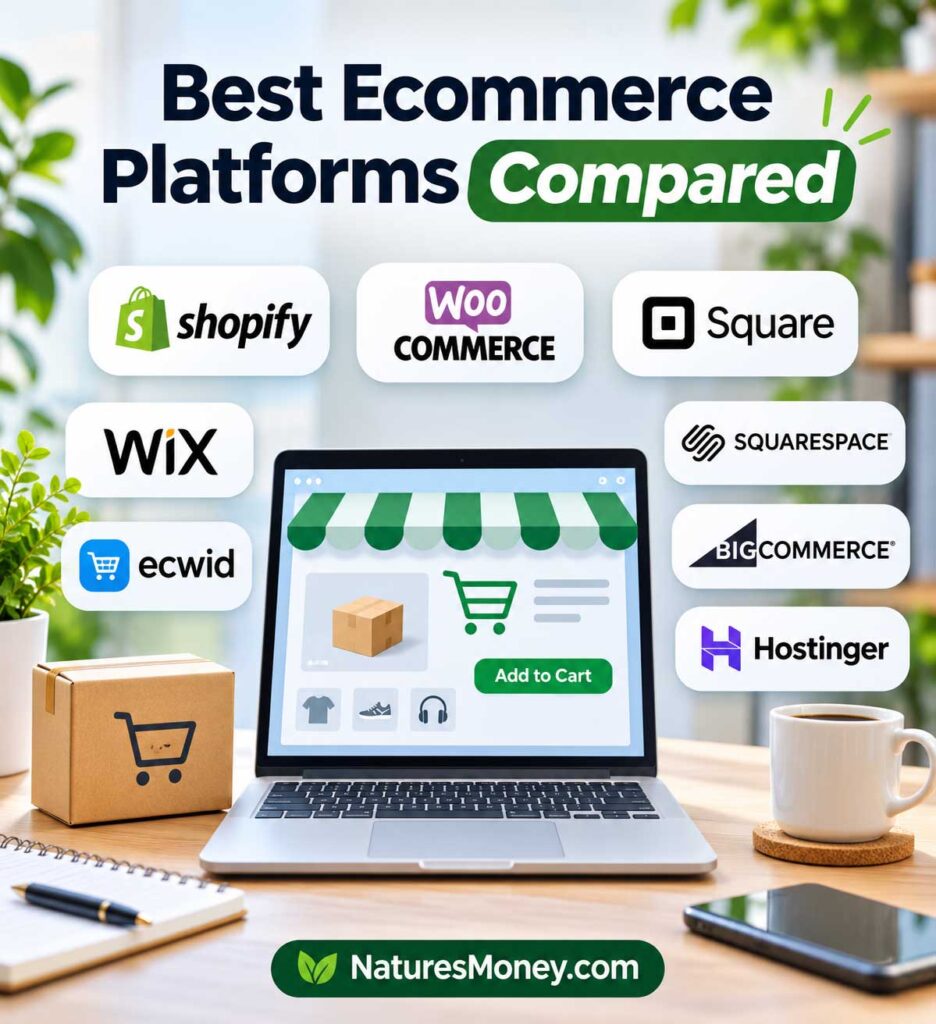
Not sure which platform is right for your store? Here’s how eight popular ecommerce platforms compare in terms of pricing, features, and the businesses they’re best suited for.
Affiliate disclosure: Some links in this article may be affiliate links. If you make a purchase or sign up through one of them, NaturesMoney may earn a commission at no additional cost to you.
| Platform | Best For | Starting Price (USD) | Main Advantage |
|---|---|---|---|
| Shopify | Online stores of all sizes | $29/month, billed annually | All-in-one ecommerce tools |
| WooCommerce | WordPress websites | Free core plugin; hosting extra | Flexibility and customization |
| Square | Local retailers and restaurants | Free plan available | Online and in-person sales |
| Wix | Beginners and small stores | $29/month, billed annually | Easy-to-use visual editor |
| Squarespace | Creative businesses and boutiques | $19/month, billed annually | Professional storefront designs |
| BigCommerce | Growing online retailers | $29/month, billed annually | Advanced selling capabilities |
| Ecwid | Businesses with existing websites | $5/month Starter plan | Add ecommerce to your website |
| Hostinger | Budget-conscious entrepreneurs | $5.99/month introductory offer | Affordable ecommerce setup |
Pricing was reviewed in November 2026 using publicly available US plans. Annual billing, promotional offers, renewal rates, payment processing fees, and additional features may affect your total costs. WooCommerce requires separate hosting, and Squarespace’s Basic plan charges an additional commerce transaction fee.
The lowest starting price doesn’t always mean the lowest long-term cost. Before choosing a platform, consider the features your business needs, how much technical work you’re comfortable managing, and what you’ll pay as your store grows.
Which Ecommerce Platform Should You Choose?
For most small businesses launching a dedicated online store, Shopify is our top overall recommendation. It’s relatively easy to manage, includes essential selling tools, and offers plenty of room to grow without requiring advanced technical skills.
If you already have a WordPress website, WooCommerce may be a better fit. It gives you more control over your store’s design, functionality, and hosting, although you’ll need to handle more of the technical maintenance yourself.
Square is particularly useful for local retailers, restaurants, and other businesses that sell both online and in person. Its integrated payment and point-of-sale tools can make managing sales across different channels easier.
For businesses that prioritize attractive website design and straightforward setup, Wix and Squarespace are worth considering.
If you’re planning a larger ecommerce operation, BigCommerce offers more advanced selling capabilities. Meanwhile, Ecwid and Hostinger provide alternatives for businesses that want to start selling without a large upfront investment.
Ultimately, the best choice comes down to what you’re selling, how comfortable you are with technology, and how much you’re willing to spend as your business grows.
1. Shopify — Best Overall Ecommerce Platform for Small Businesses
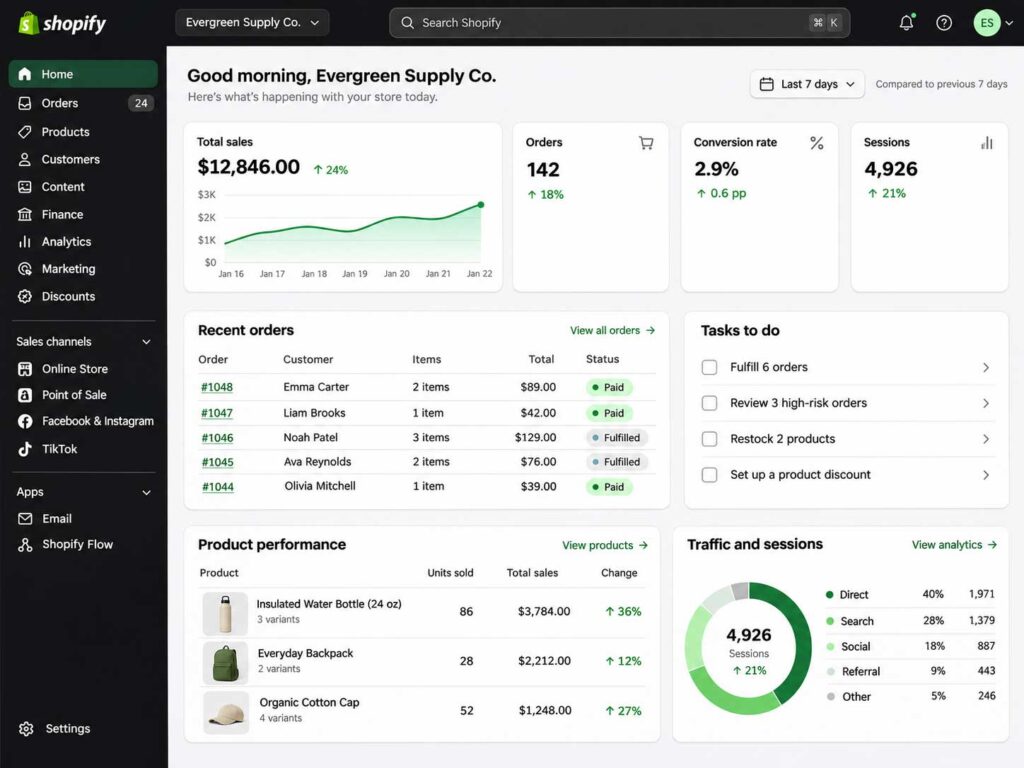
Shopify makes sense if selling online will be a major part of your business. It brings website building, inventory management, payments, and order processing together in one place, making it easier to run an ecommerce business without managing several separate systems.
Unlike WordPress-based solutions, Shopify handles website hosting and much of the technical maintenance for you. That means you can spend more time developing products, marketing your store, and serving customers instead of worrying about server updates or hosting configurations.
You can start with a relatively simple storefront and expand its functionality as your business grows. Shopify also supports selling through social media, online marketplaces, and physical locations.
That convenience comes at a cost, though. Subscription fees, paid apps, and payment processing expenses can add up, particularly as your business becomes more complex.
Key Shopify Features
Shopify includes a wide range of tools designed specifically for ecommerce businesses.
- Online store builder: Create a mobile-friendly storefront using customizable themes without needing to code.
- Product and inventory management: Organize products, track stock, manage variants, and update product information.
- Payment processing: Accept supported payment methods through Shopify Payments or other available providers.
- Order and shipping management: Process orders, configure shipping options, and track fulfillment.
- Multichannel selling: Connect your store to supported marketplaces, social platforms, and in-person sales channels.
- Marketing tools: Create discounts, recover abandoned checkouts, and connect email marketing applications.
- Analytics and reporting: Monitor sales, customer behavior, and store performance.
- App integrations: Add functionality for subscriptions, product reviews, loyalty programs, and other business needs.
One of Shopify’s biggest strengths is its app ecosystem. If your business needs functionality that isn’t included in your subscription, there’s a good chance an integration is available.
However, not every app is free, and relying on several paid integrations can significantly increase your operating expenses.
If email campaigns and abandoned-cart recovery are part of your growth strategy, compare our best email marketing software for small businesses to find tools that work with your ecommerce platform.
Shopify Pricing
Shopify offers several subscription plans designed for businesses at different stages.
| Plan | Monthly Price (Billed Annually) |
|---|---|
| Basic | $29 |
| Grow | $79 |
| Advanced | $299 |
US pricing reviewed in November 2026. Monthly billing is more expensive, and promotional offers may change.
For many small businesses, the Basic plan is a reasonable starting point. It includes an online store, unlimited products, inventory management, and essential selling functionality.
The Grow plan adds features suited to small teams, including additional staff accounts and lower starting card processing rates.
Advanced is intended for businesses needing more sophisticated reporting, international selling capabilities, and other advanced features.
Shopify Plus is also available for larger organizations with more complex commerce requirements.
Are There Additional Shopify Fees?
Yes. Your subscription isn’t necessarily your only expense.
With Shopify Payments, standard domestic online card processing on the Basic plan starts at 2.9% + $0.30 per transaction.
If you use a third-party payment provider, additional Shopify transaction fees may apply, depending on your plan and payment setup.
You should also budget for any premium themes, paid apps, or additional services your business needs.
For example, a store using several subscription applications could pay substantially more than the advertised $29 monthly subscription.
Before choosing a plan, compare the total monthly cost rather than focusing only on the base price.
Shopify Pros and Cons
Pros
- Easy to launch and manage without extensive technical experience.
- Hosting and core platform maintenance are included.
- Strong inventory, order management, and payment capabilities.
- Extensive collection of third-party applications.
- Supports online, social media, marketplace, and in-person selling.
- Suitable for both new and established ecommerce businesses.
Cons
- Monthly subscription fees can increase as your business grows.
- Premium apps and themes may raise operating costs.
- Additional transaction fees can apply when using third-party payment providers.
- Certain advanced customizations require development expertise or higher-tier plans.
- Less control over the underlying hosting environment than a self-hosted platform.
Who Should Use Shopify?
Shopify is a particularly good choice for entrepreneurs who want to focus on selling products rather than maintaining a website.
It’s well suited to businesses launching their first dedicated online store, independent product brands, retailers expanding beyond physical locations, and established sellers looking for a more centralized ecommerce system.
However, if you already operate a WordPress website with substantial content and want full control over your hosting and customization, WooCommerce may be worth exploring before making the switch.
Explore Shopify: Compare Shopify Plans and Features
2. WooCommerce — Best Ecommerce Platform for WordPress
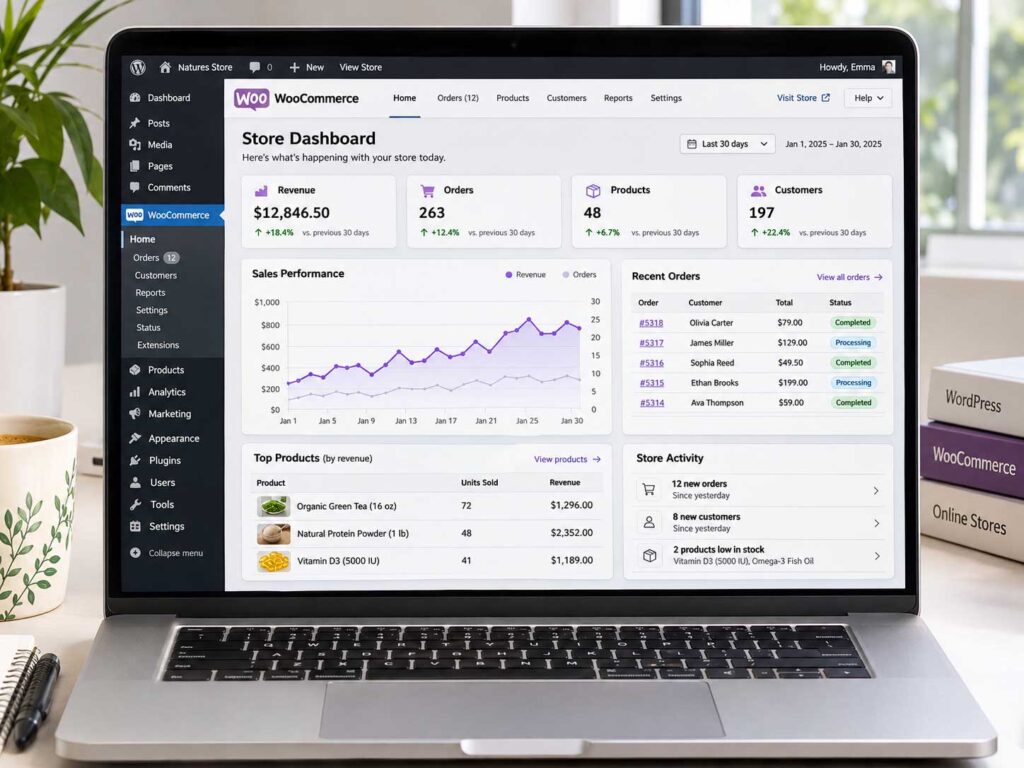
If you already have a WordPress website or want more control over your online store, WooCommerce is one of the strongest alternatives to Shopify.
WooCommerce is a free, open-source ecommerce plugin that transforms a WordPress website into a fully functional online store. You can sell physical products, digital downloads, and other types of products while managing your storefront through the familiar WordPress dashboard.
What makes WooCommerce particularly appealing is its flexibility. Instead of being tied to one hosting provider or a fixed subscription structure, you can choose your hosting, customize your website, and add features as your business needs change.
That freedom comes with additional responsibilities. Unlike Shopify, WooCommerce requires you to arrange hosting and manage software updates, security, backups, and overall website performance.
The plugin itself is free, but running a WooCommerce store still involves ongoing expenses.
Key WooCommerce Features
WooCommerce provides essential ecommerce functionality while allowing businesses to extend their stores through WordPress plugins and integrations.
- Product management: Sell physical products, digital downloads, and products with multiple variations.
- Flexible store design: Customize your storefront using compatible WordPress themes, page builders, and development tools.
- Inventory and order management: Track stock levels, manage customer orders, and configure product availability.
- Payment integrations: Accept payments through WooPayments, Stripe, PayPal, and other supported providers.
- Shipping and tax settings: Configure shipping zones, delivery methods, and tax options based on your requirements.
- Marketing and SEO tools: Create product content, publish blog posts, and integrate popular WordPress SEO plugins.
- Extensions and integrations: Add subscriptions, bookings, memberships, email marketing, and other specialized functionality.
- Customer management: Manage customer accounts, order histories, coupons, and promotional offers.
One of WooCommerce’s biggest advantages is how naturally it integrates with content-driven websites.
For example, a business publishing product guides, tutorials, and educational articles can manage its blog and online store from the same WordPress installation.
This makes WooCommerce particularly attractive for businesses investing in long-term organic search traffic. However, strong SEO performance still depends on your content, website structure, and technical optimization.
WooCommerce Pricing
WooCommerce’s core plugin is free, with no required monthly platform subscription or percentage-based revenue-sharing fee.
However, you’ll need to cover the expenses associated with hosting and operating your store.
| Expense | Estimated Cost |
|---|---|
| WooCommerce plugin | Free |
| Web hosting | $25–$350/month for many stores, according to WooCommerce |
| Domain registration | Varies by registrar |
| Premium extensions | Typically $29–$299/year per extension |
| Payment processing | Depends on provider and payment method |
| Security, backups, and maintenance | Free self-managed options or paid services |
These figures are planning estimates based on WooCommerce’s published pricing information. Actual costs depend on your hosting setup, store requirements, and selected services.
A smaller store may be able to operate with less expensive hosting, while a high-traffic ecommerce business may require more powerful infrastructure.
You also don’t need to purchase every premium extension available. Many stores can start with the free core functionality and a limited selection of additional plugins.
Are There Additional WooCommerce Fees?
Yes, particularly for payment processing and optional extensions.
WooPayments, WooCommerce’s payment solution, currently charges a standard 2.9% + $0.30 per successful US card transaction for online payments. International payments, currency conversion, and certain other payment methods may involve additional fees.
Unlike some hosted platforms, WooCommerce doesn’t charge an extra platform transaction fee simply because you choose a different payment provider.
However, the payment processor you select will still charge its own fees.
Premium extensions, website maintenance, and development work can also increase your expenses.
For that reason, WooCommerce isn’t automatically cheaper than Shopify. The overall cost depends on how you configure and maintain your store.
WooCommerce Pros and Cons
Pros
- Free, open-source ecommerce software.
- Extensive flexibility for website design and customization.
- Freedom to choose your hosting provider and payment processor.
- Integrates directly with WordPress and its content management tools.
- Supports physical products, digital downloads, and specialized selling models.
- Large ecosystem of themes, plugins, and extensions.
- No additional WooCommerce platform transaction fees.
Cons
- Requires separate web hosting and ongoing technical maintenance.
- Security updates, backups, and performance optimization need attention.
- Plugin conflicts and compatibility issues can occasionally occur.
- Premium extensions and development services can increase costs.
- Setup may be more challenging for beginners unfamiliar with WordPress.
Who Should Use WooCommerce?
WooCommerce is a strong choice for businesses that already use WordPress or want greater control over their online stores.
It’s particularly well suited to content-driven websites, bloggers selling products, and businesses that need specialized functionality or custom integrations.
If you’re comfortable managing WordPress or have reliable technical support, WooCommerce offers the flexibility to build a store around your specific needs.
However, if you prefer a platform that handles hosting and most technical maintenance, Shopify may be easier to manage.
Explore WooCommerce: View WooCommerce Features and Pricing
3. Square — Best for Local Businesses Selling Online and In Person
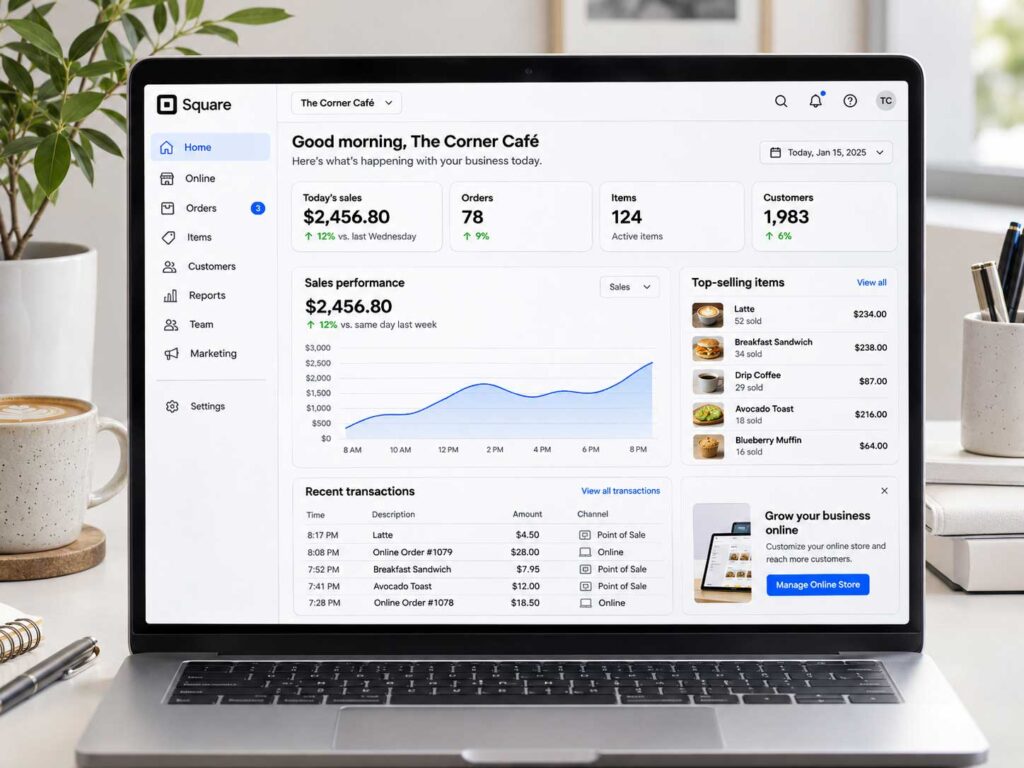
If you run a physical store and want to start selling online, Square is one of the most practical ecommerce platforms to consider.
Originally known for its payment processing and point-of-sale (POS) systems, Square has grown into a broader business platform that connects in-person transactions, online ordering, inventory, and customer management.
For example, a small boutique can sell products through its website while using the same system to process purchases at its physical store. A bakery can accept online orders for pickup, while a restaurant can manage digital orders alongside its everyday operations.
Having these activities connected can save time and reduce the need to manage separate systems.
However, Square’s website-building tools aren’t as flexible as some dedicated ecommerce platforms, particularly for businesses that want extensive storefront customization.
Key Square Features
Square offers a range of tools designed to help businesses manage online and in-person sales.
- Online store builder: Create a mobile-friendly storefront without coding or arranging separate hosting.
- Point-of-sale integration: Connect online orders with sales made at your physical location.
- Inventory synchronization: Track product availability across connected sales channels.
- Payment processing: Accept supported credit cards, digital wallets, and other payment methods.
- Pickup and delivery options: Offer in-store pickup, local delivery, and shipping where supported.
- Order management: Track purchases, update order statuses, and manage fulfillment through a central dashboard.
- Customer management: Maintain customer profiles and purchase histories to support repeat business.
- Marketing tools: Access customer engagement features, promotions, and loyalty programs, depending on your subscription.
For retailers selling in-store and online, keeping inventory in sync is a major advantage.
If you sell the last available item at your physical store, Square can update the inventory associated with your online storefront, helping prevent customers from ordering products that are no longer available.
This is especially valuable for small retailers that don’t have dedicated employees managing ecommerce operations.
Square Pricing
Square offers three main subscription plans, including a free option for businesses getting started.
| Plan | Monthly Price |
|---|---|
| Square Free | $0 |
| Square Plus | $49 per location |
| Square Premium | $149 per location |
US pricing reviewed in November 2026. Payment processing fees and optional services are charged separately.
Square Free includes essential payment processing, inventory management, and online selling tools. It’s a useful starting point for smaller businesses that don’t need advanced functionality.
Square Plus adds more sophisticated inventory, reporting, and team management capabilities, along with lower standard processing rates for certain transactions.
Square Premium is designed for businesses needing additional operational features, reporting, and lower qualifying processing fees.
Paid subscriptions are generally charged per location, which is important to consider if your business operates multiple stores.
Square Payment Processing Fees
Square charges transaction fees when customers pay by card.
Its published standard US rates include:
| Transaction Type | Square Free | Square Plus | Square Premium |
|---|---|---|---|
| In-person payments | 2.6% + $0.15 | 2.5% + $0.15 | 2.4% + $0.15 |
| Online payments | 3.3% + $0.30 | 2.9% + $0.30 | 2.9% + $0.30 |
Additional fees may apply to international cards, manually entered transactions, or certain payment methods.
Businesses should compare these processing costs alongside the subscription fees, especially if they expect a large number of online transactions.
Square Pros and Cons
Pros
- Free subscription available for small businesses.
- Connects online and in-person sales through one ecosystem.
- Inventory synchronization helps reduce manual updates.
- Supports local pickup, delivery, and online ordering.
- Useful customer management and reporting tools.
- Particularly convenient for businesses already using Square POS.
Cons
- Website design customization is more limited than WooCommerce or some dedicated website builders.
- Advanced features require paid subscriptions.
- Transaction fees can add up as sales increase.
- Monthly subscription costs apply per location on paid plans.
- May not be the best fit for large online-only stores with complex ecommerce requirements.
Who Should Use Square?
Square is particularly well suited to local businesses that want to sell products or accept orders both online and in person.
Retail shops, bakeries, cafes, restaurants, and businesses selling at markets or events can benefit from having their payment processing, inventory, and orders connected.
It’s also worth considering if you already use Square for in-person payments and want to add online selling without introducing an entirely separate system.
For businesses focused exclusively on building a large online store, Shopify or BigCommerce may offer a more suitable range of specialized ecommerce tools.
Explore Square: Compare Square Plans and Features
4. Wix — Best for Beginners Building an Online Store

Wix makes it relatively easy to build an attractive online store, even if you’ve never created a website before.
Unlike Shopify, which focuses primarily on ecommerce, Wix is a broader website-building platform. You can create a business website, publish blog posts, accept appointments, and sell products from the same dashboard.
Its drag-and-drop editor is one of its biggest attractions. You can choose a template, customize your pages, upload products, and adjust your store’s appearance without dealing with complicated technical settings.
For example, a small boutique could use Wix to showcase its products, publish seasonal collections, and accept online orders. A beauty salon could combine appointment booking with an online shop selling skincare products.
However, businesses with large inventories or more demanding ecommerce operations may find dedicated platforms such as Shopify or BigCommerce better suited to their needs.
Key Wix Features
Wix combines website design tools with essential ecommerce functionality, making it accessible to entrepreneurs with limited technical experience.
- Drag-and-drop website builder: Customize pages, layouts, images, and other design elements without writing code.
- Ecommerce templates: Choose from professionally designed storefront layouts and adapt them to your brand.
- Product management: Add physical or digital products, organize collections, and manage product variations.
- Payment processing: Accept supported credit cards, digital wallets, and other payment methods.
- Inventory and order management: Track stock availability, process orders, and manage fulfillment.
- Marketing and SEO tools: Customize page titles, meta descriptions, and URLs while connecting email marketing and analytics tools.
- Appointment scheduling: Offer bookings and services alongside physical products.
- App integrations: Extend your website with additional business, marketing, and ecommerce functionality.
One particularly useful aspect of Wix is its flexibility for businesses that do more than sell products.
Instead of maintaining separate systems for a business website, online store, and appointment bookings, you can manage many of these activities through one platform.
Wix Pricing
Wix offers several website subscriptions, but you’ll need a plan that supports payments to operate an online store.
| Plan | Ecommerce Capabilities |
|---|---|
| Free | Website building and testing; no live ecommerce checkout |
| Light | Basic website features; no online payments |
| Core | Basic ecommerce and online payments |
| Business | Additional ecommerce, storage, and marketing capabilities |
| Business Elite | Advanced ecommerce and business features |
The Core plan starts at approximately $29 per month with annual billing in some markets, making it the entry point for businesses that want to accept online payments.
Business and Business Elite provide additional features for businesses with more demanding requirements.
Prices vary by location, billing period, and promotional availability. Wix also offers a free plan for building and testing a website before upgrading.
Are There Additional Wix Fees?
Yes. Although hosting is included with paid Wix plans, payment processing fees still apply.
In the United States, Wix Payments currently charges 2.9% + $0.30 per transaction for standard domestic online credit and debit card payments, excluding American Express.
Other payment methods, international transactions, and currency conversions may have different rates.
Premium applications and additional business services can also increase your monthly expenses.
Before subscribing, check whether the features you need are included in your plan or require separate purchases.
Wix Pros and Cons
Pros
- Beginner-friendly visual website editor.
- Wide selection of customizable templates.
- Hosting and core website maintenance included.
- Combines ecommerce, blogging, and service bookings.
- Built-in SEO and marketing features.
- Free plan available for testing the website builder.
Cons
- Ecommerce requires a paid subscription.
- Advanced selling features may require higher-tier plans.
- Less flexibility over hosting and underlying website technology than WooCommerce.
- Some third-party apps require additional subscriptions.
- Complex ecommerce operations may be better supported by dedicated platforms.
Who Should Use Wix?
Wix is particularly suitable for entrepreneurs who want an attractive business website with ecommerce functionality but don’t need a highly complex online store.
It’s worth considering for small boutiques, independent product brands, creative businesses, and service providers that want to sell products alongside appointments or other services.
For businesses just getting started, the visual editor makes it relatively easy to experiment with layouts and create a storefront without hiring a developer.
If you’re still deciding whether you need a dedicated ecommerce platform or a general website builder, our guide to the best website builders for small businesses explores the differences.
If online retail becomes your primary business and you eventually need more advanced inventory management or specialized integrations, compare those requirements with dedicated ecommerce platforms before committing.
Explore Wix: Compare Wix Plans and Ecommerce Features
5. Squarespace — Best for Creative Businesses and Beautiful Online Stores
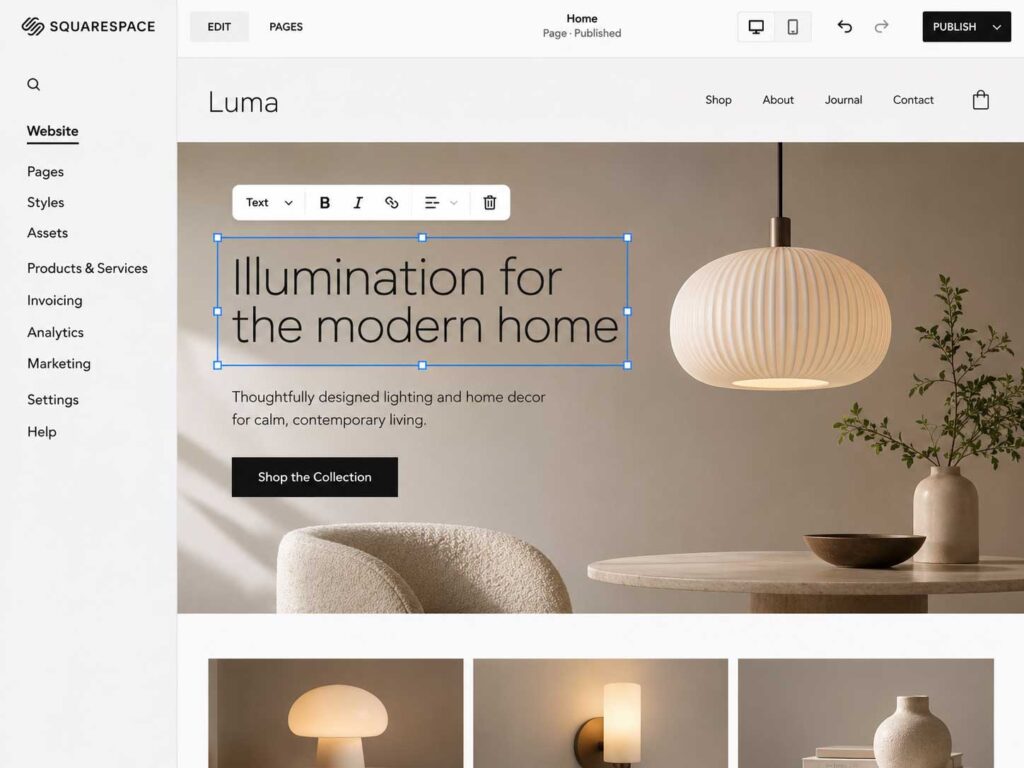
If the appearance of your online store matters just as much as the products you’re selling, Squarespace deserves a closer look.
Known for its polished templates and clean website designs, Squarespace makes it relatively easy to create an attractive storefront without hiring a web designer.
It’s particularly appealing to photographers, artists, boutique owners, and creative entrepreneurs who want their products to stand out. You can showcase your work, sell physical or digital products, publish blog posts, and promote services from the same website.
For example, a photographer could sell prints alongside photography sessions, while a handmade jewelry business could build a visually appealing product catalog without dealing with complicated website development.
Squarespace handles hosting and much of the technical maintenance, although it doesn’t offer the same level of customization as a self-hosted WooCommerce store.
Key Squarespace Features
Squarespace combines website design with ecommerce tools suited to small businesses and creative professionals.
- Professional website templates: Choose from customizable designs built for portfolios, online stores, and business websites.
- Drag-and-drop editor: Arrange images, text, and page sections using Squarespace’s visual editing tools.
- Product management: Sell physical products, digital downloads, services, and subscriptions.
- Inventory and order tracking: Manage product availability, customer orders, and fulfillment.
- Payment processing: Accept payments through supported providers, including Squarespace Payments, Stripe, and PayPal.
- Marketing and SEO tools: Customize SEO settings, publish blog content, and connect marketing integrations.
- Digital products and memberships: Sell courses, gated content, and other digital offerings.
- Website analytics: Monitor visitor activity and sales performance, with more advanced reporting available on higher plans.
One of Squarespace’s strengths is how well it combines product presentation with a broader business website.
Rather than building separate websites for your portfolio, services, and online store, you can bring everything together under one brand.
Squarespace Pricing
Squarespace offers four main website subscription plans, all of which support selling products.
| Plan | Monthly Price (Billed Annually) |
|---|---|
| Basic | $19 |
| Core | $29 |
| Plus | $49 |
| Advanced | $99 |
US pricing reviewed in November 2026. Monthly billing costs more, and promotional offers or regional pricing may vary.
The Basic plan includes website-building tools and ecommerce functionality, but charges an additional 2% commerce transaction fee.
Core removes that additional fee and includes more advanced business features.
Plus and Advanced offer lower qualifying payment processing rates and reduced digital product transaction fees.
Squarespace Transaction Fees
Beyond the subscription price, Squarespace charges different transaction fees depending on your plan and what you’re selling.
| Plan | Commerce Transaction Fee | Digital Products Fee |
|---|---|---|
| Basic | 2% | 7% |
| Core | 0% | 5% |
| Plus | 0% | 1% |
| Advanced | 0% | 0% |
Standard payment processing fees still apply separately.
For example, Squarespace Payments’ standard domestic card rate starts at 2.9% + $0.30 per transaction on Basic and Core.
If you’re selling physical products regularly, upgrading from Basic to Core may save money by eliminating the additional 2% commerce transaction fee.
Businesses selling courses, memberships, or other digital content should pay particular attention to the separate digital product fees.
Squarespace Pros and Cons
Pros
- Attractive, professionally designed website templates.
- Easy-to-use visual website editor.
- Hosting and core website maintenance included.
- Supports physical products, digital downloads, and services.
- Built-in blogging and SEO functionality.
- Useful for businesses combining portfolios, services, and ecommerce.
Cons
- Less technical flexibility than WooCommerce.
- Basic includes an additional 2% commerce transaction fee.
- Digital product fees can be significant on lower-priced plans.
- Some advanced business features require higher subscriptions.
- Specialized ecommerce operations may require more dedicated platforms.
Who Should Use Squarespace?
Squarespace is particularly well suited to creative businesses that want an attractive online presence without spending considerable time managing website technology.
Photographers, artists, designers, boutique retailers, and independent brands can use it to showcase their products while maintaining a professional business website.
It’s also worth considering if you sell a combination of physical products, services, and digital content.
However, if your business requires extensive custom integrations, highly specialized inventory management, or greater technical control, WooCommerce, Shopify, or BigCommerce may be more appropriate.
Explore Squarespace: Compare Squarespace Plans and Features
6. BigCommerce — Best for Growing Ecommerce Businesses
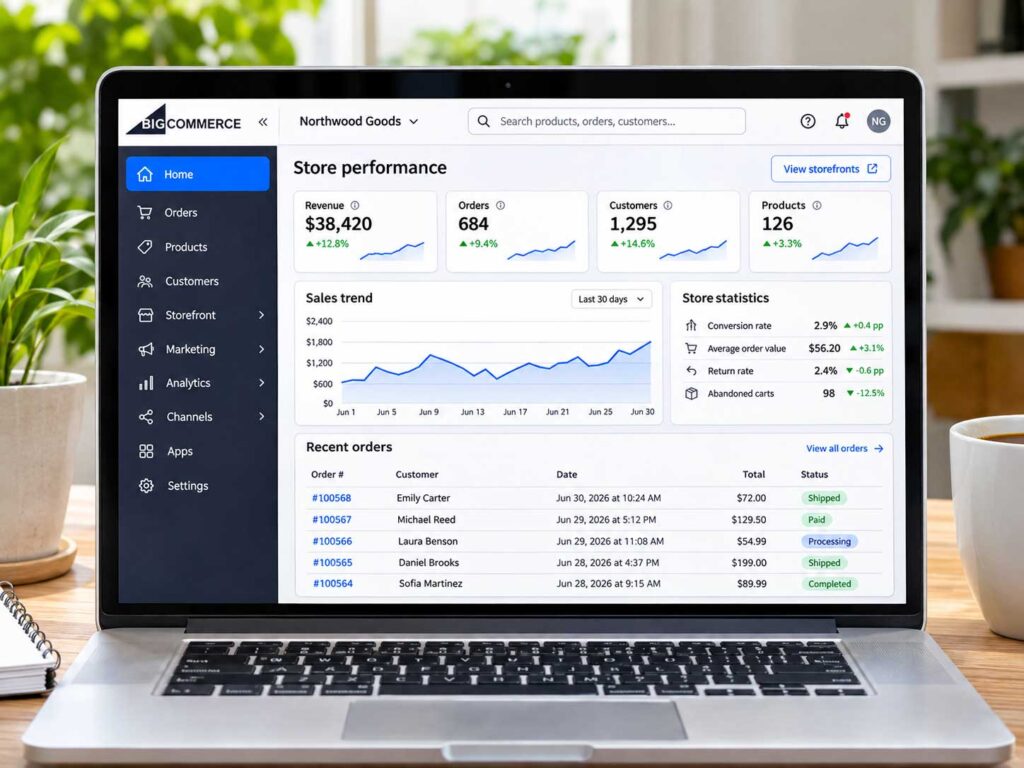
BigCommerce is worth considering if your online store is growing and you need more advanced selling tools than a basic website builder can provide.
Like Shopify, BigCommerce is a fully hosted ecommerce platform, meaning you don’t have to arrange separate web hosting or maintain the underlying server infrastructure. It offers tools for managing products, inventory, customer orders, and sales across multiple channels.
BigCommerce starts to stand out when a store needs to handle larger catalogs, multiple sales channels, or wholesale orders. Businesses with expanding product catalogs, multiple storefronts, or specialized selling requirements can take advantage of features designed for larger retail operations.
However, BigCommerce isn’t necessarily the simplest or most affordable choice for a new entrepreneur. Its subscription costs, sales thresholds, and payment-provider rules deserve careful attention before signing up.
Key BigCommerce Features
BigCommerce includes a broad range of ecommerce functionality, with additional capabilities available on higher plans.
- Online store builder: Create a mobile-friendly storefront using customizable themes and built-in design tools.
- Product and inventory management: Organize large product catalogs, manage product variations, and track inventory.
- Multichannel selling: Connect with supported marketplaces and social commerce platforms.
- Marketing and SEO tools: Customize product URLs, meta descriptions, promotions, and other important ecommerce settings.
- Customer management: Manage customer accounts, purchase histories, and customer groups on supported plans.
- International selling: Access tools for selling in different regions, currencies, and markets.
- B2B ecommerce capabilities: Explore specialized functionality for wholesale businesses and business customers.
- Integrations and APIs: Connect accounting, marketing, inventory, and other business systems.
One of BigCommerce’s advantages is that many commerce features are built into the platform, reducing the need for certain third-party applications.
For businesses managing complex catalogs or selling through multiple channels, this can simplify day-to-day operations.
That said, some advanced capabilities require higher subscriptions, specialized integrations, or enterprise-level solutions.
BigCommerce Pricing
BigCommerce updated its subscription structure on June 1, 2026, replacing its previous Standard, Plus, Pro, and Enterprise plans with four new tiers.
| Plan | Monthly Price (Billed Annually) | Sales Threshold |
|---|---|---|
| Core | $29 | Up to $30,000 annually |
| Growth | $79 | Up to $100,000 annually |
| Scale | $299 | $33,333 monthly GMV before overage fees |
| Performance | Custom, starting at $1,499/month | Custom enterprise terms |
US pricing reviewed in November 2026. BigCommerce calculates qualifying gross merchandise value (GMV) using its own methodology, which includes a 10% reduction to gross order value. Thresholds for Core and Growth are measured over a trailing 12-month period.
The Core plan provides essential ecommerce functionality for smaller stores, while Growth adds features such as customer segmentation and abandoned cart recovery.
Scale supports more advanced operations but introduces additional charges when monthly GMV exceeds its threshold.
For Scale, BigCommerce applies a 0.9% overage rate to qualifying GMV above $33,333 per month.
The Performance plan is intended for larger businesses needing custom terms and enterprise-level capabilities.
BigCommerce Payment Provider Fees
An important change introduced in June 2026 is the Open Payment Provider Fee.
BigCommerce distinguishes between approved Embedded Payment Providers and other payment integrations.
Orders processed through listed Embedded Payment Providers do not incur an additional BigCommerce payment-provider fee. These include supported integrations with Stripe and PayPal, among others.
Orders processed through Open Payment Providers may incur the following additional fees:
| Plan | Open Payment Provider Fee |
|---|---|
| Core | 2.0% |
| Growth | 1.0% |
| Scale | 0.6% |
| Performance | No additional fee under contracted terms |
These fees are separate from the processing charges imposed by your payment provider.
For example, a business using the Core plan with an Open Payment Provider could face an additional 2% BigCommerce fee on eligible order GMV, beyond its regular processing expenses.
Before choosing BigCommerce, check whether your preferred payment integration qualifies as an Embedded Payment Provider.
BigCommerce Pros and Cons
Pros
- Advanced ecommerce functionality for growing businesses.
- Supports extensive product catalogs and multiple sales channels.
- Hosted infrastructure reduces technical maintenance.
- Built-in SEO, marketing, and promotional features.
- Integrations for more complex business operations.
- Enterprise options for larger retailers and wholesale businesses.
Cons
- Sales thresholds can trigger automatic plan upgrades.
- Additional fees apply to certain payment providers.
- Scale plan charges overage fees when monthly GMV exceeds its threshold.
- Some advanced features require higher-priced plans.
- May be unnecessarily complex for small stores with basic requirements.
Who Should Use BigCommerce?
BigCommerce is particularly suitable for established online retailers that need more sophisticated ecommerce tools as their operations expand.
It’s worth considering for businesses managing large product catalogs, selling through multiple channels, or preparing to introduce more advanced customer and inventory management processes.
Wholesale businesses and companies with specialized selling requirements may also benefit from exploring its higher-tier offerings.
For entrepreneurs launching a small store with relatively simple needs, Shopify or Wix may provide a more approachable starting point.
Before committing to BigCommerce, estimate your expected sales volume and review its payment-provider fees. These costs can make a meaningful difference as your business grows.
Explore BigCommerce: Compare BigCommerce Plans and Features
7. Ecwid — Best for Adding Ecommerce to an Existing Website
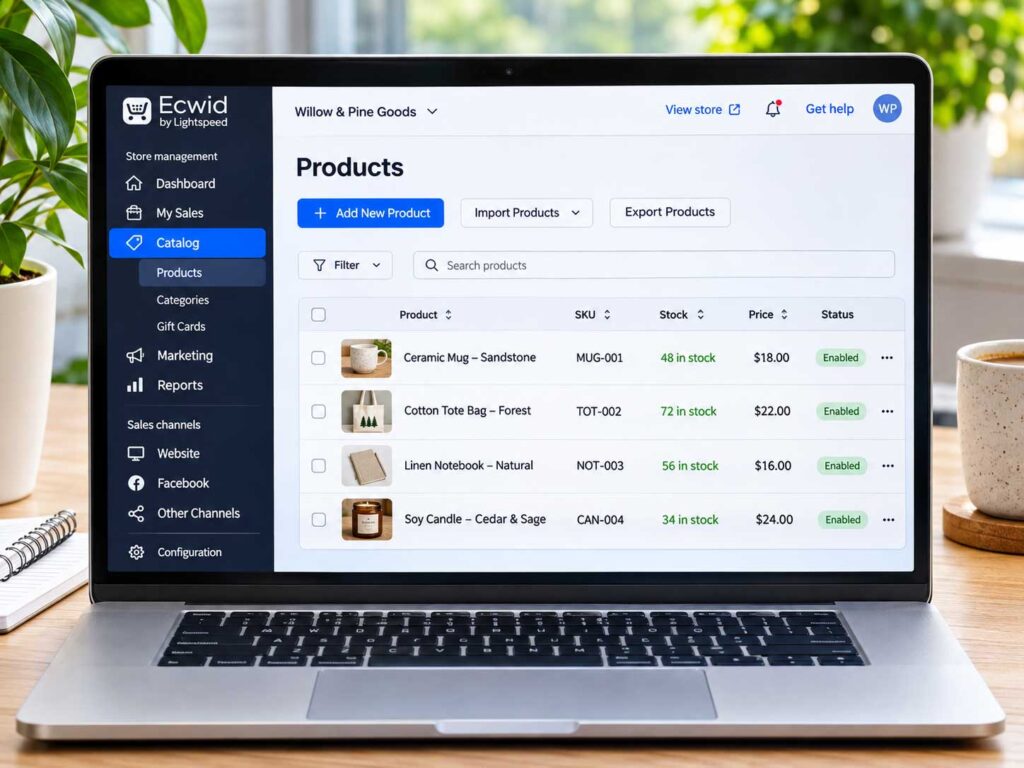
Already have a website but want to start selling products? Ecwid lets you add an online store without rebuilding your entire site or switching website platforms.
Unlike Shopify or Wix, which are often used to create complete ecommerce websites, Ecwid works particularly well as an addition to an existing website. You can integrate its shopping cart and product catalog with WordPress, Wix, Squarespace, and many other platforms.
For example, a blogger could use Ecwid to sell merchandise or physical products directly from an established website. A local business could introduce online ordering while keeping its existing pages, branding, and website structure.
Ecwid also provides its own website builder, called Instant Site, for entrepreneurs who don’t already have a website.
With Ecwid, you can keep the website you already have and add a store to it.
However, Ecwid’s lower-priced plans have product limits, and some useful selling features require an upgrade.
Key Ecwid Features
Ecwid includes tools for managing online sales while integrating with websites businesses already use.
- Website integration: Add a storefront to WordPress, Wix, Squarespace, and other compatible websites.
- Instant Site builder: Create a simple ecommerce website using customizable templates without coding.
- Product management: Organize physical products, manage inventory, and offer digital products on supported plans.
- Payment integrations: Accept payments through supported providers, including PayPal and Stripe.
- Multichannel selling: Sell through supported social media platforms and online marketplaces, depending on your subscription.
- Shipping and pickup options: Configure shipping methods, local delivery, and customer pickup.
- Marketing tools: Offer discount coupons, promotions, and automated abandoned-cart reminders on eligible plans.
- Centralized store management: Manage products, orders, and customers through one dashboard.
One particularly useful feature is the ability to sell through multiple websites while managing your products and orders from the same Ecwid account.
For businesses operating several websites or serving different audiences, this can simplify inventory management and order processing.
Ecwid Pricing
Ecwid offers four paid subscription plans, with pricing based on the features and product capacity you need.
| Plan | Monthly Billing | Monthly Equivalent, Billed Annually | Product Limit |
|---|---|---|---|
| Starter | $5 | $5 | 10 |
| Venture | $35 | $29 | 100 |
| Business | $65 | $49 | 2,500 |
| Unlimited | $149 | $119 | Unlimited |
US pricing reviewed in November 2026. Ecwid updated its Venture, Business, and Unlimited pricing in March 2026. Taxes and payment processing fees are separate.
The Starter plan is suitable for testing a small store with up to 10 products.
Venture supports up to 100 products and adds digital product sales, discount coupons, social selling features, and additional marketing tools.
Business increases the product limit to 2,500 and introduces features such as abandoned-cart recovery, product reviews, subscriptions, and additional staff accounts.
Unlimited removes product limits and provides additional capabilities, including point-of-sale integrations and priority support.
For businesses starting with a small product catalog, Starter or Venture may provide enough functionality without requiring a substantial monthly investment.
Are There Additional Ecwid Fees?
Ecwid doesn’t charge its own setup fees or platform transaction fees, regardless of which subscription you choose.
However, payment providers such as Stripe and PayPal charge processing fees according to their own pricing structures.
You may also pay for premium applications, optional integrations, or other services.
If you’re adding Ecwid to an existing website, remember to account for that website’s hosting or subscription expenses as well.
Ecwid Pros and Cons
Pros
- Add ecommerce functionality without rebuilding your existing website.
- Affordable Starter plan for businesses with small catalogs.
- Works with popular website platforms, including WordPress.
- Manage products and orders across multiple connected websites.
- No additional Ecwid platform transaction fees.
- Includes a simple standalone website builder.
Cons
- Starter is limited to 10 products.
- Digital product sales require Venture or higher.
- Advanced features such as abandoned-cart recovery require more expensive subscriptions.
- Storefront customization depends partly on your existing website platform.
- Less suitable for businesses requiring highly specialized ecommerce operations.
Who Should Use Ecwid?
Ecwid is particularly appealing to small-business owners who already have a website and want to add online selling without starting over.
It’s a practical option for bloggers, local retailers, service businesses, and entrepreneurs introducing a small product catalog.
For example, a business with an established WordPress website might prefer Ecwid if it only needs a straightforward store and doesn’t want to manage a larger collection of WooCommerce extensions.
However, if you’re planning to build a dedicated ecommerce business with extensive customization or advanced inventory requirements, Shopify or WooCommerce may be more suitable.
Before choosing a subscription, consider how many products you expect to sell and whether you’ll need features such as digital downloads, subscriptions, or automated marketing.
Explore Ecwid: Compare Ecwid Plans and Ecommerce Features
8. Hostinger — Best Budget Ecommerce Platform for New Entrepreneurs

Starting an online store doesn’t have to involve expensive software or complicated website development. Hostinger offers an affordable way for entrepreneurs to begin selling online, with AI-assisted tools that make setup more approachable.
Best known for its web hosting services, Hostinger has expanded into website building and ecommerce. Its platform allows you to manage products, accept payments, process orders, and build a storefront without advanced technical skills.
For example, someone launching a handmade candle business could use Hostinger to create a simple online shop, add product photos, and start accepting orders without hiring a developer.
Hostinger is also worth considering for side businesses and entrepreneurs testing a new product idea before investing heavily in an ecommerce operation.
However, its ecommerce subscriptions and website-building packages are separate products in some configurations, so understanding what’s included is important before purchasing.
Key Hostinger Features
Hostinger combines essential ecommerce tools with AI-assisted website creation and business management.
- AI website builder: Create a storefront using AI-generated layouts or customizable templates.
- Product management: Add physical products, digital downloads, and other supported product types.
- Payment processing: Accept payments through supported providers, including Stripe and PayPal.
- Order management: Track purchases, manage customers, and organize orders from one dashboard.
- Shipping options: Configure shipping rules and connect supported delivery services.
- AI product tools: Generate product descriptions and other content to help prepare listings.
- Marketing features: Create discounts, access store analytics, and connect supported marketing tools.
- Multiple selling options: Sell through a branded website or shareable product links, with additional integrations dependent on availability.
One useful feature is the ability to create product listings with AI assistance. Instead of writing every product description from scratch, you can generate a draft and customize it with accurate details about your products.
Hostinger also advertises support for multiple sales channels, although some social commerce integrations are still being developed.
If you’re planning to sell products online, compare the best ecommerce platforms for small businesses to see how Hostinger compares with Shopify, WooCommerce, and other options.
Hostinger Pricing
In September 2026, Hostinger introduced its Ecommerce Growth subscription, designed to provide ecommerce functionality through a single plan.
| Billing Option | Price |
|---|---|
| Monthly subscription | $11.99/month |
| Introductory 12-month offer | $5.99/month |
| Renewal after introductory term | $8.99/month |
These are Hostinger’s published Ecommerce Growth prices from September 2026. Temporary promotions may reduce the introductory price. Applicable taxes and additional services are not included.
The annual introductory offer provides a relatively inexpensive way to start selling online, especially if you’re still testing your business idea.
However, the Ecommerce Growth subscription covers one store, and building a full branded website may require a separate compatible hosting or website-builder subscription.
Hostinger also offers WooCommerce hosting, which is a different solution intended for businesses using WordPress.
Before subscribing, compare these options to make sure you’re purchasing the right product for your store.
Are There Additional Hostinger Fees?
Hostinger advertises 0% additional platform transaction fees for its ecommerce service.
However, payment providers still charge their usual processing fees, which vary depending on the payment method and provider.
You’ll also want to consider domain registration, website hosting, email services, and any additional tools your business requires.
What Are Hostinger’s Product Limits?
Hostinger introduced Ecommerce Growth in September 2026, advertising unlimited products and sales channels. However, its support documentation also references a limit of 2,000 products per individual Ecommerce store.
If you’re planning to manage a large catalog, confirm which limit applies to your subscription before signing up. You’ll also want to check whether your storefront requires an additional hosting or website-building plan.
Hostinger Pros and Cons
Pros
- Affordable introductory ecommerce pricing.
- AI-assisted website creation and product management.
- Beginner-friendly tools for launching a store.
- Supports physical and digital product sales.
- No additional Hostinger platform transaction fees.
- Offers shareable product links and multiple storefront options.
- Suitable for entrepreneurs testing new business ideas.
Cons
- A branded storefront may require an additional website-building or hosting subscription.
- Introductory pricing increases at renewal.
- Ecommerce integrations are less established than Shopify’s.
- Some advertised sales channel integrations are not yet available.
- Product limits and fair usage policies need clarification.
- Businesses with complex requirements may need more specialized tools.
Who Should Use Hostinger?
Hostinger is particularly suitable for entrepreneurs who want an affordable way to start selling online without dealing with complicated technical setup.
It’s worth considering for side hustles, independent creators, small product brands, and businesses testing ecommerce ideas with limited budgets.
Its AI-assisted tools may also appeal to beginners who want help creating product listings and building their first storefront.
If you’re considering Hostinger for your business website, read our detailed Hostinger review for a closer look at its hosting plans, pricing, features, and limitations.
However, if you’re planning a large online retail operation with advanced inventory management, extensive integrations, or specialized business workflows, Shopify, WooCommerce, or BigCommerce may be better suited to those requirements.
Before purchasing, review the total cost of the ecommerce subscription, website-building tools, and any additional services you’ll need.
Explore Hostinger: Compare Hostinger Ecommerce Plans and Features
Other Ecommerce Platforms Worth Considering
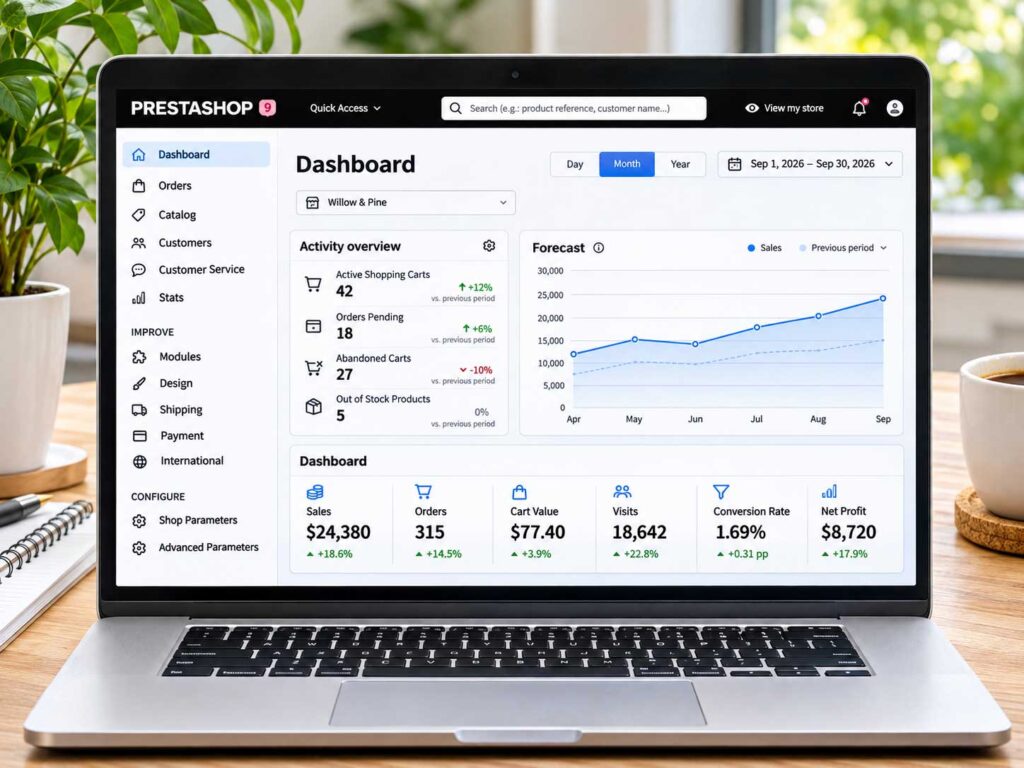
While the eight platforms above cover most common small-business needs, several other ecommerce solutions are worth exploring, especially if you need advanced customization or more specialized selling tools.
PrestaShop
PrestaShop is an open-source ecommerce platform that gives businesses control over their store’s design, hosting, and functionality.
It supports product catalogs, inventory management, payment integrations, and extensive customization through modules.
PrestaShop is particularly useful for businesses with technical resources or developers who want more flexibility than a typical hosted website builder provides.
The open-source software is available for free, although hosting, extensions, and maintenance can create additional costs.
Explore PrestaShop: Official Website
Magento Open Source and Adobe Commerce
Magento Open Source and Adobe Commerce are worth exploring for businesses with complex ecommerce requirements.
Magento Open Source provides a customizable platform for developers, while Adobe Commerce offers additional commercial capabilities for larger businesses.
Both are better suited to organizations with technical expertise than entrepreneurs looking for a simple, beginner-friendly storefront.
Explore Adobe Commerce: Official Website
Volusion
Volusion is an established ecommerce website builder offering product management, inventory tracking, payment integrations, and online store design tools.
Its plans start at $35 per month, with limits on annual sales volume and product capacity depending on the subscription.
Although it remains an option for smaller retailers, businesses should compare its features, integrations, and pricing carefully against Shopify and other popular alternatives.
Explore Volusion: Official Website
Shift4Shop (Formerly 3dcart)
Previously known as 3dcart, Shift4Shop is an ecommerce platform offering storefront management, inventory tools, SEO functionality, and payment integrations.
One of its main attractions is a potentially free ecommerce subscription for qualifying US merchants using Shift4’s payment processing services.
However, payment processing conditions and eligibility requirements are important considerations.
Businesses interested in this option should review the current terms before committing.
Explore Shift4Shop: Official Website
How to Choose the Best Ecommerce Platform for Your Small Business
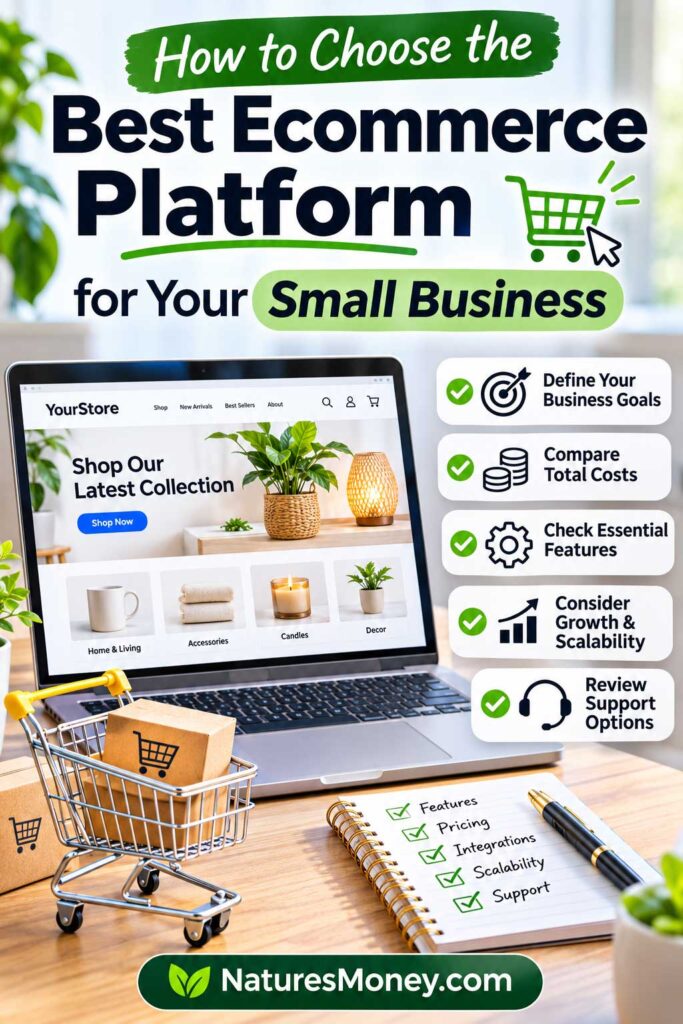
Choosing an ecommerce platform isn’t just about finding the most features at the lowest price. What matters is whether the platform fits your business, your budget, and how you plan to sell.
Before committing to a subscription, consider these six factors.
1. Understand Your Business Needs
Start with what you’re actually selling and how customers will purchase it.
An online clothing boutique needs product variations, inventory tracking, and shipping options. A photographer selling digital downloads has different requirements, while a local bakery might prioritize online ordering and scheduled pickup.
Think about the features you’ll use regularly, not just the ones that sound impressive.
If you’re starting small, you probably don’t need advanced inventory automation or complicated integrations. But choosing a platform that can accommodate future growth may save you from an expensive migration later.
2. Compare the Total Cost, Not Just the Monthly Price
A $29 monthly subscription doesn’t necessarily mean your online store will cost $29 to operate.
Depending on the platform, additional expenses may include:
- Payment processing and transaction fees.
- Premium themes, applications, and extensions.
- Hosting and domain registration.
- Shipping and inventory management tools.
- Email marketing and customer management software.
- Website maintenance or developer assistance.
Some platforms include more functionality in their subscriptions, while others rely heavily on paid add-ons.
Compare what you’ll actually spend each month, including the cost of processing orders, rather than choosing solely based on introductory pricing.
3. Consider How Easy It Is to Manage
Your ecommerce platform should make everyday tasks easier, not create more work.
Think about how you’ll add products, update inventory, process refunds, manage orders, and respond to customers.
If you’re running the business alone, a straightforward dashboard can save valuable time.
Before subscribing, explore the platform’s demo or free trial, if available. Try adding a product, configuring shipping, and navigating the order management tools.
A platform that feels unnecessarily complicated during setup may become frustrating once you’re handling real customer orders.
4. Look for Strong SEO Capabilities
Search engine optimization can help potential customers discover your products without relying entirely on paid advertising.
When comparing ecommerce platforms, look for the ability to customize product titles, meta descriptions, URLs, image alt text, and redirects.
You’ll also want mobile-friendly pages, logical product categories, and support for relevant structured data.
Blogging functionality is another advantage if you plan to publish buying guides, product comparisons, or educational articles.
Remember that choosing an SEO-friendly platform doesn’t automatically guarantee higher rankings. Product content, site performance, competition, and overall website quality still matter.
For more ways to improve organic visibility, explore our guide to SEO software tools for small businesses.
5. Check Marketing and Customer Management Integrations
Making your first sale is exciting, but building a profitable ecommerce business also means encouraging customers to return.
Look for integrations with email marketing, analytics, advertising platforms, and customer relationship management software.
Useful capabilities include abandoned-cart emails, customer segmentation, promotional campaigns, and tracking repeat purchases.
You don’t necessarily need all these tools immediately. However, knowing they’re available can help you avoid limitations as your store grows.
Our guide to CRM software for small businesses explains how customer management tools can support sales and long-term relationships.
6. Plan for Growth and Future Changes
A platform that works well for 20 products might not be the right fit when your catalog reaches 2,000.
Consider whether the system can handle additional products, higher order volumes, more employees, and new sales channels.
Pay particular attention to subscription upgrades, sales thresholds, and any limitations that could increase expenses as your business expands.
It’s also worth checking how easily you can export products, customer records, and order information if you decide to move elsewhere.
Switching ecommerce platforms can involve considerable work, especially when you need to preserve existing URLs, customer information, and search visibility.
The goal isn’t to find a platform with every possible feature. It’s to choose one that works well for your business today without unnecessarily limiting your options tomorrow.
How Much Does It Cost to Run an Ecommerce Website?
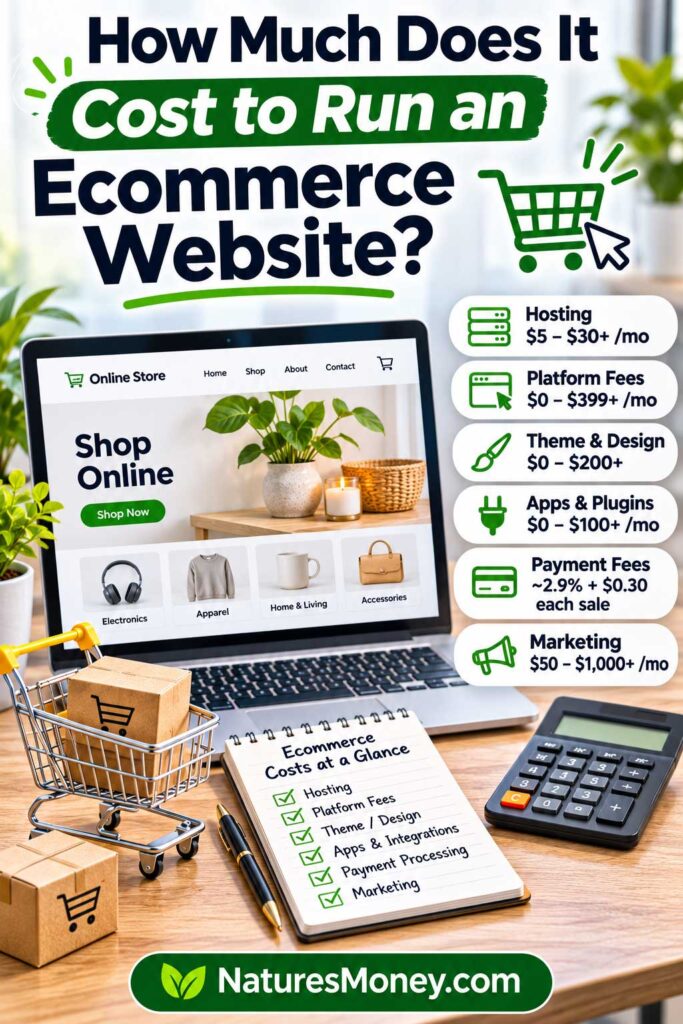
Starting an online store can be relatively affordable, but the monthly subscription is only one part of what you’ll spend.
Depending on the platform and how your business operates, you’ll also need to account for payment processing, shipping, marketing, premium applications, and other ongoing expenses.
As sales grow, payment processing and fulfillment can become bigger expenses than the platform subscription itself.
Example: Running a Small Shopify Store
Let’s say you operate an online store using Shopify Basic and generate $4,000 in monthly sales from 100 orders.
Your average order value is $40, and you’re paying $29 per month for Shopify Basic through annual billing.
Using Shopify’s published standard US online card processing rate of 2.9% + $0.30 per transaction, your estimated monthly expenses would look like this:
| Expense | Estimated Monthly Cost |
|---|---|
| Shopify Basic subscription | $29 |
| Card processing fee (2.9% of $4,000) | $116 |
| Fixed transaction fees ($0.30 × 100 orders) | $30 |
| Total platform and processing costs | $175 |
In this example, your platform subscription and payment processing would cost approximately $175 per month, or 4.4% of your $4,000 in sales.
That leaves $3,825 before accounting for products, shipping, advertising, returns, taxes, and other operating expenses.
This is a simplified illustration based on Shopify’s standard domestic online card rate. Actual processing rates may vary by payment method, card type, and transaction details.
Understanding Your Ecommerce Profit Margin
Generating sales doesn’t automatically mean your online store is profitable.
Suppose your business brings in $5,000 per month, with the following expenses:
| Expense | Monthly Amount |
|---|---|
| Product costs | $1,800 |
| Shipping and packaging | $400 |
| Payment processing | $175 |
| Platform and software | $125 |
| Marketing and advertising | $1,000 |
| Total expenses shown | $3,500 |
| Remaining before other expenses and taxes | $1,500 |
In this example, you would retain 30% of revenue after the listed expenses.
That isn’t necessarily your final net profit. You may still have expenses such as insurance, professional services, employee wages, refunds, or taxes.
It’s also important to distinguish this remaining margin from gross profit margin, which measures revenue after the cost of goods sold rather than all operating expenses.
A store generating $10,000 per month with expensive advertising and low product margins could be less profitable than a smaller store with lower customer acquisition costs.
The key is to understand what you keep from each sale, not just how much revenue your website generates.
Before choosing an ecommerce platform, estimate your expected monthly orders, average order value, payment processing fees, and recurring software expenses. A realistic budget will help you choose a platform you can afford as your business grows.
Hosted vs. Self-Hosted Ecommerce Platforms: What’s the Difference?
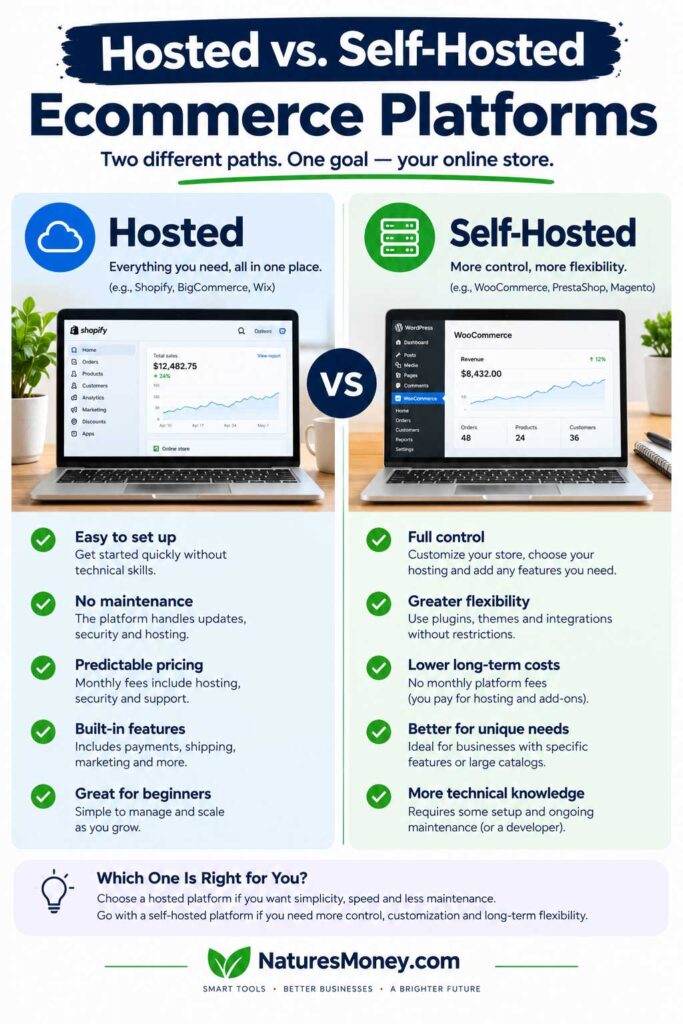
One important decision when choosing an ecommerce platform is whether you want the provider to manage your website’s technical infrastructure or prefer greater control over how your store operates.
Both approaches can work well, but they come with different costs, responsibilities, and levels of flexibility.
Hosted Ecommerce Platforms
Hosted ecommerce platforms, such as Shopify, Wix, Squarespace, and BigCommerce, include website hosting and handle much of the technical maintenance behind your store.
You don’t need to configure servers, install software updates, or manage the underlying hosting infrastructure yourself.
This makes hosted platforms particularly appealing to beginners and small-business owners who would rather focus on products, customers, and marketing.
The trade-off is less control over certain technical aspects of your website. You’re also dependent on the provider’s subscription pricing, available integrations, and platform policies.
Self-Hosted Ecommerce Platforms
Self-hosted platforms, such as WooCommerce, PrestaShop, and Magento Open Source, give businesses more control over their hosting, website configuration, and customization.
You can select your hosting provider, install compatible extensions, and make changes that might not be possible with a fully hosted platform.
However, you’re generally responsible for software updates, security, backups, and website performance, either yourself or through a managed hosting provider or developer.
Self-hosting can be particularly useful for businesses with specialized requirements or existing technical expertise.
Hosted vs. Self-Hosted: Quick Comparison
| Factor | Hosted | Self-Hosted |
|---|---|---|
| Setup | Generally easier | Requires more configuration |
| Hosting | Included | Arranged separately |
| Maintenance | Mostly provider-managed | Your responsibility |
| Customization | Depends on platform limits | Greater technical flexibility |
| Security | Infrastructure managed by provider | Shared between you and your providers |
| Pricing | Subscription-based | Hosting, extensions, and maintenance |
| Best suited for | Beginners and convenience | Customization and control |
Neither approach is automatically cheaper or better.
A hosted platform can save time and reduce technical responsibilities, while self-hosting may offer greater flexibility for businesses that need it.
Consider your technical experience, available support, and long-term plans before deciding which approach makes the most sense for your store.
How to Start an Ecommerce Business in 2026
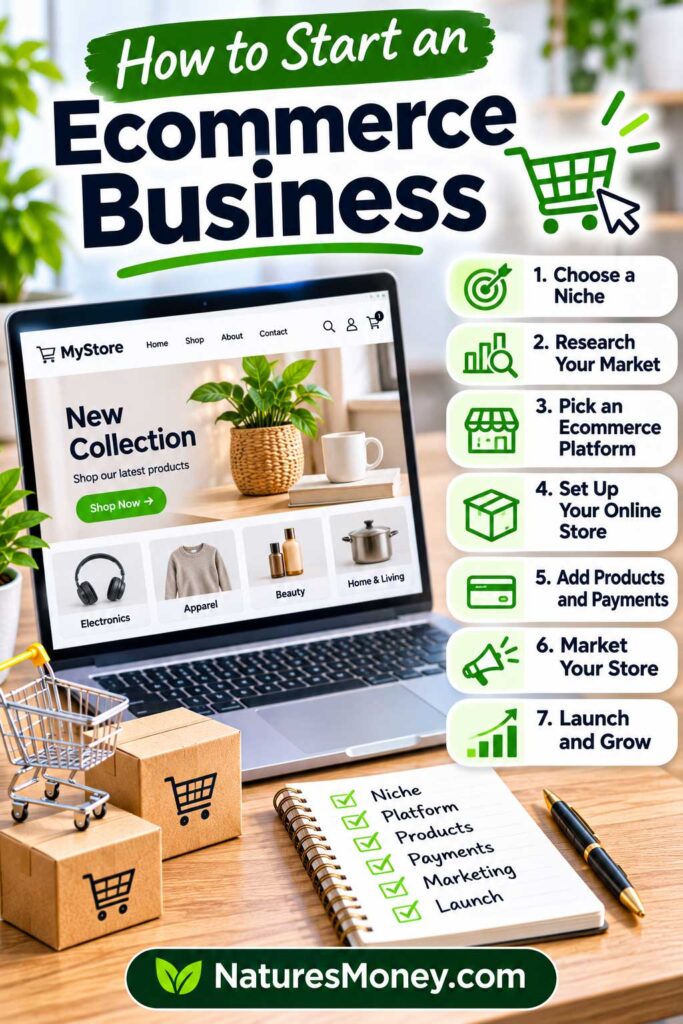
Choosing an ecommerce platform is an important step, but building a successful online store involves more than setting up a website.
You need products people actually want, a reliable way to fulfill orders, and a plan for attracting customers.
If you’re starting from scratch, these seven steps can help you build a solid foundation.
Step 1: Identify Your Target Customers
Before choosing products or designing your store, think about who you’re trying to reach.
What do your potential customers need? What problems are they trying to solve? Why would they buy from your business instead of an established competitor?
For example, selling affordable pet accessories to first-time dog owners gives you a clearer direction than launching a general store with unrelated products.
A defined audience makes it easier to choose products, write descriptions, and create marketing campaigns that speak to potential buyers.
Step 2: Research and Validate Your Products
Just because you like a product doesn’t mean customers will buy it.
Research competing stores, compare prices, and read customer reviews to identify what shoppers appreciate and what they find frustrating.
Before investing in large amounts of inventory, consider testing a smaller product selection.
You should also estimate your product costs, shipping expenses, and potential profit margins. A popular product isn’t necessarily profitable if the costs of selling it are too high.
Step 3: Choose Your Ecommerce Platform
Select a platform that fits your products, budget, and technical experience.
If you’re launching a dedicated online store, Shopify may be a practical starting point. If you already have a WordPress website, WooCommerce or Ecwid might make more sense.
Use the comparison tables earlier in this guide to narrow your choices.
You don’t need every advanced feature from day one. Focus on reliable checkout, manageable operating costs, and the tools you’ll actually use.
Step 4: Build Your Online Store
Start with a clean, mobile-friendly design that makes your products easy to find.
Your store should include essential pages such as:
- Homepage and product pages.
- About and Contact pages.
- Shipping and return policies.
- Privacy policy and other required legal information.
Use clear product descriptions, accurate pricing, and high-quality images that show customers what they’re purchasing.
Avoid cluttering your storefront with unnecessary pop-ups or complicated navigation.
The easier it is for customers to understand your products and complete a purchase, the better.
Step 5: Set Up Payments, Shipping, and Checkout
Before accepting orders, make sure your payment and fulfillment systems work properly.
Configure your accepted payment methods, shipping rates, delivery options, and applicable sales taxes.
Then place a test order.
Check that customers receive confirmation emails, shipping charges calculate correctly, and the checkout works on both desktop and mobile devices.
Also establish a clear process for handling refunds, returns, and customer questions.
Step 6: Create a Marketing Plan
Even a well-designed store needs visitors.
Start with a few marketing channels that make sense for your audience instead of trying everything at once.
Search engine optimization can help customers discover your products over time. Social media can introduce your brand to new audiences, while email marketing can help you stay connected with existing customers.
For businesses planning seasonal promotions or advertising campaigns, our comparison of the best landing page builders can help you choose tools for creating focused sales and promotional pages.
Paid advertising may also be useful, but test your campaigns with a manageable budget before increasing spending.
The goal is to find customer acquisition methods that generate sales without consuming your profit margins.
Step 7: Track Your Results and Make Improvements
Once your store is running, pay attention to what the numbers tell you.
Some of the most useful ecommerce metrics include:
- Conversion rate: The percentage of visitors who make a purchase.
- Average order value: How much customers spend per order.
- Customer acquisition cost: What you spend to acquire a new customer.
- Customer lifetime value: The revenue a customer generates throughout their relationship with your business.
- Gross profit margin: The percentage of revenue remaining after the cost of goods sold.
You don’t need complicated reports when you’re just starting. Begin by tracking sales, expenses, and which products customers purchase most often.
As your business grows, use that information to improve product offerings, marketing campaigns, and the overall shopping experience.
Start with a manageable store, learn from your customers, and improve as you grow. You can always introduce additional products, marketing tools, and advanced ecommerce features once you’ve established consistent demand.
Common Ecommerce Mistakes to Avoid
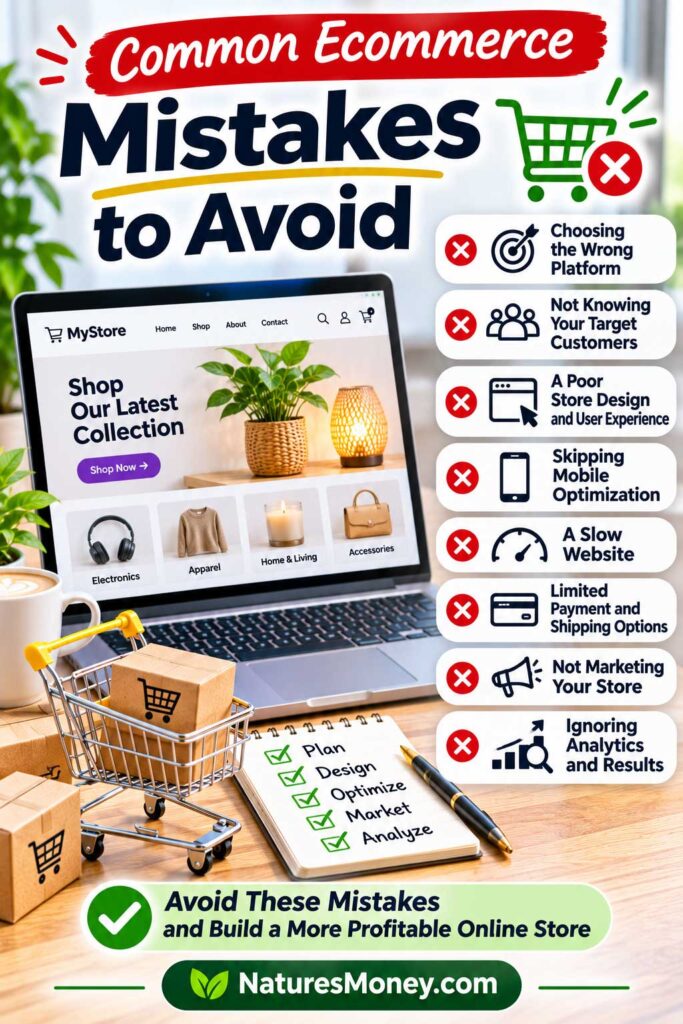
Choosing the right ecommerce platform is a good start, but even a well-designed online store can struggle if the shopping experience is frustrating or operating costs get out of control.
Here are seven common mistakes worth avoiding.
1. Choosing a Platform Based Only on Price
An inexpensive subscription might look attractive until you discover that essential features require paid upgrades or additional apps.
Before committing, compare payment processing fees, product limits, renewal rates, and the features included in each plan. A slightly more expensive platform may actually save money if it already includes the tools you need.
2. Installing Too Many Apps and Extensions
It’s tempting to add every available marketing, analytics, and automation tool to your store.
However, unnecessary apps can increase monthly expenses, complicate maintenance, and sometimes affect website performance.
Start with the essentials. Add new tools when they solve a specific business problem rather than simply because they’re popular.
3. Overlooking the Mobile Shopping Experience
A store that looks great on a desktop computer might be difficult to navigate on a smartphone.
Check that product images display correctly, navigation menus are easy to use, and checkout forms work on smaller screens.
Test your store on actual mobile devices before launching, especially the product selection, shopping cart, and payment process.
4. Using Generic Product Descriptions
Copying manufacturer descriptions or writing only a few generic sentences rarely helps customers make informed purchasing decisions.
Explain what makes each product useful, include accurate specifications, and answer common questions about sizing, materials, compatibility, or other relevant details.
Original, helpful descriptions can also support your ecommerce SEO efforts.
5. Launching Without Testing Checkout
A broken checkout process can cost you sales before your business gets started.
Place test orders using supported payment methods and verify that shipping charges, taxes, discount codes, and confirmation emails work correctly.
Make sure customers understand the total price and available payment options before completing their purchases.
6. Expecting Customers to Find Your Store Automatically
Publishing an online store doesn’t guarantee traffic.
Without a marketing plan, even excellent products may go unnoticed.
Choose a few relevant channels, such as SEO, social media, email marketing, or paid advertising, and track which ones generate actual sales.
Avoid spending heavily on advertising before understanding your profit margins and customer acquisition costs.
7. Focusing Only on New Customers
Attracting new customers matters, but existing customers can also contribute significantly to long-term revenue.
Make repeat purchases easier through reliable service, clear communication, and a positive shopping experience.
Consider relevant follow-up emails, loyalty incentives, or personalized product suggestions where appropriate, while respecting customers’ marketing preferences.
A successful ecommerce business isn’t built on software alone. Paying attention to these details can help you avoid unnecessary expenses, create a better customer experience, and give your online store a stronger foundation for growth.
Frequently Asked Questions About Ecommerce Platforms
What Is the Best Ecommerce Platform for Small Businesses?
Shopify is one of the best ecommerce platforms for small businesses because it combines website hosting, product management, payments, and marketing integrations in one system.
However, the right choice depends on your business. WooCommerce offers greater flexibility for WordPress users, while Square is particularly useful for businesses selling both online and in person.
If design and simplicity are your priorities, Wix and Squarespace are also worth considering.
What Is the Cheapest Ecommerce Platform?
Square offers a free subscription that supports online selling, although payment processing fees still apply.
WooCommerce’s core plugin is also free, but you’ll need to pay for hosting and potentially additional extensions.
Ecwid offers an affordable Starter plan, while Hostinger provides discounted introductory ecommerce subscriptions.
Before choosing, compare the total cost of operating your store rather than just the advertised subscription price.
Is Shopify Better Than WooCommerce?
Shopify is generally easier to set up and maintain because it includes hosting and handles much of the technical infrastructure.
WooCommerce provides more control over your website, hosting, and customization, making it particularly attractive to businesses already using WordPress.
If you want convenience and straightforward management, Shopify may be the better fit. If flexibility and technical control matter more, WooCommerce deserves a closer look.
Can I Start an Ecommerce Business Without Coding?
Yes. Shopify, Wix, Squarespace, Square, and Hostinger provide tools that allow you to build an online store without programming experience.
You can typically customize templates, add products, configure payments, and manage orders through a visual dashboard.
More advanced features or custom designs may still require professional assistance, but coding skills aren’t necessary to launch a basic online store.
Which Ecommerce Platform Is Best for SEO?
WooCommerce is a strong option for businesses that want extensive SEO customization through WordPress and compatible plugins.
Shopify also provides essential SEO features, including customizable page titles, meta descriptions, and product URLs.
Other platforms, including Wix, Squarespace, and BigCommerce, offer useful optimization tools.
However, no ecommerce platform guarantees higher search rankings. Helpful product content, website performance, navigation, and a good customer experience are equally important.
Can I Sell Digital Products on Ecommerce Platforms?
Yes. Many ecommerce platforms support digital products such as ebooks, templates, courses, music, and downloadable resources.
WooCommerce, Shopify, Squarespace, and Ecwid provide digital selling capabilities, although some features require specific subscriptions, extensions, or additional fees.
Before choosing a platform, check its download delivery options, file-size limits, licensing capabilities, and transaction fees.
Can I Move My Online Store to Another Platform?
Yes, but migrating an established ecommerce store can take considerable planning.
Products, customer information, order histories, and other data may be transferable, depending on the platforms involved. Your website design and certain settings will usually need additional work.
You’ll also need to protect your search visibility by preserving important URLs or setting up appropriate redirects.
Before switching, review the available migration tools and create a backup of your existing store.
Do I Need an LLC to Start an Online Store?
No. In the United States, you generally don’t need to form a limited liability company (LLC) to start selling online. Many entrepreneurs initially operate as sole proprietors.
However, you may still need business registrations, licenses, permits, or sales tax registrations depending on your location and products.
Forming an LLC can provide certain liability protections, but it also comes with filing requirements and ongoing responsibilities.
Check your state and local requirements, and consider speaking with a qualified business or tax professional before deciding which structure is right for you.
Final Thoughts: Choosing the Best Ecommerce Platform for Your Business
The best ecommerce platform isn’t necessarily the most expensive or the one with the longest list of features. It’s the one that makes running your business easier while giving you the tools you need to grow.
For most small businesses launching a dedicated online store, Shopify is a strong starting point thanks to its straightforward management tools and extensive ecommerce ecosystem. If you already use WordPress and want greater flexibility, WooCommerce may be a better fit.
But the software you choose is only part of the equation.
Your products, pricing, customer experience, and ability to attract the right shoppers will have a much greater impact on whether your business succeeds.
Before committing, narrow your options to two or three platforms, compare their total operating costs, and test the features you’ll use most often.
Choose a platform that fits your business today without making tomorrow’s growth unnecessarily complicated.
Read More: Tools to Help Grow Your Online Business
Choosing an ecommerce platform is just the beginning. These additional guides can help you build your website, attract customers, and manage your business more effectively.
- Best Website Builders for Small Businesses — Compare website-building platforms for creating a professional online presence.
- Best Email Marketing Software for Small Businesses — Explore tools for building email lists, automating campaigns, and encouraging repeat purchases.
- Best CRM Software for Small Businesses — Discover platforms for managing customer relationships, tracking sales, and organizing business contacts.
- Best Landing Page Builders for Small Businesses — Find tools for creating promotional pages, capturing leads, and improving conversions.
- Best SEO Software Tools for Small Businesses — Explore tools for keyword research, website optimization, and increasing organic search visibility.