




Finding the best online course platforms can help you turn your knowledge, professional experience, or creative skills into an online business. Whether you’re a blogger, freelancer, coach, consultant, or independent educator, the right software makes it easier to create, market, and sell courses without dealing with complicated technical setups.
But not all online course platforms are built for the same purpose. Some focus on delivering engaging learning experiences, while others combine course creation with email marketing, sales funnels, paid memberships, coaching, and business automation.
Cost is another important factor. Some platforms let you get started for free, while others charge monthly subscriptions, transaction fees, or a percentage of your course sales. Understanding these expenses can help you avoid unnecessary costs and retain more of your revenue as your business grows.
In this guide, we compare 11 of the best online course platforms for solopreneurs in 2026, including Thinkific, Teachable, Podia, Kajabi, Systeme.io, LearnWorlds, LearnDash, Tutor LMS, Skool, Circle, and Udemy.
We break down their features, pricing, pros and cons, integrations, and limitations to help you find the right fit for your business.
Beyond comparing software, we’ll explore how to launch your first online course, attract students without a large advertising budget, and build additional revenue streams through memberships, coaching programs, and digital products.
Whether you’re starting from scratch or growing an established education business, this guide will help you choose a platform that fits your budget, technical skills, and long-term goals.
Affiliate disclosure: Some links in this guide may earn NaturesMoney a commission if you sign up or purchase, at no additional cost to you. The recommendations are intended to help you compare options for your business.
Best Online Course Platforms at a Glance
Choosing an online course platform becomes easier when you compare the available options side by side. Some platforms focus on course creation and student engagement, while others combine educational tools with email marketing, sales funnels, memberships, and business automation.
The following table compares 11 of the best online course platforms based on their starting prices, platform fees, primary features, and suitability for different business models.
| Platform | Best For | Starting Price* | Platform Fees** | Platform Type |
|---|---|---|---|---|
| Thinkific | Overall course creation and scalability | $109/mo | Depends on payment provider | Hosted LMS |
| Teachable | Selling courses and coaching | $39/mo | 7.5% | Hosted LMS |
| Podia | Beginners and digital products | $49/mo | 5% | All-in-one |
| Kajabi | Established knowledge businesses | $179/mo on public pricing page | Depends on payment provider | All-in-one |
| Systeme.io | Budget-conscious solopreneurs | Free | 0% | All-in-one |
| LearnWorlds | Interactive learning experiences | $49/mo | $5 per paid course enrollment | Hosted LMS |
| LearnDash | WordPress website owners | $350/year | Depends on payment setup | WordPress LMS |
| Tutor LMS | Affordable WordPress courses | Free version | Depends on payment setup | WordPress LMS |
| Skool | Community-based course businesses | $9/mo | 10% | Community |
| Circle | Professional memberships and communities | $89/mo, billed annually | 2% | Community |
| Udemy | Reaching an existing student audience | Free to publish | Revenue sharing | Marketplace |
Prices are listed in US dollars, excluding temporary promotional discounts. Monthly billing is shown where available unless otherwise specified. Website hosting, premium extensions, taxes, and additional services may increase the total cost.
*Platform fees shown apply to entry-level plans. Payment processing charges may apply separately. Higher-priced subscriptions may offer reduced fees.
Udemy operates on a revenue-sharing model rather than a traditional monthly software subscription.
Although pricing is an important consideration, the cheapest online course platform is not necessarily the most cost-effective option. A higher-priced subscription with lower transaction fees, integrated marketing tools, and automation capabilities may provide better value as your course sales increase.
Consider your expected revenue, educational requirements, technical experience, and long-term business goals before choosing a platform.
Online Course Platform Features Compared
| Platform | Course Hosting | Website Builder | Community | Email Marketing |
|---|---|---|---|---|
| Thinkific | Included | Yes | Built-in | Built-in automation |
| Teachable | Included | Yes | Course discussions* | Basic email tools |
| Podia | Included | Yes | Built-in | Built-in** |
| Kajabi | Included | Yes | Built-in | Built-in |
| Systeme.io | Included | Yes | Built-in | Built-in |
| LearnWorlds | Included | Yes | Built-in | Limited |
| LearnDash | Self-hosted*** | Via WordPress | Via integrations | Via integrations |
| Tutor LMS | Self-hosted | Via WordPress | Via integrations | Via integrations |
| Skool | Included | Basic landing page | Built-in | Basic broadcasts |
| Circle | Included | Yes | Built-in | Email Hub add-on** |
| Udemy | Included | No | Course discussions | Limited announcements |
Teachable’s standalone community feature entered maintenance mode in August 2026 and is no longer available to new schools. Course discussions and third-party community integrations remain available.
*Email marketing costs may increase based on subscriber numbers.
**LearnDash also offers managed hosting options.
Feature availability, usage limits, and advanced functionality vary by subscription. Additional plugins or third-party integrations may be required.
Which Type of Online Course Platform Is Right for You?
Not every course creator needs an expensive all-in-one platform. The right choice depends on what you teach, how you attract students, and which parts of your business you want to manage yourself.
Hosted platforms such as Thinkific, Teachable, and LearnWorlds simplify course creation by handling much of the technical infrastructure. They are a good starting point for creators who want to spend more time developing educational content and less time maintaining a website.
All-in-one solutions such as Kajabi, Podia, and Systeme.io can reduce the need for separate website builders, email marketing software, and sales funnel tools. Keeping these functions under one subscription may also reduce administrative work and software expenses.
If you already operate a WordPress website, LearnDash and Tutor LMS offer greater control over branding, customization, and integrations. However, you will also need reliable web hosting, website security, backups, and compatible WordPress plugins.
Community-focused platforms such as Skool and Circle are worth considering if paid memberships, recurring subscriptions, group coaching, and student interaction are central to your business model.
Udemy takes a different approach. Instead of building an independent course website and attracting every student yourself, you can publish courses within an established marketplace. The trade-off is having less control over branding, promotional pricing, and customer relationships.
Before committing to a platform, consider whether you want to build an independent education business, monetize an existing audience, create a paid learning community, or reach new students through an established marketplace.
Our Top Picks for Different Solopreneurs
Not every solopreneur needs an advanced learning management system or an expensive all-in-one business platform. A blogger launching a first course will likely have different requirements from a professional coach managing hundreds of students or a creator building a paid membership community.
Our recommendations focus on different business models, budgets, technical requirements, and opportunities for growth.
| Business Need | Recommended Platform | Why We Recommend It |
|---|---|---|
| Best overall | Thinkific | Balanced course creation, student management, and scalability |
| Best for beginners | Podia | Straightforward setup and support for multiple digital products |
| Best free option | Systeme.io | Course creation, email marketing, and sales funnels with a free entry-level plan |
| Best for courses and coaching | Teachable | Dedicated tools for selling educational content and coaching services |
| Best all-in-one solution | Kajabi | Combines courses, marketing, websites, and business automation |
| Best for WordPress | LearnDash | Advanced learning management and extensive customization |
| Best affordable WordPress solution | Tutor LMS | Flexible course creation with a free entry-level plugin |
| Best for interactive learning | LearnWorlds | Interactive educational content and student assessments |
| Best for community-driven businesses | Skool | Combines courses, community engagement, and gamification |
| Best for premium memberships | Circle | Branded communities, courses, events, and paid memberships |
| Best for reaching new students | Udemy | Access to an established global learning marketplace |
Best for Solopreneurs Just Getting Started
Systeme.io and Podia are good starting points for creators who want to test a course idea before committing to expensive software.
Systeme.io is especially appealing if you have a limited budget and want to experiment with course creation, email marketing, and sales funnels using a free plan.
Podia is a good alternative if you prefer a straightforward setup and plan to sell online courses alongside digital downloads, memberships, or coaching services.
Rather than investing in advanced software immediately, focus on validating your course idea, understanding your audience, and attracting your first paying students.
Best for Growing Online Course Businesses
Thinkific, Teachable, and LearnWorlds offer specialized tools for managing educational content, students, and structured learning experiences.
Thinkific is a strong choice for creators building a dedicated education business, while Teachable is well suited to selling courses alongside coaching services. LearnWorlds stands out for creators who want to deliver more interactive learning experiences.
Kajabi is another option for established creators who want to manage courses, marketing campaigns, sales funnels, and customer relationships from one platform.
As your business grows, replacing disconnected subscriptions with integrated tools may help reduce administrative work and simplify daily operations.
Best for Solopreneurs Who Already Own a Website
LearnDash and Tutor LMS allow WordPress website owners to build an independent learning platform without moving their entire business to another service.
This approach can be especially useful for bloggers, consultants, and business owners who already receive organic traffic and have established an online presence.
Combining these learning management systems with reliable WordPress plugins and suitable web hosting gives you greater control over website functionality, branding, pricing, and customer relationships.
However, you will also be responsible for website maintenance, security, backups, and plugin compatibility.
Best for Building Recurring Revenue
Skool and Circle are attractive options for creators who want to combine educational content with paid communities, ongoing discussions, group coaching, and membership subscriptions.
Skool focuses on simplicity, community participation, and gamification, while Circle offers more extensive options for building branded membership experiences.
Instead of relying entirely on one-time course sales, creators can build recurring revenue through offerings such as:
- Monthly educational memberships
- Professional networking communities
- Group coaching programs
- Exclusive workshops and webinars
- Premium educational resources
- Ongoing training and accountability programs
Recurring revenue can make business income more predictable, but maintaining an active community requires consistent engagement and continued value for members.
Best for Creators Without an Established Audience
Udemy can help new instructors reach potential students without building an audience entirely from scratch.
Publishing courses on an established marketplace can also help creators test demand, gain teaching experience, and collect student feedback.
However, marketplace competition, revenue-sharing arrangements, promotional pricing, and limited control over customer relationships are important considerations.
Creators who want to build an independent education business should also invest in content marketing, email list development, and SEO tools to attract potential customers directly.
Building your own audience takes time, but it can reduce your dependence on third-party marketplaces and provide more control over your long-term business strategy.
What Is an Online Course Platform?
An online course platform is software that allows individuals and businesses to create, publish, manage, and sell educational content online. Instead of building a learning system from scratch, creators can organize lessons, accept payments, enroll students, and deliver educational materials from a central dashboard.
Many online course platforms also include website builders, marketing tools, student communities, and automation features. These capabilities can help solopreneurs manage much of their business without paying for several separate software subscriptions.
How Online Course Platforms Work
Most online course platforms provide a structured environment where creators can upload educational materials, organize lessons into modules, set prices, and publish courses.
A typical online course business operates through the following process:
- Create educational content: Develop video lessons, written tutorials, worksheets, quizzes, or downloadable resources.
- Structure the course: Organize educational materials into modules, lessons, or learning paths.
- Build a sales page: Explain what students will learn, who the course is for, and how much it costs.
- Accept payments: Allow customers to purchase courses through an integrated checkout system.
- Deliver educational content: Give enrolled students access to their purchased courses.
- Manage the learning experience: Track student progress, answer questions, and communicate with participants.
- Monitor performance: Review sales, course completion rates, student engagement, and customer feedback.
Depending on the platform and subscription, creators can also automate welcome emails, release lessons gradually, issue completion certificates, and recommend additional products or services.
These features make it possible to serve a growing number of students without manually managing every enrollment or payment.
What Can You Sell Through an Online Course Platform?
Modern course creation software supports much more than prerecorded video lessons. Depending on the platform, solopreneurs can offer several types of digital products and educational services.
| Product or Service | Example |
|---|---|
| Self-paced courses | Photography fundamentals |
| Premium training programs | Advanced digital marketing training |
| Digital downloads | Business templates and worksheets |
| Ebooks | Beginner’s guide to organic gardening |
| Memberships | Monthly professional development community |
| Group coaching | Eight-week business coaching program |
| Individual coaching | One-on-one website growth consultations |
| Live workshops | WordPress website design workshop |
| Paid webinars | Introduction to search engine optimization |
| Course bundles | Complete blogging training package |
| Professional training | Employee onboarding and skills development |
For example, a food blogger could sell a beginner’s cooking course, downloadable meal plans, and access to a private cooking community. A web designer could offer WordPress tutorials, website templates, and individual consulting sessions.
Creators can also combine online courses with ecommerce platforms to sell physical products, educational materials, and complementary digital resources.
Offering related products at different price points can help creators reach customers with different budgets without relying entirely on a single course.
Who Can Benefit From Creating Online Courses?
You do not need to be a professional teacher to create a valuable online course. If you have relevant knowledge or practical experience that can help others solve a problem or develop a skill, an online course may be a worthwhile business opportunity.
| Solopreneur Type | Online Course Opportunity |
|---|---|
| Bloggers | Teach practical skills related to their niche |
| Web designers | Offer website design and WordPress training |
| Consultants | Turn professional expertise into structured programs |
| Fitness instructors | Create workout and exercise programs |
| Photographers | Teach photography and editing techniques |
| Marketing professionals | Develop SEO and digital marketing courses |
| Freelancers | Teach professional skills and business development |
| Content creators | Monetize specialized knowledge |
| Independent educators | Deliver structured learning programs |
| Small business owners | Share industry-specific knowledge and practical training |
| Hobby enthusiasts | Teach gardening, cooking, crafts, or other practical skills |
For bloggers and website owners, online courses can complement existing monetization strategies such as affiliate marketing, display advertising, and sponsored content.
Using the right blogging tools and SEO software can also help creators attract potential students through educational articles, organic search traffic, and email list development.
An established audience can provide a valuable starting point, but creators should still validate demand before investing significant time and money into developing a course.
Can Online Courses Generate Passive Income?
Online courses can generate semi-passive income because creators can sell the same educational content to multiple customers without delivering every lesson individually.
Features such as automated enrollment, prerecorded lessons, scheduled emails, and integrated payment processing can reduce the amount of manual work required for each sale.
However, an online course business is rarely completely passive. It still requires ongoing work, including updating outdated lessons, answering student questions, attracting new customers, maintaining software, managing refunds, and improving educational materials based on student feedback.
The main advantage is scalability. Unlike traditional consulting or hourly services, a well-developed digital course can serve additional customers without requiring a proportional increase in working hours.
For example, consider a creator selling a self-paced course for $99.
| Monthly Course Sales | Monthly Gross Revenue | Annual Gross Revenue* |
|---|---|---|
| 10 | $990 | $11,880 |
| 25 | $2,475 | $29,700 |
| 50 | $4,950 | $59,400 |
| 100 | $9,900 | $118,800 |
| 250 | $24,750 | $297,000 |
Illustrative revenue calculations assuming consistent monthly sales. Figures exclude platform subscriptions, transaction fees, payment processing, refunds, marketing expenses, taxes, and other operating costs. These examples are not earnings forecasts.
The initial investment in creating a course can be substantial, but the same educational materials can continue generating sales long after publication if they remain relevant and attract new students.
With valuable educational content, consistent marketing, and appropriate automation, online courses can become a sustainable additional revenue stream for solopreneurs.
Different Types of Online Course Platforms
Before choosing an online course platform, it helps to understand how the different types of software work. Some prioritize convenience and ease of use, while others offer greater customization, marketing capabilities, or control over your online business.
Choosing the right type of platform from the beginning can help you avoid unnecessary software expenses and the challenges of migrating your courses, student accounts, and educational materials later.
Hosted Online Course Platforms
Hosted online course platforms provide a dedicated environment for creating, selling, and delivering educational content. The software provider manages the underlying hosting infrastructure, platform maintenance, and software updates.
These platforms typically include course builders, video hosting, student dashboards, payment integrations, assessments, and progress tracking.
Popular examples: Thinkific, Teachable, and LearnWorlds.
Hosted platforms are a good choice for solopreneurs who want to spend more time developing educational content and less time managing technical infrastructure.
The main trade-off is that creators depend on the provider’s pricing, available features, customization options, and platform policies.
All-in-One Business Platforms
All-in-one platforms combine course creation with the tools needed to operate an online business. Instead of purchasing separate subscriptions for website building, email marketing, sales funnels, and automation, creators can manage many of these activities through one system.
Popular examples: Kajabi, Podia, and Systeme.io.
Although some all-in-one platforms have higher subscription costs, they may reduce overall software expenses by replacing several standalone applications.
For example, a business coach could use one platform to publish educational content, collect email subscribers, sell coaching programs, and automate follow-up emails.
However, individual tools within an all-in-one platform may not offer the same depth of functionality as specialized software. Before subscribing, consider which features you will actually use and whether they can replace your existing subscriptions.
WordPress Learning Management Systems
WordPress learning management systems, commonly known as LMS plugins, transform a WordPress website into an online learning platform.
These solutions offer greater flexibility over website design, course structure, pricing, payment integrations, and customer relationships.
Popular examples: LearnDash and Tutor LMS.
Unlike fully hosted course platforms, self-hosted WordPress solutions generally require creators to manage hosting, security, backups, and software updates.
Choosing reliable web hosting and compatible WordPress plugins is essential for maintaining a secure, responsive learning environment.
WordPress LMS plugins are especially appealing to bloggers and established website owners who want to sell courses directly through their existing websites without moving their businesses to another platform.
The trade-off is greater technical responsibility and potentially additional expenses for hosting, premium plugins, and maintenance.
Community-Based Course Platforms
Community-based platforms combine educational content with member discussions, group activities, events, and ongoing engagement.
Rather than simply selling access to prerecorded lessons, creators can build learning communities where members interact, share experiences, ask questions, and support one another.
Popular examples: Skool and Circle.
These platforms work well for membership businesses, group coaching programs, professional networks, and creators who want to develop recurring subscription revenue.
For example, a digital marketing consultant could create a paid community offering monthly workshops, SEO training, group discussions, and feedback on members’ websites.
However, maintaining an active community generally requires more ongoing involvement than selling self-paced courses. Members need a reason to remain subscribed, whether through new educational content, professional connections, or continued support.
Online Course Marketplaces
Online course marketplaces allow instructors to publish educational content on established platforms that already attract potential students.
Popular example: Udemy.
Marketplaces can reduce the technical barriers to launching a course and provide opportunities to reach students through marketplace search, recommendations, and promotional campaigns.
However, instructors generally have less control over branding, promotional pricing, customer data, and revenue-sharing arrangements.
This approach can work well for creators who do not yet have an established website, email list, or social media audience.
Some instructors also use marketplaces alongside their independent course businesses, offering introductory educational content to reach new audiences while developing more comprehensive programs on their own websites. Creators should follow the marketplace’s policies regarding external promotions and student communication.
Online Course Platform Types Compared
| Feature | Hosted LMS | All-in-One | WordPress LMS | Community-Based | Marketplace |
|---|---|---|---|---|---|
| Setup difficulty | Low–medium | Low–medium | Medium–high | Low–medium | Low |
| Technical maintenance | Low | Low | Higher | Low | Low |
| Branding control | High | High | Very high | Moderate–high | Limited |
| Customization | Moderate–high | Moderate–high | Very high | Moderate | Limited |
| Built-in marketing tools | Varies | Generally extensive | Via plugins | Varies | Marketplace-dependent |
| Customer relationship control | High | High | Very high | Moderate–high | Limited |
| Built-in audience | Generally no | Generally no | No | Limited or varies | Yes |
| Recurring revenue options | Generally available | Generally available | Via plugins | Generally available | Limited |
| Operating cost structure | Subscription | Subscription | Hosting and licenses | Subscription | Revenue sharing |
| Platform migration flexibility | Varies | Varies | Generally high | Varies | Limited |
| Best for | Independent educators | Digital businesses | Website owners | Membership businesses | New instructors |
This table compares general platform characteristics. Individual features, costs, customization options, and data export capabilities vary by provider and subscription.
Which Type Should Solopreneurs Choose?
For most beginners, hosted or all-in-one platforms offer a convenient starting point because they minimize technical responsibilities. WordPress-based solutions make more sense for creators who already operate established websites and want greater customization.
Community-based platforms are better suited to businesses built around ongoing engagement, while marketplaces offer an alternative for instructors who want to reach potential students without developing their own marketing infrastructure first.
Before choosing a platform, consider your existing website, available budget, technical experience, audience size, and preferred business model.
The best online course platform is not necessarily the one with the most features. It is the one that supports your business model without introducing unnecessary costs or complexity.
How We Selected the Best Online Course Platforms
Choosing the best online course platforms for solopreneurs involves more than comparing subscription prices and feature lists. The right platform should help creators develop educational content, attract customers, manage students, and grow their businesses without unnecessary expenses or technical complications.
Our comparison focuses on nine evaluation criteria that reflect the practical needs of independent course creators, from beginners launching their first course to established education businesses.
| Evaluation Criteria | Weight | What We Consider |
|---|---|---|
| Pricing and overall value | 20% | Subscription costs, plan limitations, and additional software expenses |
| Course creation features | 15% | Lesson builders, video hosting, quizzes, assessments, and certificates |
| Ease of use | 15% | Initial setup, dashboard navigation, and technical requirements |
| Sales and marketing tools | 15% | Checkout, email marketing, sales funnels, coupons, and promotions |
| Transaction fees | 10% | Platform fees, revenue sharing, and payment processing costs |
| Student experience | 10% | Navigation, accessibility, mobile learning, and engagement |
| Scalability | 5% | Ability to accommodate more courses, students, and sales |
| Integrations | 5% | Compatibility with third-party software and business applications |
| Content ownership and portability | 5% | Control over educational content, customer data, and migration options |
| Total | 100% |
Our Evaluation Approach
Our recommendations consider the different needs of beginners, established creators, WordPress website owners, coaches, independent educators, and membership-based businesses.
We look beyond the advertised subscription price to consider the total cost of running an online course business. This includes transaction fees, payment processing, hosting, premium extensions, and additional software subscriptions.
A platform with a higher monthly subscription may offer better overall value if it replaces several standalone applications. Conversely, a free or affordable platform may be sufficient for someone launching their first course.
How We Research and Compare Platforms
Our research approach prioritizes official pricing pages, product documentation, feature descriptions, subscription limitations, and published platform policies.
When comparing platforms, we consider:
- Features available on entry-level and higher-tier subscriptions.
- Differences between monthly and annual billing.
- Additional transaction fees and revenue-sharing arrangements.
- Limitations on courses, students, contacts, and digital products.
- Content ownership, data export, and migration options.
- Opportunities to reduce expenses through integrated business tools.
- Suitability for different educational and business models.
The evaluation weights reflect our editorial priorities rather than numerical performance scores derived from hands-on testing. Our recommendations are research-based comparisons, not the results of standardized product testing.
How We Handle Pricing and Software Updates
Online course platforms frequently update their subscription plans, pricing, features, and usage restrictions. Where available, we use regular advertised prices rather than temporary promotional discounts.
We also distinguish between monthly subscriptions, annual billing, transaction fees, and marketplace revenue-sharing arrangements to make cost comparisons more meaningful.
Readers should confirm current pricing and subscription details directly with the software provider before purchasing.
Our goal is to help solopreneurs choose a practical, cost-effective platform that supports their current business needs without limiting future growth.
11 Best Online Course Platforms for Solopreneurs in 2026
The best online course platforms offer different approaches to creating, selling, and managing educational content. Our comparison includes dedicated learning management systems, all-in-one business solutions, WordPress plugins, community platforms, and online course marketplaces.
We examine each platform’s course creation capabilities, pricing, marketing tools, integrations, advantages, and limitations to help you find the right solution for your business.
1. Thinkific – Best Overall Online Course Platform
Thinkific is a dedicated online course platform that helps entrepreneurs, educators, and businesses create, sell, and deliver educational content under their own brand.
Unlike online course marketplaces, Thinkific allows creators to build an independent online school with greater control over pricing, branding, and student relationships.
Its combination of course creation tools, student management, ecommerce functionality, and community features makes it a strong choice for solopreneurs who want to build a long-term education business.
Key Features
Thinkific provides a visual course builder that supports video, audio, PDFs, multimedia lessons, quizzes, and downloadable educational resources. Creators can organize lessons into chapters, schedule content releases, monitor student progress, and offer completion certificates on eligible plans.
The platform also includes customizable course websites, online learning communities, integrated payment processing, sales reporting, and tools for selling courses, memberships, and subscriptions.
Feature availability and usage limits depend on the selected subscription.
Course Creation Experience
Thinkific allows creators to organize educational content into chapters and lessons without programming knowledge.
A marketing consultant, for example, could create a comprehensive SEO training program containing video tutorials, downloadable worksheets, quizzes, and practical assignments.
Creators can also release lessons gradually using drip content scheduling. This is useful for structured training programs where students need time to practice new skills before moving on to the next module.
Thinkific handles the underlying platform infrastructure, allowing creators to focus on developing educational materials rather than maintaining a learning website.
Sales and Monetization
Thinkific supports several monetization models, including one-time course purchases, payment plans, subscriptions, memberships, and course bundles, depending on the selected plan.
Creators can build branded sales pages, offer promotional discounts, automate certain email communications, and connect external marketing applications to attract potential students.
Combining Thinkific with the right SEO tools can help creators develop an organic traffic strategy rather than relying entirely on paid advertising.
Thinkific Pricing
Thinkific currently offers three standard subscription plans and a custom-priced enterprise solution. The company increased its subscription prices in August 2026, making some older pricing comparisons outdated.
| Plan | Monthly Billing | Annual Billing (Monthly Equivalent) | Best For |
|---|---|---|---|
| Start | $109/mo | $82/mo | Independent course creators |
| Grow | $219/mo | $164/mo | Growing education businesses |
| Expand | $499/mo | $374/mo | Established education businesses and teams |
| Thinkific Plus | Custom pricing | Custom pricing | Enterprise training and large organizations |
Prices are in US dollars and were verified on November 24, 2026. Annual equivalent prices are rounded as advertised by Thinkific.
The Start plan includes unlimited courses, quizzes, assignments, completion certificates, coaching, memberships, payment plans, and a custom domain.
The Grow plan adds more advanced reporting, additional communities, bulk enrollment, API access, and the ability to remove Thinkific branding.
The Expand plan provides additional administrative accounts, greater video bandwidth, more communities, and advanced branding capabilities.
Thinkific does not currently offer a permanent free plan to new customers, but its three standard subscriptions include a 30-day free trial.
Thinkific Transaction Fees
Thinkific charges additional platform fees for applicable transactions processed through external payment gateways such as Stripe.
| Plan | Additional Payment Gateway Fee |
|---|---|
| Start | 2% |
| Grow | 1% |
| Expand | 0.5% |
| Thinkific Plus | 0% |
Creators using Thinkific Payments avoid these additional third-party gateway fees, although standard payment processing and other applicable service charges still apply.
For example, a creator generating $5,000 in monthly course sales on the Start plan through an applicable external payment gateway could pay an additional $100 in platform fees, excluding standard payment processing charges.
Visit the official Thinkific pricing page for subscription details and the payment gateway fee documentation for applicable fees and regional restrictions.
Thinkific Pros and Cons
| Pros | Cons |
|---|---|
| Comprehensive course creation tools | Relatively expensive for beginners |
| Unlimited courses on standard plans | No permanent free plan for new customers |
| Professional student learning environment | Additional fees may apply when using external payment gateways |
| Supports memberships, subscriptions, and coaching | Advanced marketing may require additional software |
| Custom domains and branded course websites | Removing Thinkific branding requires a higher-tier plan |
| Built-in assessments and completion certificates | Less design flexibility than self-hosted WordPress solutions |
| Suitable for growing education businesses | Advanced administrative features require more expensive subscriptions |
| Hosting and platform maintenance included | Student and bandwidth limits apply |
Integrations
Thinkific connects with business applications such as Mailchimp, Kit (formerly ConvertKit), Zapier, Google Analytics, Stripe, and PayPal.
These integrations can help creators manage email campaigns, automate business workflows, monitor website performance, and connect their educational products with existing software.
Additional integrations are available through the Thinkific App Store. Availability and additional costs may depend on the selected subscription, payment configuration, and geographic location.
Limitations
Thinkific’s biggest disadvantage for beginners is its relatively high starting price. At $109 per month, creators who have not yet validated their course idea may find more affordable alternatives in Systeme.io, Podia, or Tutor LMS.
Although Thinkific includes email automation and ecommerce tools, creators who need advanced marketing campaigns or sophisticated sales funnels may still require additional software.
Its standard plans also limit the number of current students to 10,000, despite supporting unlimited courses. Businesses exceeding these requirements may need to consider Thinkific Plus.
Creators who want complete control over website design, hosting infrastructure, and customization may prefer a WordPress-based learning management system.
Who Should Use Thinkific?
Thinkific is a good fit for consultants, independent educators, bloggers, coaches, and professionals who want to turn their expertise into structured online courses.
It works especially well for creators who already have an established audience or a validated course idea and want to build a professional education business without managing hosting, security, and technical maintenance themselves.
For someone launching their first course without an established audience, a more affordable platform may be a better starting point.
Official Website: Thinkific
2. Teachable – Best for Selling Courses and Coaching
Teachable is an online course platform designed for educators, coaches, consultants, and content creators who want to monetize their knowledge without managing a complicated website.
The platform combines course creation, student management, payment processing, and sales tools. Creators can sell online courses alongside coaching services, memberships, and digital downloads, making it a practical choice for building multiple revenue streams.
Key Features
Teachable offers a no-code course builder, multimedia lessons, quizzes, drip content scheduling, customizable sales pages, integrated checkout, promotional coupons, and sales analytics.
Creators can also sell coaching programs, digital downloads, subscriptions, and product bundles. Affiliate management and advanced customization are available on eligible plans.
Course Creation Experience
The visual course builder allows creators to organize videos, written instructions, downloadable resources, and quizzes into structured lessons.
For example, a freelance web designer could sell a WordPress training course, downloadable website templates, and personalized coaching sessions through the same platform.
Sales and Monetization
Teachable supports one-time purchases, recurring subscriptions, payment plans, and product bundles. Its integrated checkout and promotional tools simplify selling educational products without a separate ecommerce website.
Creators can also combine self-paced courses with personalized coaching to offer higher-value training programs.
Teachable Pricing
Teachable offers three publicly priced subscriptions and a custom plan for larger education businesses.
| Plan | Monthly Billing | Annual Billing (Monthly Equivalent) | Product Limit | Transaction Fee |
|---|---|---|---|---|
| Starter | $39/mo | $29/mo | 5 | 7.5% |
| Builder | $89/mo | $69/mo | 10 | 0% |
| Growth | $189/mo | $139/mo | 50 | 0% |
| Custom | Custom pricing | Custom pricing | Negotiable | 0% |
Pricing verified on November 24, 2026. Temporary promotional discounts are excluded. Standard payment processing fees apply separately.
The Starter plan is suitable for testing a course business, while Builder removes the standard platform transaction fee and adds affiliate management. Growth includes course completion certificates, branding removal, and additional administrative capabilities.
With monthly billing, upgrading from Starter to Builder becomes more economical at approximately $667 in monthly sales, assuming identical payment processing costs.
Teachable offers a seven-day free trial but does not provide a permanent free plan.
Official pricing: https://www.teachable.com/pricing
Teachable Pros and Cons
| Pros | Cons |
|---|---|
| Beginner-friendly course builder | 7.5% transaction fee on Starter |
| Supports courses, coaching, and downloads | Published product limits |
| Integrated payments and tax handling | No permanent free plan |
| Mobile learning apps | Limited website customization |
| Built-in sales and promotional tools | Advanced marketing may require external software |
| Hosting and maintenance included | Certificates require Growth or higher |
Integrations
Teachable connects with applications such as Mailchimp, Kit (formerly ConvertKit), Zapier, and Google Analytics. Creators can use integrations to extend their marketing, analytics, and automation capabilities.
Integration availability varies by subscription.
Limitations
Teachable’s product limits and entry-level transaction fees can restrict growing businesses. Its website customization and marketing capabilities are also less extensive than some specialized alternatives.
Creators looking to build a dedicated learning community may find Skool or Circle more suitable.
Who Should Use Teachable?
Teachable is a strong choice for coaches, consultants, freelancers, and independent educators who want to sell courses alongside personalized coaching and digital resources without maintaining a self-hosted learning platform.
Official Website: https://teachable.com/
3. Podia – Best for Beginners and Digital Products
Podia is an all-in-one online business platform designed for creators who want to sell courses, digital downloads, coaching services, and memberships without managing multiple software applications.
Its straightforward interface makes it an appealing option for bloggers, freelancers, and independent creators launching their first digital products.
Key Features
Podia combines a no-code course builder, website and landing page builder, video hosting, email marketing, online communities, integrated checkout, and promotional tools.
Creators can also offer product bundles, coaching services, and webinars. Affiliate management and certain payment options depend on the selected subscription.
Course Creation Experience
Podia’s visual course builder allows creators to organize videos, written materials, downloadable resources, and quizzes into sections and lessons without purchasing separate video hosting.
For example, a food blogger could create a meal-planning course, sell downloadable recipe collections, and offer a paid community with additional cooking guidance.
Sales and Monetization
Podia supports one-time purchases, payment plans, digital downloads, product bundles, coaching services, and paid community memberships.
Its built-in email marketing tools help creators promote courses, communicate with subscribers, and automate email campaigns without necessarily purchasing separate marketing software.
Podia Pricing
Podia offers three paid subscription plans with different product limits, transaction fees, and email subscriber allowances.
| Plan | Monthly Billing | Annual Billing (Monthly Equivalent) | Transaction Fee |
|---|---|---|---|
| Mover | $49/mo | $42/mo | 5% |
| Shaker | $99/mo | $84/mo | 0% |
| Earthquaker | $179/mo | $150/mo | 0% |
| Plan | Products | Videos | Included Email Subscribers |
|---|---|---|---|
| Mover | 50 | 500 | 100 |
| Shaker | 150 | 1,000 | 500 |
| Earthquaker | Unlimited | Unlimited | 1,000 |
Pricing verified on November 24, 2026. Payment processing fees and additional email subscribers cost extra.
The Shaker plan adds affiliate marketing, upsells, PayPal, and Zapier integrations. Earthquaker removes product, video, community space, and assistant account limits.
With monthly billing, upgrading from Mover to Shaker becomes more economical when monthly sales exceed $1,000, assuming identical payment processing and additional service costs.
Podia offers a 14-day free trial but does not provide a permanent free plan.
Official pricing: https://www.podia.com/pricing
Podia Pros and Cons
| Pros | Cons |
|---|---|
| Beginner-friendly interface | 5% transaction fee on Mover |
| Combines multiple business tools | No permanent free plan |
| Supports various digital products | Limited advanced learning assessments |
| Built-in email marketing | Additional subscriber costs |
| Unlimited customers across all plans | Limited website customization |
| Hosting and maintenance included | Affiliate marketing requires Shaker or higher |
Integrations
Podia supports connections with Stripe, Mailchimp, Kit (formerly ConvertKit), and other business applications. PayPal, Zoom, and Zapier integrations are available on Shaker and Earthquaker.
Integration documentation: https://help.podia.com/
Limitations
Podia prioritizes simplicity over advanced educational functionality. Creators who require sophisticated examinations, detailed learning analytics, or interactive video assessments may find Thinkific or LearnWorlds more suitable.
Email marketing expenses can also increase as your subscriber list grows.
Who Should Use Podia?
Podia is a good fit for bloggers, freelancers, coaches, and first-time course creators who want to sell courses, ebooks, templates, and memberships without managing a complicated software setup.
Official Website: https://www.podia.com/
Kajabi
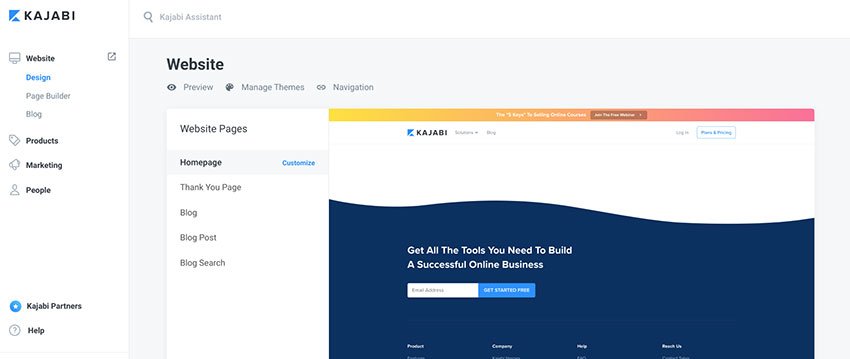
Kajabi is a single and centralized platform build as content marketing system where individuals, freelancers and SMBs can market, sell, and deliver product content.
the platform gives you access to all the tools to start and manage your online business you need. Course creators and business owners can find Kajabi a great tool for their need for a course platform.
You receive some great solutions for email marketing, revenue maximization, and sending out quizzes and surveys. Kajabi is one of the most powerful online course platforms out there.
Pricing starts at $119/month billed annually. Kajabi offers a free trial.
Features:
- Email analytics
- Import/export data
- Blog
- Affiliate management
- Application integration
- Automatic notifications
- Client portal
- Communication management
- Compliance management
- Content library
- Credit card processing
- Custom forms
- Customer database
- Customizable branding
- Customizable templates
- Discussion board
- eCommerce integration
- Electronic payments
- Email integration
- Email tracking
- Employee portal
- File management
- Forms management
- Image library
- Instant messaging
- Lead capture
- Message board
- Mobile integration
- Multi-currency
- Multiple admin users
- Pipeline management
- Promotions management
- Secure data storage
- Subscription services
- Template management
- Third party integration
- Video management
- Video hosting
- Design management
- Discount management
- Email monitoring
- Data import/export
- Drag & drop interface
- Custom landing pages
- Customizable fields
- Knowledge base
- Landing page templates
- Role-based permissions
- Surveys & feedback
- Web forms
- Course catalog
- Reporting & statistics
- Tagging
- Document management
- Contact management
- Bulk send
- Engagement analytics
- Commenting
- Email marketing
- Lead nurturing
- Website management
- And more
Teachable

Teachable is a cloud-based Online Course Platform for producing rich teaching websites and online multimedia lectures. It lets you easily build a beautiful course website, share your knowledge, and be rewarded for it.
Over 124,000+ instructors are using Teachable to share their knowledge. Teachable offers a powerful yet simple all-in-one platform to create easily an online course.
You’ll have access to a fully functioning school with payment gateways, learning management, marketing and sales tools. Teachable helps you design a professional, a beautiful, and fully personalized online school.
Teachable offers free trail and different options. They have a free plan $0/month plus $1+10% transaction fee for paid course sales.Their paid plans start at $39 a month plus 5% transaction fee for paid course sales up to $299 a month for high volume.
Features:
- Course creation
- Content import
- Drag-and-drop website builder
- Course page editor
- Customizable domain
- Multi-language
- Quiz management
- Discussion forums
- Feedback collection
- Student list segmentation
- Coupon creation & management
- Advanced pricing options
- Affiliate marketing
- Sales page templates
- Payment processing
- Reporting & analytics
- Student & revenue dashboard
- Multiple instructor support
- Student enrollments
- Refund processing
LearnWorlds

LearnWorlds is a powerful, easy-to-use and reliable training solution for individuals and enterprises. This is a white-label fully customizable solution that can have many applications such as educate customers, train employees and associates, sell online courses to a wide audience.
This Online Course Platform lets you boost usage, satisfaction and retention for professional and compliance training, continuing education, and employee/customer onboarding. Create and sell online courses, all-in-one.
It has an intuitive drag and drops block-based builder. Create high-converting landing pages by choosing some of the hundreds of templates. It integrates with Zapier, Google Analytics, Fomo, and more.
Their paid plans start at $24 a month and it offers a free trial.
Features:
- Create, Market, and Sell Online Courses
- White-label Solution (Branding and Custom Domain)
- Onboard Employees
- Internal/External Training
- Community and Social Learning
- Mobile Learning
- SCORM Compliance
- Synchronous Learning
- Video Conferencing
- eCommerce
- Gamification
- Academic (Education)
- Asynchronous Learning
- Blended Learning
- Built-in Course Authoring
- Corporate (Business)
- eLearning Companies
- Learning Portal
- Built-In Authoring Tool
- Role Assignment
- And more
Thinkific

Thinkific is a powerful platform makes it easy to share your knowledge, grow your audience, and scale your business.
You can easily upload videos, build quizzes, and organize all your learning content with our drag and drop builder. Automate your content and bring a learning experience your students will love, schedule lessons, set pricing, and more.
You can build your perfect course business or membership site even without the need of any tech knowledges using their easily customizable set of features.
Completion certificates, student messaging, automatic onboarding, and more ensure your students get a world-class education every time so you can focus on creating quality content.
Thinkific has offer a free plan and free trial and its paid plans are ranging from $49, $79, $399, and Thinkific Plus for larger entities.
Features:
- Content Import / Export
- Course Publishing
- Instructor-Led Courses
- Interactive Content
- PowerPoint Conversion
- Self-Paced Courses
- Template Management
- Test / Quiz Creation
- Video Management
- Built-In Authoring Tool
- Course backup Options
- Assignments Engine
- Automated Enrollment
- Custom reports generator
- Email notification settings
- Scheduling LIVE events
- Gradebook
- And more
LearnDash

LearnDash helps you access the latest eLearning industry trends for creating robust learning experiences. It is a light, flexible, most trusted WordPress LMS. using this platform you can easily deliver quizzes, create or sell courses, award certificates, download reports, manage users.
A drag and drop online course builder makes it easy to use LearnDash LMS. You can simply create courses with lessons, videos, quizzes, and more.
Each course can be scheduled according to the author’s preferences by using the LearnDash drip feed content function.
Some of LearnDash’s features include lesson timers, certificates, flexible prerequisites, multi-tier courses, drip-feed content, forums, badges, and more.
The annual pricing for using LearnDash starts at a fare price of $159.00 per year. LearnDash has 3 different plans: Basic, Plus and Pro. There is no a free plan.
Features:
- eCommerce
- Gamification
- Academic (Education)
- Asynchronous Learning
- Blended Learning
- Built-in Course Authoring
- Corporate (Business)
- eLearning Companies
- Learning Portal
- Mobile Learning
- SCORM Compliance
- Synchronous Learning
Podia

Podia is an Online Course Platform that allows you to sell online courses, memberships, and digital downloads to your students.
The system has the ability to let you handle everything in one simple platform from sending newsletters to your audience, create content to securely processing payments.
Podia offers a FREE migration from your current platform. Podia offers a robust and stable LMS that would provided a bulk of the features, with easier course implementation, and without any of the burden of plugins and compromise of speed.
Podia platform provides a 30-day free trial. No credit card required. Their paid plan Mover starts at $39/month, while Shaker package, costs $79/month.
Features:
- eCommerce
- Content Import / Export
- Instructor-Led Courses
- Self-Paced Courses
- Learner Portal
- Course Tracking
- Integrated membership site
- Unlimited everything
- Template Management
- Course Management
- Compliance Tracking
- Mobile Learning
- Course Publishing
- Free migration
- Email marketing campaign
- Video Management
- No transaction fees
Udemy
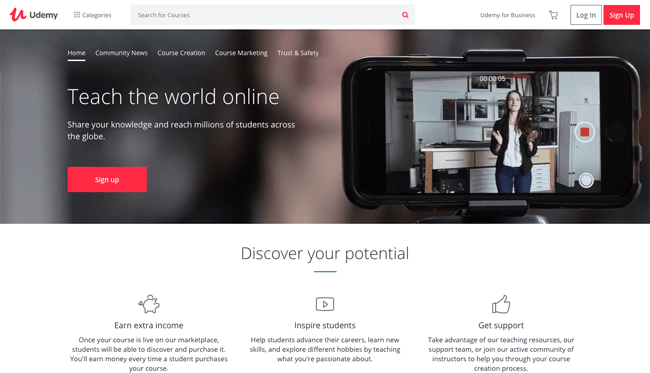
Udemy is an online learning environment, where students can learn new skills and expert instructors can create and share paid courses to help students improve their skills.
Udemy is offering people everywhere the opportunity to advance their careers, change professions, develop their personal passions or simply learn something new.
One of Udemy’s outstanding features is its course marketing functionality that allows instructors to promote their courses and market their personal brand to students and the right audience.
Udemy provides a wide collection of 2,500+ of Udemy’s top-rated courses taught by the world’s leading experts. Udemy also allows organizations to host and distribute their own proprietary content on the platform.
When you create a course on Udemy, you have to price it according to their pricing – between $19.99, and the maximum, $199.99. Udemy charges between 3% to 75% of your revenue based on how the user came to the site.
Features:
- Course Marketing
- Retargeting Ads
- Ad Hoc Email Campaigns
- Action-Based Email Campaigns
- Search and Discovery
- External Partnership Promotions
- Earn Extra Income
- Course Quality Checklist
- Assignments
- Coupons and Discounts
- Training Videos
- Course Catalog
- Teach Hub

SkillShare is a learning community for creators that allows you to unlock your creativity by enrolling in classes and complete projects.
Instructors who are using the platform as professionals can teach skills by creating and publishing a class or a course. Skillshare helps professionals, creators, and entrepreneurs earn money.
Skillshare Online Course Platform offers compensation for teachers, as students enroll to their classes and watch their video lessons.
Currently, you can find available through their platform more than 26,000 courses including 2,000 completely free.
Skillshare offers 3 different plans including free, while the paid premium and team enterprise pricing plans start at $12 a month or $8 a month if you subscribe annually.
Features:
- Shared Learning Experience
- Class Creation
- Publishing Classes
- Promoting Class
- Building Channels
- Compensation for Teachers
- Offline viewing for Premium Students
- Referral
- Catalog of Premium Classes
- High-Quality Learning Materials/Courses
- Free Classes
- Feeback
- Group Classes
- Networking
- Learning by Support
AccessAlly
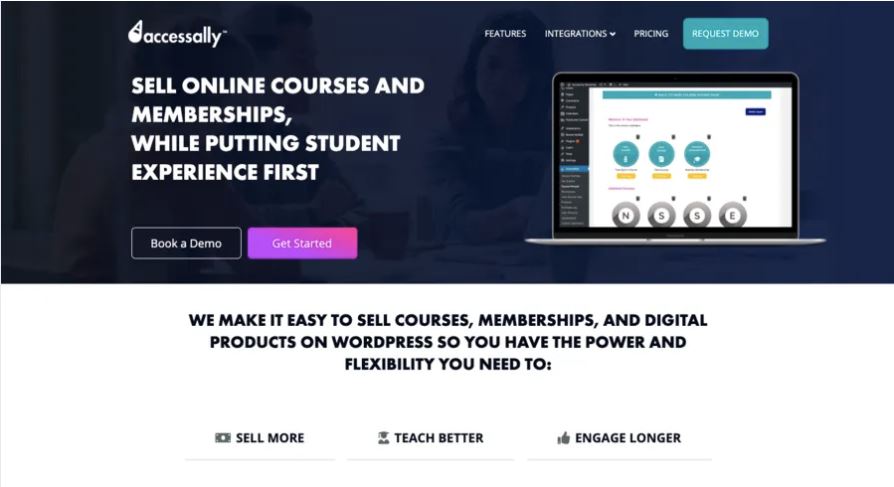
AccessAlly is a WordPress LMS and membership management plugin that deeply integrates with your marketing automation system or CRM.
Users can delivers an amazing learning experience and sell courses and using the only WordPress plugin for tag-based automation AccessAlly.
The plugin helps you with all the necessities to create a membership and course infrastructure to generating users through an affiliate system for managing payments with the help of popular payment processors.
The price starts at $99.00 per month. They do not have a free version and does not offer a free trial.
Features:
- Gamification
- Asynchronous Learning
- Mobile Learning
- eCommerce
- Corporate/Business
- Blended Learning
- Learner Portal
Academy of Mine

Academy of Mine is an all-in-one Online Course Platform that empowers you to create, sell and market your courses in professional training, continuing education, and certification.
Their API allows you to integrate with the external software, which makes it easy to build a website that is fully integrated with your LMS or connect your current website and maintain it.
You can create easily courses and include video, text, audio, live streaming, SCORM, PDF, quizzes, and much more.
Using the drip and course locking functionality you can control the pace at which students move through your course content. Follow the progress of your students with a variety of reporting tools such as Gradebook, Activity, and more.
Academy Of Mine offers a free trial and pricing starts at $499.00 per month, and they have no free version available.
Features:
- Academic/Education
- Asynchronous Learning
- Built-in Course Authoring
- Corporate/Business
- Gamification
- Learner Portal
- Mobile Learning
- SCORM Compliance
- Synchronous Learning
- Video Conferencing
- eCommerce
- eLearning Companies
For more great apps and tools that can save you money, and optimize your business and finances check some of our other posts in the Resources section.