




Choosing the best web hosting for small businesses starts with understanding what your website needs today and how those requirements might change as your business grows.
Whether you run a local service business, a consulting company, or an online store, your website is often the first interaction potential customers have with your business. Slow-loading pages, unexpected downtime, and security problems can cost you valuable leads, sales, and customer trust.
A reliable hosting provider gives your website a solid foundation, helping it remain secure, accessible, and responsive as your business grows.
However, choosing a web hosting service isn’t always straightforward. Some providers attract new customers with exceptionally low introductory prices, only to charge considerably more at renewal. Others bundle advanced features into expensive plans that many small businesses simply don’t need.
To make your decision easier, we’ve compared 10 of the best web hosting providers for small businesses in 2026, examining their pricing, renewal costs, performance features, security, customer support, WordPress compatibility, and scalability.
From affordable shared hosting to premium managed WordPress and cloud hosting solutions, this guide covers options for different business needs, budgets, and levels of technical experience.
Whether you’re launching your first website, moving away from an unreliable hosting provider, or expanding an established online business, you’ll find practical recommendations to help you make a more informed decision without overspending on unnecessary features.
Affiliate disclosure: Some links in this guide may earn NaturesMoney a commission if you sign up or purchase, at no additional cost to you. The recommendations are intended to help you compare options for your business.
Best Web Hosting for Small Businesses at a Glance

Not every small business needs the same type of web hosting. A freelancer launching a portfolio website has different requirements from an established online store processing hundreds of orders.
The table below highlights the strengths of each hosting provider to help you quickly narrow down your options based on your budget, website requirements, and plans for growth.
| Hosting Provider | Best For | Why Choose It? |
|---|---|---|
| Hostinger | Best overall value | Affordable hosting, intuitive dashboard, and flexible upgrade options |
| SiteGround | WordPress websites | Integrated caching, daily backups, and WordPress management tools |
| Cloudways | Growing businesses | Flexible cloud infrastructure and scalable server resources |
| WP Engine | Managed WordPress hosting | Specialized WordPress infrastructure and developer tools |
| Kinsta | Business-critical websites | Premium managed hosting, security, and performance monitoring |
| Bluehost | First-time website owners | Beginner-friendly WordPress setup and website management |
| DreamHost | Affordable business websites | Competitive pricing and clearly published renewal rates |
| Namecheap | Budget-conscious entrepreneurs | Low-cost hosting and convenient domain management |
| InMotion Hosting | Traditional business hosting | Familiar cPanel interface and website migration options |
| IONOS | Businesses with limited startup budgets | Low introductory pricing and bundled hosting features |
Three Hosting Providers Worth Considering First
If you’re unsure where to begin, these three providers cover many common small business hosting needs, from launching a first website to managing a growing online business.
Hostinger – Best Overall Value
Hostinger offers an attractive combination of affordable pricing, beginner-friendly website management, and WordPress hosting features. It’s a good fit for entrepreneurs, freelancers, and small businesses that want to establish a professional online presence without committing to expensive hosting infrastructure.
SiteGround – Best for WordPress Websites
SiteGround is a strong option for businesses that rely on WordPress. Its daily backups, integrated caching, security features, and staging tools on eligible plans can simplify website management, especially for businesses that regularly update their content or work with web developers.
Cloudways – Best for Growing Businesses
Cloudways is worth considering when traditional shared hosting no longer meets your website’s needs. Its managed cloud infrastructure provides greater flexibility over server resources, making it useful for growing content websites, digital agencies, and WordPress-based ecommerce businesses.
Finding the best web hosting for small businesses ultimately comes down to balancing performance, reliability, ease of management, and long-term operating costs. Before committing to a provider, consider your current website requirements and how they might change over the next few years.
Best Small Business Web Hosting: Pricing Comparison

When comparing the best web hosting for small businesses, it’s easy to focus on the advertised monthly price. However, introductory discounts rarely tell the whole story.
Some hosting providers require a three- or four-year commitment to qualify for their lowest rates, while others offer flexible monthly billing without a lengthy contract. Renewal prices can also be several times higher than the original promotional rate.
The table below compares selected hosting plans, their advertised prices, renewal costs, and initial subscription terms.
| Hosting Provider | Plan | Starting Price | Renewal or Regular Price | Initial Term |
|---|---|---|---|---|
| Hostinger | Premium | $1.99/mo | $10.99/mo | 48 months |
| SiteGround | StartUp | $1.99/mo | $17.99/mo | 12 months |
| Cloudways | Flexible Micro | $14/mo | $14/mo, plus applicable extras | Pay as you go |
| WP Engine | Essential | $28/mo | Depends on billing term and configuration | 12 months |
| Kinsta | Single-site hosting | $0 first month on eligible offers | $35/mo | Monthly |
| Bluehost | Starter | $3.99/mo | $9.99/mo | 36 months |
| DreamHost | Launch | $2.89/mo | $10.99/mo | 12 months |
| Namecheap | Stellar | $2.28/mo | $55.88/year | 12 months |
| InMotion Hosting | Launch | $3.49/mo | $13.99/mo | 36 months |
| IONOS | Plus | $1/mo | $14/mo | 12 months |
All prices are in US dollars. Some rates reflect limited-time promotions, including seasonal discounts. Taxes, optional services, and additional resource charges may apply.
Why Renewal Pricing Matters
Imagine choosing a hosting plan that costs $2.99 per month during the first year but renews at $17.99 per month afterward.
Your annual hosting expense would increase from $35.88 to $215.88, even if your website requirements hadn’t changed.
For a small business managing multiple software subscriptions, these price increases can gradually add up.
Before purchasing a hosting plan, consider:
- The total upfront payment required.
- The length of the initial subscription.
- Renewal pricing after promotional discounts expire.
- Domain registration and renewal fees.
- Business email hosting costs.
- Backup, security, and migration expenses.
- Additional charges for storage, bandwidth, or resource usage.
The most affordable hosting solution isn’t necessarily the one with the lowest advertised monthly price. It’s the one that meets your website’s requirements while keeping long-term operating costs manageable.
1. Hostinger – Best Overall Web Hosting for Small Businesses

Best for: Entrepreneurs, freelancers, local businesses, bloggers, and small online stores.
Hostinger stands out for its combination of affordable hosting, straightforward website management, and flexible upgrade options. It offers shared hosting, managed WordPress hosting, cloud hosting, and VPS solutions for businesses with different technical requirements.
One of its strongest selling points is hPanel, a custom hosting dashboard that makes managing websites, domains, databases, email accounts, and security settings relatively straightforward, even for beginners.
Small businesses can start with an affordable hosting package and upgrade as their websites attract more visitors or require additional resources.
Key Hostinger Features
- Managed WordPress hosting and automatic updates
- Free SSL certificates and malware scanning
- Free website migration assistance
- Weekly or daily backups, depending on the plan
- LiteSpeed web server and caching technology
- Free domain registration for the first year on eligible plans
- Free CDN included on all three listed plans
- AI-assisted website creation tools
- 24/7 customer support
- Cloud and VPS hosting upgrade options
Hostinger Pricing
Hostinger offers several hosting plans designed for different stages of business growth.
| Features | Premium | Unlimited | Cloud Startup |
|---|---|---|---|
| Introductory price | $1.99/mo | $2.79/mo | $7.99/mo |
| Renewal price | $10.99/mo | $16.99/mo | $25.99/mo |
| Websites | 3 | Unlimited* | Unlimited* |
| Storage | 20 GB SSD | 50 GB NVMe | 100 GB NVMe |
| Automatic backups | Weekly | Daily | Daily and on-demand |
| Free CDN | Yes | Yes | Yes |
| Free domain | First year | First year | First year |
| Initial commitment | 48 months | 48 months | 48 months |
Prices reflect advertised promotional offers and require upfront payment. Unlimited websites remain subject to resource limitations and Hostinger’s Fair Usage Policy.
For a basic business website, the Premium plan may provide sufficient resources. However, businesses that publish content frequently, manage multiple websites, or operate an online store may benefit from the Unlimited plan’s daily backups, additional storage, and CDN.
Hostinger Pros and Cons
| Pros | Cons |
|---|---|
| Affordable introductory pricing | Lowest prices require a four-year commitment |
| Beginner-friendly hosting dashboard | Significantly higher renewal costs |
| Free website migration assistance | Business email may cost extra after the first year |
| Built-in WordPress optimization tools | Premium plan includes weekly rather than daily backups |
| Multiple hosting upgrade options | Shared hosting has server resource limitations |
| 24/7 customer support | No traditional cPanel interface |
Who Should Use Hostinger?
If you’re launching your first business website and don’t want to spend hundreds of dollars on hosting every year, Hostinger is a sensible place to start.
A local photographer, consultant, cleaning company, or independent blogger will often find everything they need in its more affordable plans.
Just remember that unlimited websites doesn’t mean unlimited computing power. If you’re planning to run several busy WooCommerce stores from the same account, look closely at the available server resources before subscribing.
Explore Hostinger hosting plans to compare available features, current pricing, and hosting options for your business.
2. SiteGround – Best WordPress Hosting for Small Businesses
Best for: WordPress websites, professional service businesses, growing blogs, ecommerce stores, and digital agencies.
SiteGround combines managed WordPress hosting with performance optimization, website security, and practical development tools. It runs on Google Cloud infrastructure and uses its custom Site Tools dashboard to simplify website management.
One practical advantage of SiteGround for small businesses is the range of management features included in its hosting packages. Business owners can manage backups, caching, email accounts, security settings, and WordPress installations without relying on several separate services.
Its staging and collaboration tools are also useful for businesses working with external web designers or developers.
Key SiteGround Features
- Google Cloud hosting infrastructure
- Managed WordPress updates
- Free SSL certificates and CDN
- Automatic daily backups
- Integrated multilevel caching
- Free WordPress migration options
- Business email hosting
- WordPress security and performance optimization plugins
- AI-assisted WordPress management
- Staging environments on higher-tier plans
- Developer access through SSH and WP-CLI
- 24/7 customer support
SiteGround Pricing
SiteGround offers three main hosting plans, with increasing storage, server resources, and website management capabilities.
| Features | StartUp | GrowBig | GoGeek |
|---|---|---|---|
| Introductory price | $1.99/mo | $3.99/mo | $5.99/mo |
| Renewal price | $17.99/mo | $29.99/mo | $44.99/mo |
| Websites | 1 | Unlimited* | Unlimited* |
| Storage | 10 GB | 50 GB | 100 GB |
| Daily backups | Yes | Yes | Yes |
| On-demand backups | No | Yes | Yes |
| Free CDN | Yes | Yes | Yes |
| Email hosting | Yes | Yes | Yes |
| WordPress staging | No | Yes | Yes |
| Git integration | No | No | Yes |
| Priority support | No | No | Yes |
| Initial commitment | 12 months | 12 months | 12 months |
Pricing reflects promotional offers based on a prepaid 12-month subscription. Unlimited websites and traffic remain subject to available server resources and usage restrictions.
StartUp is suitable for a single, relatively straightforward website. GrowBig provides greater flexibility for businesses managing multiple websites or testing WordPress changes before publishing them. GoGeek adds more advanced development tools and priority support.
SiteGround Pros and Cons
| Pros | Cons |
|---|---|
| Google Cloud infrastructure | Considerably higher renewal prices |
| Daily backups included on all plans | Entry-level plan limited to one website |
| Integrated caching and CDN | Staging requires GrowBig or GoGeek |
| Business email included | Storage limits on all shared hosting plans |
| WordPress security and management tools | Server resource restrictions still apply |
| Developer and collaboration features | No traditional cPanel interface |
| 24/7 customer support | Premium cloud hosting can be expensive |
Who Should Use SiteGround?
SiteGround makes the most sense when WordPress is an important part of your business.
If you regularly update service pages, publish articles, install plugins, or work with a web developer, its staging tools and daily backups can make those tasks easier to manage.
The renewal prices are higher than those of several competitors, but the included email, backups, security, and optimization features may help offset some of the additional expense.
Explore SiteGround WordPress hosting plans to compare available features and find a hosting package that matches your business needs.
3. Cloudways – Best Cloud Hosting for Growing Small Businesses

Best for: Growing websites, ecommerce businesses, digital agencies, established bloggers, and businesses requiring scalable hosting resources.
Cloudways takes a different approach from traditional shared hosting providers by offering managed cloud infrastructure. Businesses can choose their server resources and hosting infrastructure without handling most of the technical responsibilities associated with server administration.
Cloudways supports infrastructure providers such as DigitalOcean, Vultr, Linode, AWS, and Google Cloud, giving businesses greater flexibility over server configurations, locations, and operating costs.
The platform works well for businesses that have outgrown traditional shared hosting or manage multiple WordPress websites.
Key Cloudways Features
- Managed cloud server infrastructure
- WordPress and WooCommerce hosting
- Flexible server resource allocation
- NGINX-based Lightning Stack
- Free SSL certificates
- Automated backups and restoration tools
- Redis caching and advanced performance optimization
- Website staging and application cloning
- Server and application monitoring
- Built-in firewall and vulnerability scanning
- Cloudways Copilot AI-assisted troubleshooting
- Free WordPress migration assistance
- 24/7 customer support
Cloudways Pricing
Unlike many shared hosting providers, Cloudways doesn’t require you to pay for several years of hosting upfront. Its Flexible plans use resource-based billing, so your hosting expenses depend on the server configuration, infrastructure provider, and additional services you select.
The following table compares selected Cloudways hosting configurations.
| Features | Flexible Micro | Flexible Small | Autonomous Growth |
|---|---|---|---|
| Regular price | $14/mo | $28/mo | $99/mo |
| RAM | 1 GB | 2 GB | Managed allocation |
| CPU | 1 vCPU | 1 vCPU | Managed allocation |
| Storage | 25 GB NVMe | 50 GB NVMe | Plan-based |
| Billing | Pay as you go | Pay as you go | Pay as you go |
| Vertical scaling | Yes | Yes | Managed |
| Automatic horizontal scaling | No | No | Yes |
| Offsite backup storage | Additional charge | Additional charge | Included |
| Cloudflare Enterprise CDN | Optional add-on | Optional add-on | Included |
| Long-term commitment | No | No | No |
Prices reflect selected configurations, before temporary promotional discounts. Flexible offsite backup storage costs $0.033 per GB. Business email, premium support, and optional services may increase the total cost.
Cloudways Flexible is suitable for businesses that want control over server resources, while Cloudways Autonomous is designed for more demanding WordPress and WooCommerce websites that need automatic scaling during traffic spikes.
Cloudways Pros and Cons
| Pros | Cons |
|---|---|
| Flexible cloud infrastructure options | Steeper learning curve for beginners |
| No lengthy hosting contracts | More expensive than basic shared hosting |
| Scalable server resources | Offsite backups cost extra on Flexible plans |
| Advanced caching and optimization tools | Business email requires a separate service |
| Multiple websites on eligible server configurations | Premium CDN and other services may cost extra |
| Staging and cloning capabilities | No traditional cPanel interface |
| 24/7 technical support | Flexible plans require capacity planning |
| Free WordPress migration assistance | Advanced support requires an additional subscription |
Who Should Use Cloudways?
Have you reached the point where your existing shared hosting account struggles to keep up with your website? Cloudways could be a logical next step.
It’s especially useful for agencies managing several client websites and online stores that need more control over their server resources.
However, if all you need is a five-page website with a contact form, the additional flexibility may not justify the cost or learning curve.
Explore Cloudways managed cloud hosting plans to compare infrastructure options, server configurations, and pricing for your business.
4. WP Engine – Best Managed WordPress Hosting for Businesses

Best for: Established WordPress websites, professional service businesses, digital agencies, and companies that depend on their websites for leads and revenue.
WP Engine specializes in managed WordPress hosting, combining optimized infrastructure, security, automated maintenance, and development tools in a single platform.
Unlike traditional shared hosting providers, WP Engine focuses exclusively on the WordPress ecosystem. Its management tools can reduce the time businesses spend handling technical maintenance, backups, and server configuration.
The platform works well for companies that collaborate with web developers or marketing agencies and need separate environments to test changes before publishing them.
Key WP Engine Features
- Managed WordPress, PHP, and MySQL updates
- Automatic daily and on-demand backups
- EverCache performance optimization technology
- Global CDN powered by Cloudflare
- Free auto-renewing SSL certificates
- WordPress security patching and plugin risk scanning
- Development and staging environments
- Automated WordPress migration plugin
- DDoS protection
- Premium WordPress themes
- Developer tools and GitHub integrations
- 24/7 WordPress technical support
WP Engine Pricing
WP Engine offers several managed WordPress hosting configurations based on website capacity, estimated monthly visits, and storage requirements.
Its Essential hosting starts at $28 per month when billed annually, with an upfront payment of $336 under the advertised offer.
| Features | Startup | Professional | Growth | Scale |
|---|---|---|---|---|
| Published monthly renewal rate | $35 | $65 | $130 | $330 |
| Websites | 1 | 3 | 10 | 30 |
| Estimated monthly visits | 25,000 | 75,000 | 100,000 | 400,000 |
| Storage | 10 GB | 15 GB | 20 GB | 50 GB |
| Daily backups | Yes | Yes | Yes | Yes |
| Global CDN | Yes | Yes | Yes | Yes |
| Staging environments | Yes | Yes | Yes | Yes |
| Managed WordPress updates | Yes | Yes | Yes | Yes |
| 24/7 chat support | Yes | Yes | Yes | Yes |
WP Engine published these monthly subscription renewal rates effective March 11, 2026. New-customer offers and annual billing discounts may differ. Check your selected configuration for the initial payment, renewal price, and any additional usage charges.
Businesses should pay particular attention to monthly visit allowances, as exceeding applicable plan limits may result in additional charges.
WP Engine Pros and Cons
| Pros | Cons |
|---|---|
| Specialized managed WordPress infrastructure | Higher pricing than traditional shared hosting |
| Automatic daily and on-demand backups | Limited to the WordPress ecosystem |
| Integrated caching and global CDN | Additional charges may apply for excess usage |
| Advanced staging and development tools | Business email hosting is not included |
| WordPress security and maintenance features | Automated plugin management may cost extra |
| Expert WordPress technical support | Storage and website limits on standard plans |
| Multiple hosting configurations for growing businesses | Some advanced security features require paid add-ons |
Who Should Use WP Engine?
WP Engine makes more financial sense when your WordPress website is already contributing to your business revenue.
For example, a consulting company generating valuable leads through its website may benefit from automated backups, staging environments, and access to WordPress-focused technical support.
It’s also a practical option for businesses working with development agencies. If you’re just starting out, however, there are less expensive ways to get your website online.
Explore WP Engine managed WordPress hosting plans to compare available resources, management features, and pricing for your business.
5. Kinsta – Best Premium Hosting for Business-Critical WordPress Websites

Best for: Established businesses, high-traffic WordPress websites, WooCommerce stores, membership websites, and digital agencies.
Kinsta specializes in premium managed WordPress hosting, combining isolated hosting environments, advanced performance optimization, security, and technical support.
Its custom MyKinsta dashboard allows businesses to manage websites, monitor resource usage, restore backups, and create staging environments from a centralized interface.
One of Kinsta’s distinguishing features is its built-in application performance monitoring (APM) tool, which helps identify slow database queries, problematic plugins, and other performance bottlenecks.
These tools can make a real difference for businesses where website downtime or technical problems can directly affect revenue.
Key Kinsta Features
- Premium managed WordPress infrastructure
- Isolated website hosting environments
- Cloudflare integration and global CDN
- Automatic daily backups
- Free SSL certificates
- Managed firewall and DDoS protection
- Free malware removal
- Unlimited free WordPress migrations
- Built-in application performance monitoring (APM)
- One-click staging environments
- Edge caching and database optimization
- Website uptime monitoring
- 24/7 expert technical support
Kinsta Pricing
Kinsta offers several managed WordPress hosting plans based on website capacity, traffic, storage, and bandwidth requirements.
| Features | Launch | Launch Plus | Build | Expand |
|---|---|---|---|---|
| Standard monthly price | $35 | $59 | $69 | $99 |
| Promotional monthly price | $17.50 | $29.50 | $34.50 | $49.50 |
| WordPress websites | 1 | 1 | 2 | 5 |
| Estimated monthly visits | 75,000 | 125,000 | 200,000 | 350,000 |
| Storage | 15 GB | 25 GB | 30 GB | 40 GB |
| CDN bandwidth | 125 GB | 250 GB | 250 GB | 500 GB |
| Backup retention | 14 days | 14 days | 14 days | 14 days |
| Free migrations | Yes | Yes | Yes | Yes |
| Staging environment | Yes | Yes | Yes | Yes |
| APM monitoring | Yes | Yes | Yes | Yes |
Kinsta’s November 2026 Black Friday promotion offers eligible new customers 50% off monthly hosting for three months, with an additional free first month on selected plans. Standard rates apply after the promotional period. The offer ends December 1, 2026. The table compares visit-based hosting configurations; bandwidth-based plans may have different resource allowances.
Unlike hosting providers that advertise unlimited traffic, Kinsta defines resource allowances for each plan. Businesses should monitor website traffic, storage, and bandwidth to avoid unexpected overage charges.
Kinsta Pros and Cons
| Pros | Cons |
|---|---|
| Premium managed WordPress infrastructure | Higher starting price than shared hosting |
| Built-in application performance monitoring | Additional charges for exceeding resource allowances |
| Advanced caching and CDN integration | Business email hosting is not included |
| Free malware removal and security protection | Limited to WordPress hosting |
| Unlimited free WordPress migrations | Premium staging and advanced backup options may cost extra |
| Automatic daily backups | Hosting multiple websites can become expensive |
| User-friendly MyKinsta dashboard | May be excessive for basic informational websites |
| 24/7 expert technical support | Storage and bandwidth limits apply |
Who Should Use Kinsta?
When your website becomes an essential part of your business, hosting decisions aren’t just about saving a few dollars each month.
An established WooCommerce store, paid membership website, or lead-generation platform may benefit from Kinsta’s application performance monitoring, managed security, and development tools.
For a small informational website that rarely changes, these capabilities may be more than you need. Kinsta is easier to justify when technical reliability and troubleshooting efficiency have measurable business value.
Explore Kinsta managed WordPress hosting plans to compare available resources, performance features, and pricing for your business.
6. Bluehost – Best Web Hosting for WordPress Beginners
Best for: First-time website owners, entrepreneurs, freelancers, bloggers, and small businesses launching WordPress websites.
Bluehost combines affordable WordPress hosting with beginner-friendly website creation tools, automated maintenance, and built-in security features.
Its guided setup process and AI-assisted website builder make it easier for business owners to launch a professional website without extensive technical knowledge.
Bluehost also offers WooCommerce hosting packages with integrated ecommerce tools, allowing businesses to expand into online selling as their needs change.
Key Bluehost Features
- Managed WordPress updates
- AI-powered website creation tools
- Free SSL certificates and CDN
- NVMe SSD storage
- Free domain registration for the first year
- Weekly automatic website backups
- Malware detection and removal
- Web application firewall and DDoS protection
- Free WordPress migration tool
- WordPress staging environments
- Static content and object caching
- 24/7 live chat support
Bluehost Pricing
Bluehost offers several WordPress hosting plans with different storage allowances, website capacities, and business features.
| Features | Starter | Business | eCommerce Essentials |
|---|---|---|---|
| Introductory price | $3.99/mo | $6.99/mo | $14.99/mo |
| Advertised renewal price | $9.99/mo | $13.99/mo | $21.99/mo |
| Websites | 10 | 50 | 100 |
| NVMe storage | 10 GB | 50 GB | 100 GB |
| Estimated monthly visits | 40,000 | 200,000 | 400,000 |
| Automatic backups | Weekly | Weekly | Weekly |
| Free SSL and CDN | Yes | Yes | Yes |
| WordPress staging | Yes | Yes | Yes |
| Free domain | First year | First year | First year |
| Phone support | No | Yes | Yes |
| Integrated ecommerce tools | No | No | Yes |
| Initial commitment | 36 months | 36 months | 36 months |
Prices reflect advertised 2026 offers based on a prepaid 36-month subscription. Renewal rates vary by billing term, and optional services may increase the total cost.
The Starter plan may be sufficient for basic business websites and portfolios. Business provides considerably more storage and additional support options, while eCommerce Essentials includes tools for selling products, subscriptions, memberships, and online courses.
Bluehost Pros and Cons
| Pros | Cons |
|---|---|
| Beginner-friendly WordPress setup | Lowest advertised prices require a three-year commitment |
| Affordable introductory pricing | Higher renewal costs |
| AI-assisted website creation tools | Professional email costs extra after the trial |
| Free SSL, CDN, and first-year domain | Weekly rather than daily backups on listed plans |
| WordPress staging included on all listed plans | Phone support unavailable on Starter |
| Integrated malware protection | Limited storage on the entry-level plan |
| Multiple hosting upgrade options | Optional services can increase overall costs |
| Integrated ecommerce tools on specialized plans | Demanding websites may require higher-performance hosting |
Who Should Use Bluehost?
Bluehost is a good starting point if you’ve never built a WordPress website before and want help getting through the initial setup.
Its guided installation and website creation tools can help freelancers, consultants, and local businesses get online without learning complicated server administration.
Before signing up, compare the upfront subscription cost, renewal rate, email charges, and backup frequency with other beginner-friendly hosting providers.
Explore Bluehost WordPress hosting plans to compare available features and find a package that suits your business.
7. DreamHost – Best Affordable Hosting for Small Business Websites

Best for: Small businesses, freelancers, bloggers, portfolio websites, and entrepreneurs looking for affordable hosting with clearly published renewal rates.
DreamHost offers shared web hosting, managed WordPress hosting, VPS hosting, and dedicated servers, giving businesses several options as their websites grow.
One of DreamHost’s strengths is its combination of affordable hosting, daily backups, generous website allowances, and straightforward pricing. Its custom control panel allows users to manage domains, websites, databases, and hosting settings from one location.
Unlike providers that reserve daily backups for more expensive subscriptions, DreamHost includes them across its standard web hosting plans.
Key DreamHost Features
- WordPress hosting and installation tools
- Liftoff AI website builder
- NVMe SSD storage
- Free SSL certificates
- Automatic daily backups
- Unmetered bandwidth
- On-demand website performance scans
- Free domain registration for the first year
- Free automated WordPress migration tools
- Custom hosting control panel
- 24/7 hosting support
- Managed WordPress and VPS hosting upgrade options
- 30-day money-back guarantee on eligible plans
DreamHost Pricing
DreamHost offers three primary shared hosting plans with different storage, traffic, and website allowances.
| Features | Launch | Growth | Scale |
|---|---|---|---|
| Introductory price | $2.89/mo | $3.99/mo | $9.99/mo |
| Renewal price | $10.99/mo | $12.99/mo | $25.99/mo |
| Websites | 25 | 50 | 100 |
| Estimated monthly visits | 40,000 | 200,000 | 400,000 |
| NVMe storage | 25 GB | 50 GB | 100 GB |
| Bandwidth | Unmetered | Unmetered | Unmetered |
| Daily backups | Yes | Yes | Yes |
| Free SSL | Yes | Yes | Yes |
| Free domain | First year | First year | First year |
| Email mailboxes | 20 | 40 | 60 |
| Free email period | 3 months | 3 months | 3 months |
| Initial commitment | 12 months | 12 months | 12 months |
Prices reflect advertised offers based on annual billing. Additional discounts are available with 48-month subscriptions, starting at $1.99 per month. Email hosting may incur additional charges after the promotional period.
The Launch plan is suitable for smaller business websites, while Growth provides more storage and capacity for businesses managing multiple websites or publishing content regularly.
DreamHost also offers DreamPress managed WordPress hosting, starting at $14.99 per month on an annual introductory subscription.
DreamHost Pros and Cons
| Pros | Cons |
|---|---|
| Affordable introductory pricing | Higher renewal prices |
| Clearly published renewal rates | Business email costs extra after three months |
| Daily backups across all standard plans | No traditional cPanel interface |
| Generous website allowances | Shared server resources limit demanding applications |
| NVMe storage on all listed plans | Advanced WordPress features require DreamPress |
| Unmetered bandwidth | Storage is shared among websites on the same plan |
| Free WordPress migration tools | Lowest prices require a four-year commitment |
| Multiple hosting upgrade options | Domain renewal costs apply after the first year |
Who Should Use DreamHost?
DreamHost is appealing if you’re looking for an affordable hosting plan that includes daily backups without requiring a premium managed WordPress subscription.
It can also make sense for entrepreneurs managing several smaller websites, provided their combined resource usage stays within the plan’s limits.
If professional email is important to your business, remember to include mailbox costs after the initial free period when comparing DreamHost with other providers.
Explore DreamHost web hosting plans to compare current pricing, available resources, and hosting options for your business.
8. Namecheap – Best Budget Hosting and Domain Management

Best for: Budget-conscious entrepreneurs, freelancers, bloggers, smaller business websites, and business owners managing multiple domains.
Namecheap is widely recognized for its affordable domain registration services, but it also offers shared hosting, managed WordPress hosting, VPS hosting, and dedicated servers.
Its shared hosting packages combine affordable pricing with traditional cPanel management, making it relatively easy to manage websites, domains, databases, and professional email accounts in one place.
For business owners who prefer a dedicated WordPress hosting environment, Namecheap also offers EasyWP as a separate managed hosting solution.
Key Namecheap Features
- Traditional cPanel hosting management
- SSD storage and unmetered bandwidth
- WordPress installation through Softaculous
- AI-assisted WordPress website creation
- Sitejet AI website builder
- Free SSL certificates for the first year
- Professional email hosting
- Malware scanning and spam protection
- Free cPanel website migration assistance
- Automatic daily backups on higher-tier plans
- Integrated domain and DNS management
- 24/7 live chat support
- 30-day money-back guarantee on eligible plans
Namecheap Pricing
Namecheap offers three primary shared hosting plans: Stellar, Stellar Plus, and Stellar Business.
| Features | Stellar | Stellar Plus | Stellar Business |
|---|---|---|---|
| Advertised introductory price | $2.28/mo | $2.98/mo | $4.98/mo |
| Annual renewal price | $55.88 | $85.44 | $128.88 |
| Websites | 3 | Unlimited* | Unlimited* |
| Storage | 20 GB SSD | Unmetered SSD* | 50 GB SSD |
| Bandwidth | Unmetered | Unmetered | Unmetered |
| Email accounts | 30 | Unlimited* | Unlimited* |
| Free SSL | First year | First year | First year |
| Daily AutoBackup | No | Yes | Yes |
| Malware protection | ImunifyAV | ImunifyAV | Imunify360 |
| cPanel access | Yes | Yes | Yes |
| Initial commitment | 12 months | 12 months | 12 months |
Additional seasonal discounts may be available. Unlimited and unmetered resources remain subject to server limitations and Namecheap’s acceptable use policy.
Stellar provides an affordable starting point for smaller business websites. Stellar Plus is worth considering for entrepreneurs managing multiple websites, because it includes automated daily, weekly, and monthly backups.
Stellar Business adds more advanced security protection and higher resource allowances.
Namecheap Pros and Cons
| Pros | Cons |
|---|---|
| Affordable introductory and renewal pricing | Free SSL certificates are limited to the first year |
| Familiar cPanel management interface | Daily AutoBackup requires a higher-tier plan |
| Professional email hosting included | Entry-level internal backups are not guaranteed |
| Convenient domain and DNS management | Shared hosting has CPU and memory limitations |
| Free cPanel migration assistance | Unlimited storage remains subject to usage restrictions |
| AI-assisted website creation tools | Advanced malware protection requires Stellar Business |
| Relatively low annual hosting expenses | Less suitable for demanding ecommerce websites |
| 24/7 live chat support | Managed WordPress hosting requires a separate EasyWP subscription |
Who Should Use Namecheap?
If you’re testing a new business idea, launching a portfolio, or building a small niche website, Namecheap can help keep your startup expenses manageable.
Its traditional cPanel interface and included email accounts are convenient if you already manage your domains through Namecheap.
I’d pay special attention to the backup differences between Stellar and Stellar Plus. Saving a small amount on hosting isn’t necessarily worthwhile if it leaves you without dependable recovery options.
Explore Namecheap shared hosting plans to compare available features, current pricing, and hosting options for your business.
9. InMotion Hosting – Best Traditional Business Hosting With cPanel

Best for: Small business websites, digital agencies, freelancers, and business owners who prefer traditional cPanel hosting.
InMotion Hosting offers shared hosting, WordPress hosting, VPS hosting, and dedicated servers, providing businesses with several upgrade options as their websites grow.
Unlike providers that rely on proprietary hosting dashboards, InMotion uses cPanel, a familiar interface for managing website files, databases, domains, email accounts, and security settings.
Its generous NVMe storage allowances and included email hosting make it an attractive option for businesses seeking a traditional, all-in-one hosting solution.
Key InMotion Hosting Features
- Traditional cPanel hosting management
- NVMe SSD storage
- UltraStack performance optimization
- Free SSL certificates
- Unmetered bandwidth
- Business email hosting
- Free website migration assistance
- Malware and DDoS protection
- Web application firewall
- One-click WordPress installation
- SSH access and WP-CLI support
- Choice of data center location
- 24/7 customer support
- 90-day money-back guarantee on eligible plans
InMotion Hosting Pricing
InMotion offers three primary shared hosting plans: Launch, Power, and Pro.
| Features | Launch | Power | Pro |
|---|---|---|---|
| Introductory price | $3.49/mo | $4.49/mo | $8.49/mo |
| Published renewal price | $13.99/mo | $17.99/mo | $24.99/mo |
| Websites | 2 | 10 | 40 |
| NVMe storage | 100 GB | 200 GB | 300 GB |
| Bandwidth | Unmetered | Unmetered | Unmetered |
| Email accounts | Unlimited* | Unlimited* | Unlimited* |
| Storage per email inbox | 5 GB | 10 GB | 20 GB |
| Free SSL | Yes | Yes | Yes |
| Advanced caching | No | Yes | Yes |
| Dedicated IP | Paid option | Paid option | Included |
| Phone support | No | Yes | Yes |
| Automatic offsite backups | Paid add-on | Paid add-on | Paid add-on |
| Initial commitment | 36 months | 36 months | 36 months |
Introductory prices reflect advertised promotional offers. Renewal prices are based on separately published standard rates and should be confirmed at checkout. Unlimited resources remain subject to hosting usage restrictions.
The Launch plan is suitable for smaller business websites, while Power provides additional storage, website capacity, and advanced caching. Pro includes allocated CPU and RAM resources, a dedicated IP address, and additional agency-oriented features.
InMotion Hosting Pros and Cons
| Pros | Cons |
|---|---|
| Generous NVMe storage allowances | Higher renewal prices |
| Familiar cPanel management interface | Lowest promotional prices require a three-year commitment |
| Business email hosting included | Automatic offsite backups require a paid add-on |
| Free website migration assistance | Phone support unavailable on Launch |
| Built-in malware and DDoS protection | Advanced caching requires Power or Pro |
| Multiple hosting upgrade options | Entry-level plan limited to two websites |
| Dedicated IP included with Pro | cPanel may feel complicated for beginners |
| 90-day money-back guarantee on eligible plans | Additional services can increase operating costs |
Who Should Use InMotion Hosting?
If you’ve managed websites through cPanel before, InMotion Hosting will feel familiar.
Its storage allowances and included email accounts make it a practical option for local companies, agencies, and businesses with several content-heavy websites.
Just make sure to include the cost of any additional backup services when comparing it with providers that already include automatic offsite backups.
Explore InMotion Hosting plans to compare available resources, hosting features, and pricing for your business.
10. IONOS – Best for Low Introductory Hosting Prices

Best for: Startups, entrepreneurs, freelancers, local businesses, and business owners looking to minimize first-year website expenses.
IONOS combines affordable web hosting with domain registration, professional email, website security, and other digital business services.
One of its biggest attractions is its exceptionally low introductory pricing. Businesses can launch a professional website for as little as $1 per month during the initial promotional period.
IONOS also offers generous storage allowances, daily backups, and flexible hosting upgrades, making it worth considering for businesses that expect their website requirements to increase over time.
Key IONOS Features
- Linux-based container hosting infrastructure
- NVMe SSD storage
- Unmetered website traffic
- Free domain registration for the first year
- Wildcard SSL certificates
- Professional email hosting
- Automatic daily backups
- DDoS protection and malware scanning
- Geo-redundant hosting infrastructure
- One-click WordPress installation
- CDN on eligible plans
- SSH, SFTP, and WP-CLI access
- 99.99% advertised uptime guarantee
- 24/7 customer support
- 30-day money-back guarantee on eligible plans
IONOS Pricing
IONOS offers four standard web hosting plans with different storage allowances, performance levels, and security features.
| Features | Essential | Starter | Plus | Ultimate |
|---|---|---|---|---|
| Introductory price | $4/mo | $6/mo | $1/mo | $10/mo |
| Renewal price | $8/mo | $10/mo | $14/mo | $18/mo |
| NVMe storage | 100 GB | 200 GB | 350 GB | 500 GB |
| Traffic | Unmetered | Unmetered | Unmetered | Unmetered |
| CPU priority | 1x | 3x | 5x | 10x |
| Email accounts | 1 | 2 | 4 | 5 |
| Email storage per account | 2 GB | 2 GB | 2 GB | 2 GB |
| Daily backups | Yes | Yes | Yes | Yes |
| Free domain | First year | First year | First year | First year |
| Wildcard SSL certificates | 1 | 1 | 1 | Unlimited |
| CDN | No | Yes | Yes | Yes |
| Automatic malware removal | No | No | No | Yes |
| Initial commitment | 12 months | 12 months | 12 months | 12 months |
Prices reflect hosting offers with a one-year subscription. Promotional rates, taxes, and optional services may affect the final cost.
IONOS Plus has an unusually low first-year price, making it attractive to entrepreneurs working with a limited startup budget.
At the advertised promotional rate, the first year costs just $12 before taxes and extras. However, its $14 monthly renewal rate brings the estimated three-year hosting cost to $348.
If you don’t need the additional storage or resources, the Essential plan could offer better long-term value.
IONOS Pros and Cons
| Pros | Cons |
|---|---|
| Exceptionally low introductory pricing | Significant price increase after the promotional period |
| Generous NVMe storage allowances | Limited storage per email account |
| Daily backups included across all plans | Custom dashboard may require some adjustment |
| Professional email hosting included | CDN unavailable on Essential |
| Geo-redundant hosting infrastructure | Automatic malware removal requires Ultimate |
| Free domain and wildcard SSL | Domain renewal fees apply after the first year |
| Multiple hosting upgrade options | Advanced managed WordPress features require separate plans |
| 24/7 customer support | Server resource and file-count restrictions apply |
Who Should Use IONOS?
IONOS is an interesting option for entrepreneurs who want to minimize expenses during the first year of running a business.
The introductory Plus offer can leave more of your startup budget available for website design, marketing, and other essential expenses.
However, don’t let the $1 monthly promotional rate make the decision for you. Compare the renewal costs and choose the level of hosting resources your website will actually use.
Explore IONOS web hosting plans to compare current pricing, performance features, and hosting resources for your business.
How We Evaluated These Web Hosting Providers
Finding the best web hosting for small businesses involves more than comparing monthly prices or counting included features. A hosting plan needs to meet your website’s technical requirements, fit your long-term budget, and support future business growth.
For this comparison, we reviewed publicly available hosting plans, official product documentation, pricing structures, and management capabilities across all 10 providers.
Our evaluation focuses on six key factors.
1. Affordability and Renewal Pricing
Low introductory prices can be misleading when hosting expenses increase substantially at renewal.
We considered introductory discounts, standard renewal rates, upfront payments, subscription commitments, and additional expenses such as domain renewals, business email, backups, and premium security features.
2. Website Performance and Reliability
A slow or frequently unavailable website can negatively affect customer experience, conversions, and business revenue.
We examined hosting infrastructure, server resources, storage technology, caching capabilities, CDN availability, and published uptime commitments.
Actual website performance also depends on website design, software configuration, plugins, and content optimization.
3. Security and Backup Capabilities
Reliable security and recovery tools are essential for protecting business websites and customer information.
We evaluated SSL certificates, malware protection, firewalls, automatic backups, backup retention periods, and restoration options. We also considered whether these features are included in standard plans or require additional subscriptions.
4. WordPress Compatibility and Management
Many small businesses rely on WordPress to manage their websites, publish content, and sell products online.
We assessed WordPress installation tools, automatic updates, staging environments, migration assistance, WooCommerce compatibility, and specialized performance optimization features.
5. Scalability and Resource Limits
A hosting provider should give businesses room to grow without forcing an unnecessary website migration.
We examined available upgrade paths, storage allowances, server resources, website limits, traffic restrictions, and potential overage charges.
We also considered whether providers offer managed WordPress, VPS, or cloud hosting solutions for more demanding websites.
6. Ease of Management and Customer Support
Small business owners often manage their websites without a dedicated IT department.
We considered hosting dashboard functionality, documentation, migration assistance, available support channels, and the level of technical knowledge required to manage each hosting environment.
A Note About Our Evaluation Process
This comparison is based on published pricing, official documentation, available features, and suitability for different business needs rather than independent, controlled performance testing of all 10 providers.
Our goal is to help small business owners make informed hosting decisions based on practical requirements and long-term value rather than promotional discounts alone.
What Type of Web Hosting Does Your Small Business Need?

Before choosing a hosting provider, it’s important to understand the different types of web hosting available. Each offers a different balance of performance, affordability, flexibility, and technical responsibility.
A small local business may only need basic shared hosting, while a growing ecommerce store may require managed cloud hosting or dedicated resources.
Shared hosting is generally the most affordable option because multiple websites share the resources of the same server. The hosting provider handles server maintenance, making it an accessible choice for business owners with limited technical experience.
Best for: Local businesses, freelancers, startups, portfolios, and smaller blogs.
Main limitation: Shared CPU, memory, and other server resources can restrict performance as website demands increase.
Providers to consider: Hostinger, DreamHost, Namecheap, and IONOS.
Managed WordPress Hosting
Managed WordPress hosting is specifically designed for websites running WordPress. Depending on the provider, it can include automatic updates, specialized caching, daily backups, security monitoring, and staging environments.
It can reduce routine maintenance responsibilities, allowing business owners to spend more time running their businesses.
Best for: Professional business websites, established blogs, digital agencies, and WooCommerce stores.
Main limitation: Premium managed hosting can be considerably more expensive than standard shared hosting.
Providers to consider: SiteGround, WP Engine, and Kinsta.
VPS Hosting
Virtual private server (VPS) hosting provides an isolated virtual server environment with defined resource allocations. It generally offers greater control and configuration flexibility than shared hosting.
Businesses can choose between managed and unmanaged VPS hosting, depending on their technical experience.
Best for: Growing websites, custom applications, and businesses requiring greater server control.
Main limitation: Unmanaged VPS hosting requires additional technical knowledge, security configuration, and server maintenance.
Providers to consider: Hostinger, DreamHost, and InMotion Hosting.
Cloud Hosting
Cloud hosting uses cloud computing infrastructure to provide website resources. Depending on the platform, businesses can increase server capacity as traffic and application requirements grow.
Managed cloud hosting can simplify this process by handling many infrastructure and server maintenance responsibilities.
Best for: Growing ecommerce stores, high-traffic websites, digital agencies, and businesses experiencing seasonal traffic fluctuations.
Main limitation: Resource-based pricing and server configurations can be more complicated. Automatic scaling and high availability are not included in every cloud hosting plan.
Providers to consider: Cloudways, Hostinger, and SiteGround.
Dedicated Hosting
Dedicated hosting provides an entire physical server for a single customer. It offers greater control over hardware resources, software configurations, and hosting infrastructure.
Although powerful, dedicated hosting is generally unnecessary for most small business websites.
Best for: Large ecommerce operations, resource-intensive applications, and businesses with specialized infrastructure requirements.
Main limitation: Higher operating costs and more demanding server management.
Providers to consider: DreamHost, InMotion Hosting, IONOS, and Namecheap.
Web Hosting Types Compared
| Hosting Type | Typical Monthly Budget | Technical Knowledge | Scalability | Best For |
|---|---|---|---|---|
| Shared hosting | $2–$20 | Low | Limited | Startups and smaller websites |
| Managed WordPress | $10–$100+ | Low to moderate | Moderate to high | Professional WordPress websites |
| VPS hosting | $5–$100+ | Moderate to high | High | Growing websites and custom applications |
| Cloud hosting | $10–$200+ | Moderate | High | Ecommerce and expanding businesses |
| Dedicated hosting | $80–$500+ | High | Hardware-dependent | Resource-intensive websites |
These are approximate budgeting ranges rather than guaranteed prices. Managed services, promotional discounts, renewal rates, and server configurations can significantly affect costs.
Which Hosting Type Should You Start With?
For most small businesses, shared hosting or managed WordPress hosting provides a practical starting point. There is rarely a reason to invest in expensive infrastructure before your website requires it.
As your business grows, monitor website performance, server resource usage, and customer experience to determine when an upgrade makes sense.
The best web hosting for small businesses should accommodate current requirements while providing a realistic path for future growth without unnecessary expenses.
Best Web Hosting by Small Business Type

The best web hosting for small businesses depends on how a company uses its website. A freelance designer showcasing a portfolio has very different hosting requirements from an ecommerce business processing hundreds of daily orders.
Rather than paying for features you may never use, choose a hosting provider that matches your business model, technical requirements, and expected growth.
| Business Type | Recommended Hosting | Why It Works |
|---|---|---|
| Local service businesses | Hostinger or DreamHost | Affordable hosting for service pages, contact forms, and appointment bookings |
| Freelancers and consultants | Hostinger or Namecheap | Low operating costs and straightforward website management |
| First-time website owners | Bluehost or Hostinger | Beginner-friendly dashboards and guided WordPress setup |
| Professional service firms | SiteGround or WP Engine | Managed WordPress features, backups, and security tools |
| Bloggers and affiliate marketers | Hostinger or SiteGround | WordPress optimization and flexible upgrade options |
| Small WooCommerce stores | SiteGround or Hostinger | Affordable hosting with WordPress and ecommerce compatibility |
| Growing ecommerce businesses | Cloudways or Kinsta | Scalable resources and advanced performance management |
| Digital marketing agencies | Cloudways or WP Engine | Multiple website management and development tools |
| Membership and online course websites | Kinsta or WP Engine | Managed infrastructure for more demanding WordPress applications |
| Established WordPress businesses | WP Engine or Kinsta | Premium management, security, and technical support |
| Startups with limited budgets | IONOS or Namecheap | Low initial hosting expenses |
| Businesses that prefer cPanel | InMotion Hosting or Namecheap | Familiar hosting controls and included email hosting |
| Entrepreneurs managing multiple websites | Hostinger or Cloudways | Flexible multi-website hosting options |
| Businesses requiring professional email | SiteGround or InMotion Hosting | Integrated website and business email hosting |
These recommendations provide a starting point rather than a universal ranking. A well-configured shared hosting plan can be more practical and economical than an expensive cloud hosting subscription for a smaller website.
Consider which activities generate revenue for your business. If your website primarily generates customer inquiries, dependable hosting with reliable backups and security may be sufficient. If it processes online orders, supports paid memberships, or delivers digital services, performance and scalability become more important.
The goal is to invest in hosting that supports your business operations without paying for infrastructure you don’t yet need.
How Much Should Small Businesses Spend on Web Hosting?
Web hosting is one of the more affordable expenses of running an online business, but choosing the cheapest available plan can sometimes lead to higher costs later.
The right hosting budget depends on your website’s complexity, traffic, revenue potential, and technical requirements. A local business with a simple informational website will generally spend considerably less than an established ecommerce store.
| Website Requirements | Suggested Monthly Budget | Estimated Annual Cost |
|---|---|---|
| Basic informational website | $3–$15 | $36–$180 |
| Growing small business website | $10–$30 | $120–$360 |
| Professional WordPress website | $20–$60 | $240–$720 |
| Multiple business websites | $15–$75 | $180–$900 |
| Growing ecommerce website | $25–$100+ | $300–$1,200+ |
| Membership or online course website | $30–$150+ | $360–$1,800+ |
| High-demand business website | $100+ | $1,200+ |
These figures are approximate planning ranges rather than guaranteed hosting prices. Actual expenses depend on subscription terms, server resources, traffic, and additional services.
Don’t Ignore Hosting Renewal Prices
Many hosting companies offer substantial introductory discounts to attract new customers. However, the difference between promotional and renewal pricing can significantly affect your long-term website expenses.
Consider the following illustrative comparison between two hosting plans.
| Hosting Expense | Provider A | Provider B |
|---|---|---|
| Introductory monthly price | $3.99 | $12.00 |
| Regular monthly price | $29.99 | $12.00 |
| First-year cost | $47.88 | $144.00 |
| Second-year cost | $359.88 | $144.00 |
| Third-year cost | $359.88 | $144.00 |
| Total three-year cost | $767.64 | $432.00 |
Despite its considerably lower introductory price, Provider A costs $335.64 more over three years.
This doesn’t necessarily make Provider B the better hosting solution, since features and resources may differ. However, it demonstrates why businesses should evaluate long-term costs rather than focusing exclusively on promotional discounts.
Other Website Expenses to Consider
Hosting is only one component of the total cost of operating a professional business website.
Depending on your hosting provider and website requirements, you may need to budget for additional services.
| Additional Expense | Estimated Annual Cost |
|---|---|
| Domain registration and renewal | $10–$30 |
| Professional email hosting | $0–$120+ per user |
| SSL certificates | $0–$100+ |
| Premium WordPress themes | $0–$100+ |
| Premium WordPress plugins | $0–$300+ |
| Website security tools | $0–$200+ |
| External backup services | $0–$150+ |
| Premium CDN services | $0–$300+ |
| Professional website maintenance | $300–$2,400+ |
| Uptime monitoring | $0–$120+ |
Many hosting providers include SSL certificates, backups, email, security features, and basic CDN services in their subscriptions. Check what’s already included before purchasing separate tools.
When Is More Expensive Web Hosting Worth It?
Investing in a higher-tier hosting plan may make financial sense when:
- Your website generates consistent revenue or qualified customer leads.
- Server resource limitations negatively affect performance.
- Slow loading times interfere with customer experience.
- Your online store experiences traffic spikes during promotions.
- Advanced backups, security, or staging environments become necessary.
- Website maintenance consumes too much of your time.
For a business generating thousands of dollars in monthly online revenue, spending an additional $30–$50 per month on suitable hosting infrastructure may be a worthwhile investment.
The best web hosting for small businesses isn’t necessarily the least expensive option. It’s the solution that provides adequate performance, security, reliability, and room for growth at a sustainable long-term cost.
How to Choose the Best Web Hosting for Your Small Business

With so many hosting providers offering similar features and competitive prices, choosing the right service can feel overwhelming.
Instead of comparing hosting packages based solely on price, focus on the factors that directly affect your website’s performance, security, customer experience, and long-term operating costs.
Website Speed and Core Web Vitals
A fast, responsive website makes it easier for visitors to browse products, explore services, submit contact forms, and complete purchases.
Google’s Core Web Vitals provide a useful framework for evaluating the real-world experience of website visitors.
| Core Web Vital | What It Measures | Recommended Threshold |
|---|---|---|
| Largest Contentful Paint (LCP) | Loading performance | 2.5 seconds or less |
| Interaction to Next Paint (INP) | Website responsiveness | 200 milliseconds or less |
| Cumulative Layout Shift (CLS) | Visual stability | 0.1 or less |
When comparing hosting providers, look for:
- SSD or NVMe storage
- Server-level caching
- Content delivery network (CDN) integration
- Adequate CPU and RAM resources
- Data centers close to your target audience
- Support for actively maintained PHP versions
- WordPress performance optimization tools
You can evaluate your existing website using Google PageSpeed Insights and learn more about these metrics in Google’s Core Web Vitals documentation.
Remember that hosting is only one part of website performance. Poorly optimized images, heavy WordPress themes, excessive scripts, and inefficient plugins can slow down even a premium hosting environment.
Reliability and Website Availability
Every hour your website is unavailable represents a potential loss of customer inquiries, appointments, or sales.
Most established hosting providers advertise uptime commitments, but even small differences in availability can translate into significant downtime.
| Uptime Percentage | Potential Annual Downtime |
|---|---|
| 99% | 87 hours, 36 minutes |
| 99.9% | 8 hours, 46 minutes |
| 99.95% | 4 hours, 23 minutes |
| 99.99% | 52 minutes, 34 seconds |
| 99.999% | 5 minutes, 15 seconds |
These figures illustrate mathematical downtime equivalents over a 365-day year, not measured provider performance.
Review the provider’s service-level agreement (SLA), historical service incidents, infrastructure redundancy, and compensation policies. An advertised uptime guarantee does not eliminate the possibility of outages.
Website Security
Small business websites are frequently targeted by automated attacks that exploit outdated software, weak passwords, and vulnerable plugins.
Look for a hosting provider that offers essential security features, including:
- Automatically renewing SSL certificates
- Malware scanning and removal options
- Web application firewall (WAF)
- DDoS protection
- Two-factor authentication
- Security monitoring
- Server software updates
- Secure file transfer through SFTP
For WordPress websites, keeping themes and plugins updated remains essential, even when using managed hosting.
Check which security features are included and which require additional subscriptions.
Backup and Recovery Options
A dependable backup system can protect your business from failed updates, accidental file deletion, malware infections, and other unexpected problems.
When comparing hosting backup features, consider the following requirements.
| Backup Feature | What to Look For |
|---|---|
| Backup frequency | Daily or more frequently for transactional websites |
| Backup retention | Ideally 14–30 days, depending on business needs |
| On-demand backups | Available before major website changes |
| Offsite storage | Separate from the primary hosting environment |
| Restoration tools | Accessible and straightforward recovery process |
| Backup coverage | Website files and databases |
For websites processing frequent transactions, such as WooCommerce stores, daily backups alone may not provide sufficient protection against data loss.
Maintain an independent backup for important business websites and periodically test the restoration process.
Customer Support and Technical Assistance
Reliable customer support becomes especially important when your website experiences technical problems.
Before subscribing, check whether the hosting provider offers:
- 24/7 technical support
- Live chat, phone, or ticket-based assistance
- WordPress-specific technical expertise
- Website migration assistance
- Detailed documentation and tutorials
- Clear escalation procedures for serious technical issues
Support availability is not the same as support quality. Some providers also reserve phone support, priority assistance, or advanced troubleshooting for higher-tier subscriptions.
Website Growth and Scalability
Your hosting requirements may change considerably as your business expands.
You might launch an online store, introduce paid memberships, publish hundreds of articles, or develop additional websites for different business locations.
Look for hosting providers that offer straightforward upgrade paths, flexible server resources, and migration assistance when necessary.
Rather than upgrading based solely on visitor numbers, monitor actual CPU usage, memory consumption, database performance, storage requirements, and website response times.
Hosting Features Checklist for Small Businesses
Use this checklist when comparing hosting providers.
| Hosting Feature | Priority |
|---|---|
| Reliable uptime and infrastructure | Essential |
| Free SSL certificates | Essential |
| Automatic backups | Essential |
| Malware protection | Essential |
| Transparent renewal pricing | Essential |
| Reliable technical support | Essential |
| Website migration assistance | Highly recommended |
| Server-level caching | Highly recommended |
| CDN integration | Highly recommended |
| On-demand backups | Highly recommended |
| WordPress staging environment | Recommended |
| Business email hosting | Depends on business needs |
| Advanced developer tools | Depends on technical requirements |
| Automatic server scaling | Depends on website demands |
Finding the best web hosting for small businesses ultimately comes down to choosing a service that meets your current requirements, protects your website, and supports future growth without creating unnecessary financial or technical burdens.
Best Hosting for WordPress Small Business Websites
WordPress is a popular choice for small businesses because it provides control over website design, content, functionality, and future expansion. From local service websites and professional portfolios to membership platforms and WooCommerce stores, WordPress can support a wide range of business models.
However, WordPress and web hosting serve different purposes. WordPress provides the content management system (CMS), while the hosting provider supplies the server infrastructure, storage, processing power, and connectivity required to keep your website online.
Choosing the right WordPress hosting environment can simplify website maintenance, improve performance, and reduce technical responsibilities.
WordPress Hosting Options for Small Businesses
| Hosting Category | Recommended Providers | Best For |
|---|---|---|
| Affordable WordPress hosting | Hostinger, Bluehost, DreamHost | Startups, freelancers, and smaller websites |
| Budget-friendly WordPress hosting | Namecheap, IONOS | Businesses minimizing operating expenses |
| Business-oriented WordPress hosting | SiteGround, InMotion Hosting | Professional websites and established blogs |
| Managed cloud hosting | Cloudways | Growing websites and digital agencies |
| Premium managed WordPress hosting | WP Engine, Kinsta | Business-critical websites and demanding applications |
These categories reflect the general strengths of each provider rather than suggesting that every hosting plan offers identical capabilities.
Essential WordPress Hosting Features
When comparing WordPress hosting providers, prioritize features that simplify website management and support long-term reliability:
- Support for actively maintained PHP versions
- Compatible MySQL or MariaDB databases
- Automatic WordPress updates
- Server-level caching
- Automatic backups and restoration tools
- Malware protection and security monitoring
- WordPress staging environments
- Website migration assistance
- WooCommerce compatibility
- WordPress-specific technical support
Review the official WordPress hosting requirements before selecting a hosting plan, especially if your website uses advanced plugins or custom functionality.
Shared hosting and managed WordPress hosting aren’t necessarily separate categories. A managed WordPress plan can still operate on shared server infrastructure.
The main difference is how much WordPress maintenance, optimization, security, and technical support the hosting provider handles for you.
When comparing plans, look beyond the marketing labels and examine the actual server resources, management features, and support included.
| Feature | Shared WordPress Hosting | Premium Managed WordPress Hosting |
|---|---|---|
| Hosting costs | Generally lower | Generally higher |
| Server resources | Shared and plan-dependent | Typically more controlled |
| WordPress optimization | Basic to advanced | Specialized |
| Website maintenance | Greater owner responsibility | More automated management |
| Security | Varies by provider | Typically WordPress-focused |
| Staging environments | Plan-dependent | Commonly included |
| Technical support | General or WordPress-specific | WordPress specialists |
| Best for | Smaller business websites | Established and revenue-generating websites |
When Should You Upgrade Your WordPress Hosting?
Moving to a more expensive hosting plan isn’t always necessary. Before switching providers, investigate whether performance problems are caused by inefficient plugins, oversized images, database issues, outdated software, or insufficient server resources.
An upgrade becomes worth considering when your website consistently reaches resource limits, experiences hosting-related slowdowns, or requires more advanced security and management capabilities.
For businesses launching their first WordPress website, affordable hosting is often sufficient. Established businesses that depend heavily on online revenue may benefit from the additional resources and management tools offered by premium WordPress hosting.
Ultimately, the best WordPress hosting for small businesses is the solution that balances performance, security, ease of management, and long-term affordability.
Best Web Hosting for Ecommerce Businesses

Ecommerce websites generally require more hosting resources than traditional business websites. Product catalogs, customer accounts, shopping carts, payment processing, and inventory integrations place additional demands on server infrastructure.
Slow product pages or an unreliable checkout experience can directly affect sales, making hosting performance, security, and scalability important for online retailers.
WooCommerce Hosting
WooCommerce transforms a WordPress website into a customizable online store. It gives businesses considerable control over their design, product listings, payment integrations, and customer experience.
However, store owners remain responsible for maintaining their WordPress environment and choosing suitable hosting resources.
| Ecommerce Business Type | Hosting Providers to Consider | Primary Benefit |
|---|---|---|
| New online store | Hostinger, Bluehost | Affordable startup costs |
| Small WooCommerce store | SiteGround, Hostinger | Integrated WordPress management tools |
| Growing online retailer | Cloudways | Flexible server resources |
| Established ecommerce business | Kinsta, WP Engine | Premium managed infrastructure |
| High-traffic or seasonal store | Cloudways Autonomous | Automatic scaling capabilities |
When choosing WooCommerce hosting, consider CPU and memory availability, database performance, backup frequency, caching configuration, and the ability to handle multiple simultaneous transactions.
Unlike standard content websites, ecommerce stores contain dynamic pages that cannot always benefit from traditional full-page caching.
Essential Ecommerce Hosting Features
| Hosting Feature | Why It Matters |
|---|---|
| Scalable server resources | Helps accommodate seasonal traffic and sales promotions |
| Fast database performance | Supports product searches, shopping carts, and checkout |
| SSL certificates | Encrypts information transmitted between customers and the website |
| Frequent backups | Reduces potential order and customer data loss |
| Malware protection | Helps protect sensitive business and customer information |
| Staging environments | Allows testing of updates without affecting the live store |
| CDN integration | Improves delivery of product images and other static content |
| Reliable technical support | Helps resolve hosting problems that may interrupt sales |
| Uptime monitoring | Helps identify website outages quickly |
Security and Payment Processing
Online retailers handle sensitive customer information, making website security an essential business responsibility.
An SSL certificate helps encrypt communications but does not automatically make an ecommerce website compliant with payment security requirements.
According to the PCI Security Standards Council, merchants retain certain security responsibilities even when payment processing is outsourced to a third-party provider.
Businesses should use reputable payment processors, maintain updated software, enable two-factor authentication, restrict administrative access, and confirm applicable PCI DSS requirements with their payment provider.
Self-Hosted vs. Hosted Ecommerce Platforms
Businesses that prefer not to manage their own hosting infrastructure can consider fully hosted ecommerce platforms such as Shopify or BigCommerce.
| Feature | Self-Hosted WooCommerce | Hosted Ecommerce Platforms |
|---|---|---|
| Hosting | Purchased separately | Included in subscription |
| Website customization | Extensive | Platform-dependent |
| Technical maintenance | Owner or managed hosting provider | Infrastructure managed by platform |
| Software updates | Owner or hosting provider | Core platform updates managed automatically |
| Server configuration | Greater flexibility | Limited control |
| Operating costs | Hosting, plugins, and additional services | Subscription, apps, and applicable fees |
| Best for | Businesses prioritizing flexibility | Businesses prioritizing simplicity |
Choosing the best web hosting for small businesses operating online stores ultimately depends on transaction volume, technical resources, budget, and growth expectations.
If you haven’t selected your ecommerce platform yet, explore our guide to the best ecommerce platforms for small businesses before committing to a hosting provider.
Web Hosting vs. Website Builders: What’s the Difference?
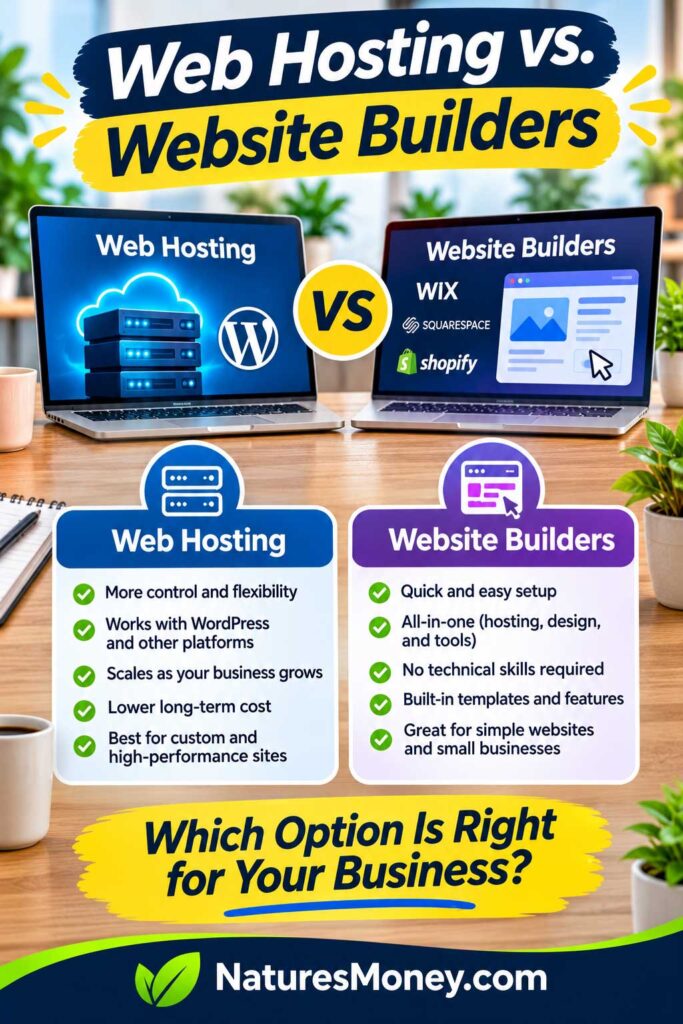
Web hosting and website builders are closely related, but they serve different purposes. Understanding the distinction can help small business owners avoid unnecessary subscriptions and choose the right setup from the beginning.
Web hosting provides the server infrastructure, storage, and resources necessary to make a website accessible online.
Website builders provide the design and editing tools needed to create website pages, customize layouts, and manage content without extensive coding knowledge.
Some platforms combine both services into a single subscription, while others allow businesses to choose their hosting provider separately.
Web Hosting vs. Website Builders Compared
| Feature | Web Hosting With WordPress | Hosted Website Builder |
|---|---|---|
| Hosting | Purchased separately | Included in subscription |
| Website design | Themes and page builders | Built-in visual editor |
| Customization | Extensive | Platform-dependent |
| Technical knowledge | Low to moderate | Generally low |
| Website portability | Greater flexibility | Often limited |
| Software maintenance | Owner or managed hosting provider | Primarily handled by the platform |
| Third-party integrations | Extensive plugin ecosystem | Platform-dependent |
| Pricing | Hosting, themes, and plugins | Subscription and optional add-ons |
| Scalability | Depends on hosting infrastructure | Depends on platform limitations |
| Examples | WordPress with Hostinger or SiteGround | Wix, Squarespace, and Shopify |
When Should You Choose Separate Web Hosting?
Purchasing web hosting separately and building your website with WordPress can be a better fit when you want:
- Greater control over website design and functionality
- Flexibility to change hosting providers
- Access to a wide range of themes and plugins
- Advanced customization and integrations
- More control over technical SEO
- The ability to expand your website as your business grows
For example, a small business can purchase hosting from Hostinger or SiteGround, install WordPress, and use Elementor to create a customized website.
When Should You Choose a Hosted Website Builder?
An all-in-one website builder may be more practical for business owners who prioritize simplicity and want to minimize technical maintenance.
Platforms such as Wix and Squarespace combine hosting, website design tools, templates, and platform maintenance into a single subscription. Shopify follows a similar approach but focuses primarily on ecommerce.
These platforms may appeal to freelancers, consultants, and small businesses that want to launch quickly without managing a separate WordPress installation.
Which Option Is Better for Small Businesses?
Neither approach is universally better. WordPress with separate hosting generally offers greater flexibility, while hosted website builders simplify setup and ongoing infrastructure management.
Before choosing a hosting provider, determine which website platform best supports your business goals, budget, and technical experience.
If you’re still exploring your options, read our guide to the best website builders for small businesses for a detailed comparison of popular website-building platforms.
Common Web Hosting Mistakes Small Business Owners Should Avoid
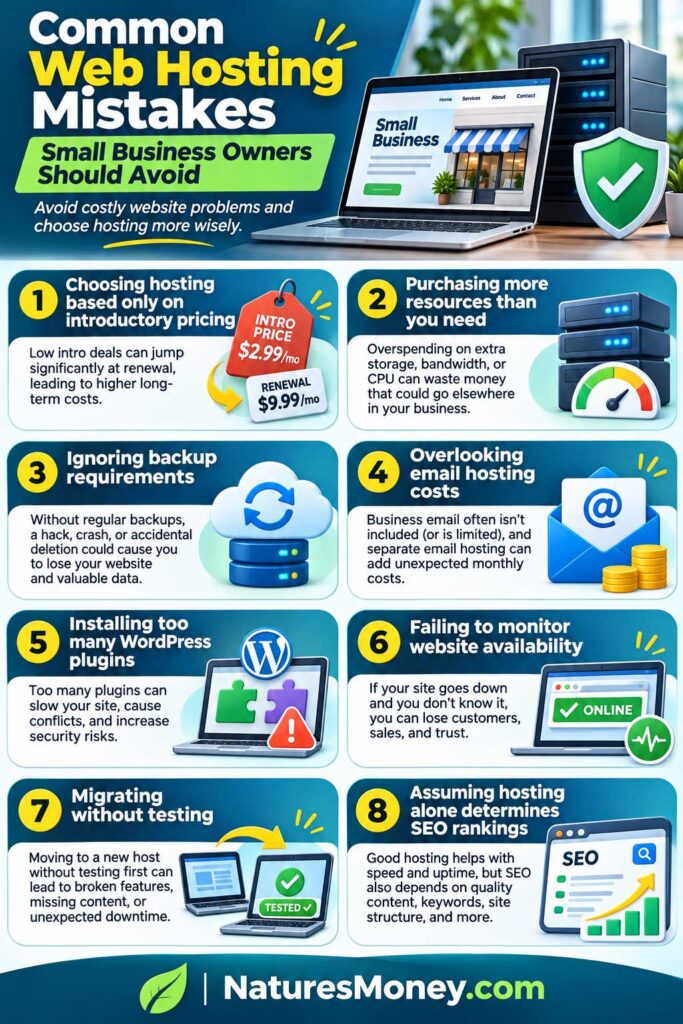
Even choosing one of the best web hosting providers for small businesses doesn’t guarantee a secure, fast, or reliable website. Poor purchasing decisions, inadequate maintenance, and overlooked technical requirements can lead to unnecessary expenses and lost business opportunities.
Here are some common hosting mistakes and how to avoid them.
1. Choosing Hosting Based Only on Introductory Pricing
A hosting plan advertised at $1 or $2 per month may become considerably more expensive after the promotional period ends.
Always compare renewal prices, upfront payments, subscription commitments, cancellation policies, and additional service fees. Calculate the total cost over at least three years before making a decision.
2. Purchasing More Server Resources Than You Need
A newly established local business with a basic informational website rarely needs premium cloud hosting or dedicated server infrastructure.
Start with a plan that meets your current requirements. Monitor website traffic, resource consumption, and performance before investing in additional hosting capacity.
3. Ignoring Backup and Recovery Requirements
Website backups provide protection against failed software updates, accidental deletions, malware infections, and server failures.
Check backup frequency, retention periods, and restoration options before purchasing hosting. Maintain an independent offsite backup of important business websites rather than relying exclusively on your hosting provider.
4. Overlooking Business Email Hosting Costs
Professional email hosting isn’t included with every web hosting subscription. Some providers offer temporary email trials, while others charge separately for each mailbox.
If your business requires multiple email accounts, these additional expenses can quickly exceed the cost of hosting itself.
5. Installing Unnecessary WordPress Plugins
Installing poorly optimized, outdated, or unnecessary plugins can increase server resource consumption and introduce security or compatibility problems.
Focus on plugin quality rather than quantity. Remove unused plugins, keep essential software updated, and periodically evaluate website performance.
6. Failing to Monitor Website Availability
Your website could be unavailable for several hours before you discover a problem, potentially resulting in missed customer inquiries or lost sales.
Use automated uptime monitoring tools such as UptimeRobot to receive notifications when your website becomes inaccessible.
7. Migrating Your Website Without Proper Testing
Changing hosting providers without adequate preparation can result in broken pages, missing content, interrupted email services, and website downtime.
Before updating DNS records, test your website in the new hosting environment. Verify contact forms, redirects, SSL certificates, email configurations, and ecommerce checkout functionality.
Keep your previous hosting account active until the migration has been successfully completed.
8. Neglecting Hosting and WordPress Security
Managed hosting does not eliminate every security responsibility.
Use strong passwords, enable two-factor authentication, maintain updated WordPress themes and plugins, and restrict administrative access. Avoid running unsupported PHP versions that no longer receive security updates.
9. Ignoring Server Resource Limitations
Hosting plans advertising unlimited websites, storage, or bandwidth still have technical restrictions.
CPU usage, RAM, PHP workers, database connections, and file-count limits can affect website performance. Review these limitations carefully, especially when hosting multiple websites or operating a WooCommerce store.
10. Assuming Better Hosting Automatically Improves SEO Rankings
Improved hosting can contribute to faster loading times, better website availability, and a smoother user experience. However, it cannot compensate for poor content, weak internal linking, or unresolved technical SEO problems.
Combine reliable hosting with a well-optimized website and an effective content strategy.
Explore our guide to the best SEO software tools for small businesses to discover tools that can help improve your website’s search visibility.
Common Web Hosting Mistakes at a Glance
| Common Mistake | Potential Consequence | How to Avoid It |
|---|---|---|
| Focusing only on promotional prices | Unexpected renewal expenses | Compare three-year hosting costs |
| Overpaying for server resources | Unnecessary operating expenses | Upgrade based on actual usage |
| Ignoring backups | Permanent data loss | Maintain independent, tested backups |
| Overlooking email costs | Higher recurring expenses | Check mailbox pricing before purchasing |
| Installing unnecessary plugins | Performance and security problems | Audit plugins regularly |
| Ignoring website uptime | Lost sales and customer inquiries | Use automated uptime monitoring |
| Migrating without testing | Downtime and broken functionality | Test before changing DNS records |
| Neglecting security | Malware and unauthorized access | Update software and enable 2FA |
| Ignoring resource limitations | Slowdowns and server errors | Monitor CPU, RAM, and other limits |
| Relying on hosting alone for SEO | Poor organic visibility | Invest in content and technical SEO |
Avoiding these mistakes can help small businesses reduce unnecessary hosting expenses, protect their websites, and provide a more dependable online experience for customers.
How to Move Your Business Website to a New Hosting Provider
Switching web hosting providers doesn’t mean you need to rebuild your website from scratch. Many hosting companies offer free migration assistance or automated tools that simplify the process.
However, a poorly planned migration can result in downtime, missing content, interrupted email services, and lost customer inquiries. Following these six steps can help ensure a smooth transition.
Step 1: Back Up Your Existing Website
Before making any changes, create a complete backup of your website and store a copy independently of your current hosting provider.
For WordPress websites, your backup should include:
- Website files and databases
- WordPress themes and plugins
- Media files and uploads
- Configuration files
- Custom code and redirects
- DNS records and email configurations
Verify that your backup is complete and can be restored before proceeding.
Step 2: Choose Your New Hosting Plan
Select a hosting package that accommodates your existing website and provides sufficient resources for future growth.
Before purchasing, confirm the following requirements:
| Hosting Requirement | What to Verify |
|---|---|
| Storage capacity | Enough space for existing files and databases |
| PHP compatibility | Actively supported versions compatible with your website |
| Database compatibility | Supported MySQL or MariaDB versions |
| Server resources | Adequate CPU, RAM, and PHP workers |
| Email hosting | Mailbox availability and migration options |
| Security | SSL certificates, firewall, and malware protection |
| Backup capabilities | Frequency, retention, and restoration options |
| Migration assistance | Free or paid migration services |
Step 3: Migrate Your Website to the New Server
Many providers, including Hostinger, Cloudways, and Kinsta, offer website migration assistance or automated migration tools.
Alternatively, WordPress users can transfer their websites using plugins such as Duplicator or All-in-One WP Migration.
More complex websites may require a manual transfer of files, databases, and server configurations.
For ecommerce stores and membership websites, plan the final database synchronization carefully to prevent losing recent orders, registrations, or customer account changes.
Step 4: Test Everything Before Changing DNS
Before directing visitors to the new hosting environment, use a temporary URL, staging environment, or local hosts file configuration to test your website.
Check the following:
- Homepage and important landing pages
- Navigation and internal links
- Images and downloadable files
- Contact forms and appointment booking systems
- WordPress plugins and theme functionality
- Existing redirects and permalink structure
- Customer accounts and login functionality
- Shopping carts, checkout, and payment integrations
Resolve any compatibility or configuration problems before making the new website publicly accessible.
Step 5: Update Your DNS Records
Once the new hosting environment has been tested, update the appropriate DNS records to direct visitors to the new server.
If possible, lower the DNS time-to-live (TTL) before the scheduled migration to help reduce transition delays.
Pay particular attention to email-related DNS records, including MX, SPF, DKIM, and DMARC, to avoid interrupting business email services.
DNS changes can take several hours or longer to propagate. Keep your previous hosting account active during this transition.
Step 6: Verify Website Performance After Migration
After completing the migration, confirm that your website is accessible and functioning correctly.
| Post-Migration Check | What to Confirm |
|---|---|
| Website accessibility | All important pages load correctly |
| SSL certificates | HTTPS works without security warnings |
| Contact forms | Customer inquiries are delivered |
| Business email | Incoming and outgoing messages work |
| SEO settings | Canonical URLs, redirects, robots.txt, and XML sitemaps remain correct |
| Google Analytics | Visitor tracking works correctly |
| Google Search Console | Ownership verification remains active |
| Ecommerce functionality | Customers can complete purchases |
| Website performance | Loading times and server response are acceptable |
| Automatic backups | Backup schedules are configured and working |
| Website monitoring | Uptime and security monitoring are active |
Use Google PageSpeed Insights to compare website performance before and after migration.
Keep your previous hosting account active for several days, ideally 7–14 days when practical, until you are confident that the migration is complete and no important data or services have been overlooked.
A carefully planned website migration can improve hosting performance, reduce operating expenses, and provide a stronger foundation for business growth without unnecessarily disrupting your customers.
Frequently Asked Questions About Small Business Web Hosting
What is the best web hosting for small businesses in 2026?
Hostinger offers an attractive balance of affordability, ease of management, and WordPress hosting features for many small businesses. SiteGround is a strong alternative for professional WordPress websites, while Cloudways is better suited to growing businesses that require flexible server resources. WP Engine and Kinsta are worth considering for premium managed WordPress hosting.
How much does web hosting cost for a small business?
Most small businesses can budget between $5 and $30 per month for standard website hosting. Premium managed WordPress hosting typically costs $20–$100 or more per month, while demanding ecommerce websites may require larger budgets. Always consider renewal prices, domain fees, email hosting, and additional services when calculating your total costs.
Yes. Shared hosting is sufficient for many local businesses, professional portfolios, blogs, and informational websites. It provides an affordable starting point without requiring advanced technical knowledge. Businesses running high-traffic websites or resource-intensive applications may eventually need VPS, cloud, or premium managed hosting.
Is WordPress hosting better than regular web hosting?
WordPress hosting can simplify website management by providing specialized caching, automatic updates, security features, and WordPress-specific support. However, WordPress can also perform well on compatible general-purpose hosting. The actual server resources and included management features matter more than the hosting label itself.
Which hosting provider is best for WordPress?
Hostinger and Bluehost are affordable options for beginners, while SiteGround provides useful WordPress management and optimization tools. WP Engine and Kinsta specialize in premium managed WordPress hosting for established businesses. The right provider depends on your website’s complexity, budget, and technical requirements.
Can I host a business website for free?
Yes, but free hosting often comes with limitations involving storage, server resources, customization, branding, and technical support. For a professional website that generates customer inquiries or online sales, paid hosting is generally a more practical choice.
Do I need separate web hosting for Shopify?
No. Shopify includes web hosting, SSL certificates, and infrastructure management as part of its ecommerce subscriptions. You do not need to purchase a separate hosting plan to operate a standard Shopify store.
Can I change web hosting providers later?
Yes. Most self-hosted websites can be transferred to another compatible hosting provider. Many hosting companies offer free migration assistance or automated migration tools. Always create a complete backup and test the new hosting environment before updating your DNS records.
Does faster web hosting improve Google rankings?
Faster hosting can contribute to better loading performance, website availability, and user experience. Google uses Core Web Vitals within its ranking systems, but faster hosting alone does not guarantee higher rankings. Content quality, search relevance, technical SEO, and website usability also play important roles.
Should my domain and hosting be with the same company?
Not necessarily. Purchasing both services from the same provider can simplify setup and billing. However, keeping domain registration separate from web hosting can provide greater flexibility when migrating websites or managing multiple online businesses.
What is the difference between cloud hosting and VPS hosting?
VPS hosting provides a virtualized server environment with defined resource allocations. Cloud hosting uses cloud infrastructure that may offer more flexible resource management and scaling capabilities. These categories can overlap, and not every cloud hosting service includes automatic scaling or high availability.
When should a small business upgrade its web hosting?
Consider upgrading when your website consistently reaches CPU, memory, storage, or other resource limits, experiences hosting-related slowdowns, or requires features unavailable on your existing plan. Monitor actual resource consumption and investigate performance problems before purchasing more expensive hosting.
How much storage does a small business website need?
Many informational business websites can operate comfortably with 5–10 GB of storage. Websites with extensive product catalogs, large media libraries, or multiple WordPress installations may require 20–50 GB or more. Storage requirements also depend on whether backups, email accounts, and databases count toward the plan’s allowance.
Does web hosting include business email?
Some providers, including SiteGround, Namecheap, InMotion Hosting, and IONOS, include email services with selected hosting plans. Others offer temporary email trials or require separate subscriptions. Always check mailbox limits, storage allowances, and renewal costs before purchasing.
What is a good uptime guarantee for business web hosting?
An uptime commitment of 99.9% or higher is a reasonable starting point for most small business websites. Businesses that depend heavily on online sales may prefer stronger availability commitments and more resilient infrastructure. However, an advertised uptime guarantee is not the same as independently measured reliability.
Do small businesses need managed web hosting?
Not every small business requires managed hosting. Standard shared hosting may be sufficient for a simple website. Managed hosting becomes more valuable when businesses want to reduce technical maintenance, simplify backups, improve security management, or spend less time troubleshooting website problems.
Can I host multiple business websites on one hosting plan?
Yes. Many hosting providers offer plans that support multiple websites. However, those websites typically share available server resources, storage, and other account limits. Businesses managing several websites should evaluate resource allocations carefully and consider isolating high-value or security-sensitive websites.
Which web hosting features are essential for small businesses?
Essential features include SSL certificates, automatic backups, adequate server resources, security protection, dependable technical support, and transparent renewal pricing. Additional features such as staging environments, CDN integration, advanced caching, and business email hosting can provide further value depending on your website’s requirements.
Our Final Recommendations: Which Small Business Web Host Should You Choose?
The best web hosting for small businesses isn’t necessarily the cheapest or most expensive option. It’s the service that meets your website’s requirements, fits your long-term budget, and gives your business room to grow.
After comparing all 10 hosting providers, these are our recommendations for different business needs:
| Business Priority | Recommended Provider |
|---|---|
| Best overall value | Hostinger |
| Best for professional WordPress websites | SiteGround |
| Best for growing websites and cloud hosting | Cloudways |
| Best managed WordPress hosting | WP Engine |
| Best premium hosting for business-critical websites | Kinsta |
| Best for WordPress beginners | Bluehost |
| Best affordable hosting with daily backups | DreamHost |
| Best budget hosting and domain management | Namecheap |
| Best traditional cPanel hosting | InMotion Hosting |
| Best for low first-year expenses | IONOS |
For most entrepreneurs and small businesses launching their first professional website, Hostinger is our overall recommendation because of its combination of affordability, website management tools, and upgrade options.
SiteGround makes sense for businesses that rely on WordPress and need more advanced management features. Cloudways provides greater infrastructure flexibility for growing websites, while WP Engine and Kinsta are worth considering when website performance, security, and technical management become critical business priorities.
Before making your final decision, narrow your options to two or three providers. Compare their renewal prices, server resources, backup capabilities, customer support, and potential additional expenses.
Start with a hosting plan that meets your current requirements and upgrade when your website’s actual performance and resource consumption justify the investment.

FREE WEBSITE GROWTH REVIEW
Is Your Website Holding Your Business Back?
Discover opportunities to improve your website’s performance, search visibility, and conversions.
No obligation. Practical insights.
Explore More Small Business Tools and Resources
Once you’ve selected a hosting provider, explore our other guides to build a more effective digital business toolkit.
- Best Website Builders for Small Businesses – Compare platforms for creating a professional website.
- Best SEO Tools for Small Businesses – Discover tools for improving search visibility and attracting organic traffic.
- Best Email Marketing Software for Small Businesses – Build your email list, automate campaigns, and strengthen customer relationships.
- Best CRM Software for Small Businesses – Organize customer information, manage leads, and improve sales processes.
- Best Ecommerce Platforms for Small Businesses – Compare solutions for launching and growing an online store.
- Best Apps for Small Businesses – Discover practical tools for productivity, marketing, automation, and everyday business management.
Start with the tools your business needs today, measure their impact, and expand your digital infrastructure as your business grows.
FREE WEBSITE GROWTH REVIEW
Is Your Website Holding Your Business Back?
Discover opportunities to improve your website’s performance, search visibility, and conversions.
No obligation. Practical insights.